Tag: InsureYouKnow
Medical ID Wallet Cards vs. Digital Access: Which is Better?
February 11, 2026
The Emergency Question
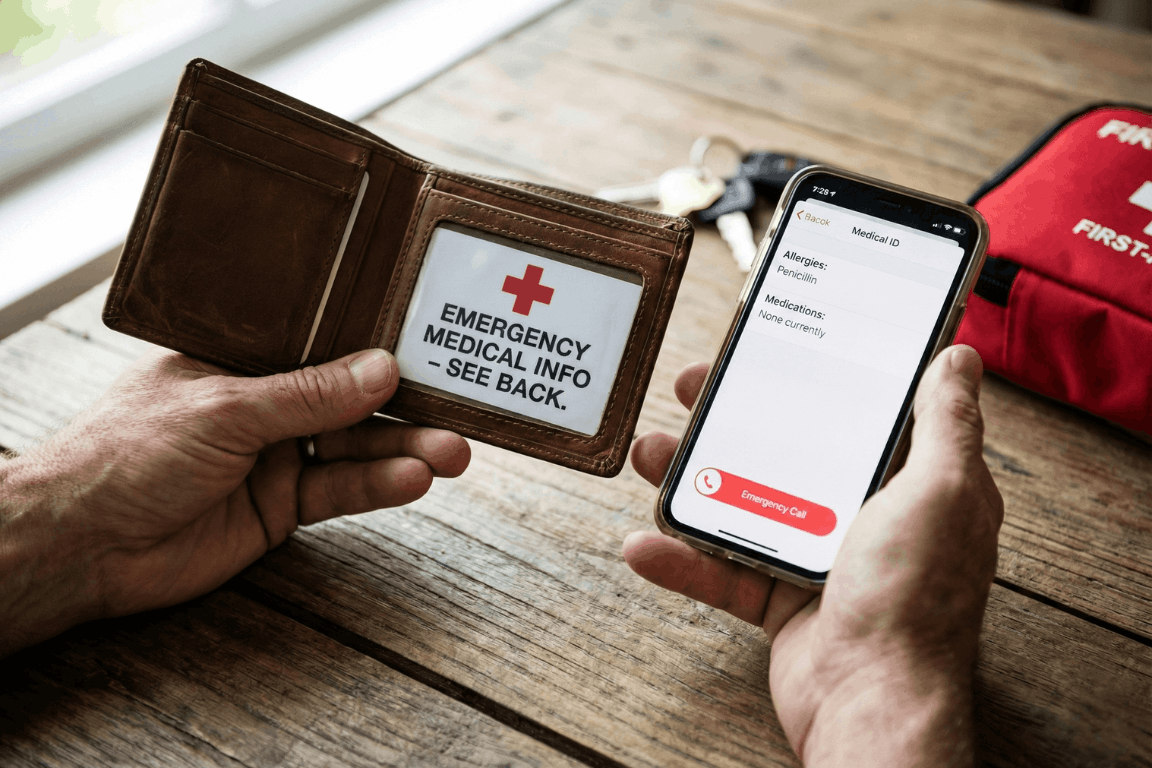
Picture someone collapsing in a store, unable to talk. Paramedics rush over but need answers. What allergies does this person have? What medications? Any serious health problems? Should these details live on a card in their wallet or sit on their phone?
Here’s the thing: picking just one isn’t the best move.
Medical ID Wallet Cards
Advantages
- Battery? What battery? These cards just work, period.
- First responders get it: About 95% of EMTs know to check wallets.
- Zero connectivity needed: Mountains, basements, middle of nowhere. Doesn’t matter.
- Won’t break the bank: Spend maybe $5-10 once, that’s it.
Disadvantages
- There’s only so much room on a tiny card.
- Wallets get misplaced or left at home sometimes.
- People forget to scratch out old info and add new stuff.
- Cards get wet, fade, or become hard to read after a while.
Digital Smartphone Medical IDs
Advantages
- Room for everything: Write down every single medication and condition.
- Updates take two seconds: New prescription? Changed doctors? Fixed instantly.
- Talks to 911: iPhones automatically send this stuff when someone dials emergency.
- Costs nothing: Already sitting in the phone waiting to be used.
Disadvantages
- Dead phone equals zero help.
- Some paramedics haven’t learned the tricks for every phone type yet.
- Accidents crack screens and destroy phones pretty often.
- Weird fact: Only about 1 in 4 people actually bother setting this up.
The Smart Choice: Use Both
- Medical Alert Jewelry: Get a bracelet stamped with the biggest health concern plus “SEE WALLET CARD”.
- Wallet Card: The most important stuff, right there in physical form.
- Digital Medical ID: Everything else stored on the phone (make sure it shows without unlocking).
- Backup Copies: Stick extras in the glove box, desk drawer, with Mom or a close friend. Consider using a secure digital vault like InsureYouKnow to store copies of medical cards, insurance information, and emergency contacts that family members can access when needed.
Quick Setup
Wallet Card:
- Write down allergies, health conditions, meds, who to call.
- Get it laminated so it lasts.
- Make a few copies.
iPhone:
- Open Health app → Find Medical ID → Turn on “Show When Locked”.
Android:
- Go to Settings → Look for Safety & Emergency → Switch on “Show on Lock Screen”.
Total time needed: about 10 minutes.
Real Examples
- Diabetic collapse: Woman’s wallet card listed her insulin information. Paramedics knew exactly what to do.
- Allergic reaction: Guy’s phone shattered during his fall. Good thing his wallet card mentioned that penicillin allergy.
- Lost senior: Older woman wandered off, couldn’t remember her name. Her iPhone Medical ID had her daughter’s number right there.
Who Needs This?
People dealing with:
- Health stuff like diabetes, seizures, heart trouble.
- Bad allergies that could turn dangerous.
- Pills they take every day.
- Pacemakers, implants, that kind of thing.
Common Mistakes
- Picking one method and ignoring the other.
- Setting it up once and never looking at it again.
- Leaving the lock screen access turned off on phones.
- Keeping it secret from family members.
The Bottom Line
Why choose? Wallet cards save the day when phones quit. Digital files hold way more detail than any card could. Together, they’ve got each other’s backs.
- Money spent: Less than fifty bucks
- Time invested: Ten minutes
- Potential payoff: Might literally save someone’s life
Action Steps
- Today: Get that phone Medical ID set up (takes 5 minutes).
- This week: Print out a wallet card (another 5 minutes).
- Twice a year: Check both and update anything that changed.
When things go wrong, having a backup plan makes all the difference.
Storing Everything Securely
Beyond wallet cards and phone apps, keeping digital copies of medical information in a secure vault ensures family members can access critical details during emergencies. Platforms like InsureYouKnow provide encrypted storage for medical records, insurance policies, medication lists, and emergency contacts. This creates another layer of protection, especially when someone needs to share information with multiple family members or caregivers.
Medical History Cheat Sheet: What ER Doctors Need
February 4, 2026

The “Golden Hour” Gap
The Emergency Room is a storm. Noise. Chaos. Speed. Doctors and nurses fight the clock. They chase the “Golden Hour.” That tiny window where fast action beats death.
But silence is the enemy. Ambulances dump patients who can’t talk. Shock takes over. Or they are out cold. In that high-pressure moment, a missing detail, a drug allergy, an old surgery, sends the team down the wrong road. That road ends badly.
Ask any ER staffer. They agree on one thing. A simple “cheat sheet” is the best tool a person can bring through those doors.
Why Memory Fails in a Crisis
People think they will remember. “I know my meds,” they say. They are wrong. Trauma wipes the brain clean. Pain and fear take over. A patient knows they take a “heart pill.” The name? Gone. The dose? Forgotten.
A written paper fixes this. It talks when the mouth cannot. It stops the guessing game between a frantic arrival and safe care.
The ER Doctor’s Wish List: 6 Essentials
What goes on the paper? Forget the thick file. Medical teams want facts. Facts that change the plan right now.
1. The “Big Picture” Demographics
Before the IV goes in, the team must know who they are treating. They need to know who signs the forms.
- Full Legal Name and Date of Birth: This finds old records in the computer.
- Blood Type: Vital for fast transfusions.
- Emergency Contacts: A spouse. A parent. Someone who answers “yes” or “no” to surgery when the patient can’t.
2. The Medication List (Crucial)
This part kills people if it’s wrong. Drug interactions cause huge messes in hospitals. Be exact:
- Prescription Drugs: The name. The dose (like 50mg). The schedule.
- Over-the-Counter (OTC) Meds: Aspirin. Ibuprofen. They seem safe. They aren’t. They thin blood. They hit kidneys.
- Supplements and Vitamins: Herbal pills often fight with anesthesia.
Note: Never write “Take as directed.” That tells the doctor zero.
3. The Allergy Alert
Does the patient hate penicillin? Latex? Contrast dye? The team needs to know. Now. The wrong drug turns a broken bone into a breathing emergency. List the allergen and the reaction. “Penicillin: Hives.” “Peanuts: Throat shuts.”
4. Past Medical History (PMH)
Context is king. A stomach ache in a healthy teen is one thing. In a Crohn’s patient, it’s another.
- Chronic Conditions: Diabetes. Asthma. Epilepsy. High blood pressure. Heart issues.
- Implants: Pacemakers. Metal rods. Artificial joints. The team must know this before an MRI scan starts.
- Past Surgeries: A quick list. “Appendectomy, 2015.” “C-Section, 2020.”
5. Recent History
Sometimes the clue is new. A note about travel, especially overseas, helps. So does a note about recent hospital stays. This helps doctors spot weird infections.
6. Insurance and Directives
Life comes first. But paperwork causes headaches later. List Insurance Policy and Group Numbers. Also, check for an Advance Directive or DNR (Do Not Resuscitate) order. A copy must exist. Otherwise, the patient’s wishes get ignored.
Paper vs. Digital: The Accessibility Problem
Old advice? Keep a card in a wallet. But paper sucks. It fades. It tears. It gets lost. Or it sits in a kitchen drawer while the car crash happens three towns over.
Digital vaults like InsureYouKnow.org changed the game. Storing this “Cheat Sheet” in a secure cloud keeps data safe. It stays ready. A trusted partner pulls up the vault on a phone. Seconds later, the ER team has the facts.
The Final Diagnosis
Being ready isn’t paranoia. It is smart. A Medical History Cheat Sheet takes ten minutes. It pays off in safety. It lets doctors work faster. It stops bad errors. And it gives families peace. They know the health story is clear. Even when the room is silent.
5 Scams Targeting Seniors in 2026 (And How to Lock Down Your Data)
January 1, 2026

Can you believe it is 2026? We have apps for everything and phones that are smarter than the computers we grew up with. But there is a flip side. All this tech has handed crooks a brand new playbook. And let’s be honest, they love targeting seniors.
The scams floating around right now aren’t the sloppy emails we used to laugh at. These new ones are sharp. They use fancy tech and psychological tricks to bypass your gut instincts. But don’t worry. You don’t need to be a tech wizard to stay safe; you just need to know what the red flags look like.
Here is what is happening out there and how to keep your private life private.
1. The “Grandchild” Voice Clone (It’s Not Them)
You might remember the old version of this trick. Someone calls pretending to be a grandson in trouble. Usually, you could tell it wasn’t him because the voice was off.
Well, the game has changed.
Scammers are now grabbing snippets of audio from social media videos. If your grandchild posted a video on TikTok or Instagram, that is all they need. They use AI to clone the voice. When the phone rings, it sounds exactly like them. Same laugh, same tone. They will say they are in jail or stuck in Mexico and need money fast.
What to do:
- The Password Rule: Agree on a secret family password. If “Bobby” calls saying he is in trouble, ask for the password. If he can’t give it, hang up.
- Don’t Panic: Hang up and call their real cell phone number. Verify it yourself.
2. The “Computer Meltdown” Pop up
You are just reading the news or looking for a recipe, and suddenly BAM. A siren starts wailing from your speakers. A box pops up on the screen saying your computer is infected and you have to call “Microsoft” immediately.
It is terrifying, right? That is the point.
But here is the truth. It is all smoke and mirrors. Your computer is fine. The person on that phone line isn’t tech support; they are a thief waiting for you to open the front door. If you let them “remote in,” they will swipe your passwords or charge you for fixing a problem that didn’t exist.
What to do:
- Ignore the Number: Real companies like Apple or Microsoft will never put a phone number on a warning pop up. Never.
- The Hard Reset: If your mouse freezes, just hold the power button down until the screen goes black. Turn it back on, and the “virus” will be gone.
3. The Medicare “Chip Card” Trap
Medicare rules are a maze, and scammers know it. The latest trick? A friendly phone call telling you that you are due for a “refund” or a new “chip card.”
It sounds great, doesn’t it? But then comes the catch. To get the goods, they say they just need to “verify” your Social Security Number or your current Medicare ID.
What to do:
- Guard It: Treat your Medicare number like the combination to a safe.
- Check Your Vault: Don’t take a stranger’s word for it. If you keep your insurance details stored in a secure spot, like the InsureYouKnow.org portal, you can just log in and check your official policy. Call the number on your documents, not the one the stranger gave you.
4. The “Pig Butchering” Long Game
This one is nasty because it pulls on heartstrings. It usually starts with a “wrong number” text or a random message on Facebook. The person is nice. You start chatting. Over weeks, maybe even months, you become friends.
Then, they mention money. They are making a killing in crypto or gold, and they want to help you do the same. You might even put a little money in and see it grow on a website they send you. But the moment you invest a serious amount? The website vanishes, and so does your “friend.”
What to do:
- Keep Wallets Closed: Never take financial advice from someone you have only met through a screen.
- Do Your Homework: If they send a photo, run it through a Google Image search. You will probably find that picture belongs to a model or someone else entirely.
5. The Fake Government Threat
Fear is a powerful tool. Scammers love to pretend they are the IRS or the Social Security Administration. You will get a text or voicemail saying your account is “suspended” or you owe back taxes.
They will threaten arrest if you don’t pay right now. And weirdly, they often want payment in gift cards.
What to do:
- Gift Cards equal Scam: The government will never ask you to pay a fine with an Amazon gift card. That just doesn’t happen.
- Slow Down: They want you to panic so you stop thinking. Take a breath. It is almost certainly fake.
The Secret Weapon? Getting Organized.
Why do these scams work? Because they rely on chaos. They hope you don’t know where your real policy is. They hope you can’t find the right phone number to check if the story is true.
If you have your house in order, they can’t touch you.
When you have your vital info, like IDs, policies, and bank contacts, locked in a secure, encrypted hub, you have the power. If someone calls about your life insurance, you don’t have to guess. You log in, look at the real document, and you see the truth.
Stay Safe Out There:
- Verify, Verify, Verify: Don’t trust Caller ID.
- Lock It Up: Use a secure service to store your life’s paperwork.
- Buddy System: Share access to that digital vault with a family member you trust. It helps to have backup.
You don’t have to be paranoid to be safe in 2026. You just have to be organized.
Moving Into a New Home? Important Documents to Update and Store
November 12, 2025

The day you move into a new home is always a blur. There are boxes everywhere, someone’s hunting for the screwdriver, and the Wi-Fi isn’t working yet. Between excitement and exhaustion, paperwork usually ends up in a pile somewhere, the “I’ll deal with it later” pile.
That pile matters more than it seems. Hidden inside are the documents that prove ownership, protect your investment, and make sure you’re covered if life throws a surprise your way. Spending even half an hour getting it sorted now can save weeks of hassle later.
Here’s an easy way to stay ahead of it all.
Step 1: Collect the Home Documents
Start with the basics: anything connected to the property itself.
The deed, the lease, closing papers, inspection reports, property taxes, the list’s not short, but every one of those pages has a job to do.
Keep them together. Snap photos or scan copies and upload them to a secure place such as InsureYouKnow.org. Paper can get lost, wet, or tossed out by mistake. A digital backup doesn’t.
Step 2: Update Every Insurance Policy
It’s easy to forget how many places your address lives: homeowners, renters, car, health, even life insurance. If you’ve moved, they all need an update.
A change of address sometimes shifts coverage or premiums. Check each policy, make sure everything looks right, and store a copy in your vault. When you actually need those papers, you won’t have to dig through drawers.
Step 3: Review Finances and Bills
Moving tends to scatter money trails. One bank has your old address, a credit card statement goes missing, and a subscription quietly keeps charging the wrong account.
Before things snowball, log in to each account, banks, credit cards, utilities, and loan providers, and double-check that your information’s current. Grab a recent statement or two and save them. Come tax season, you’ll be glad you did.
Step 4: Fix the ID and Legal Stuff
This is the least exciting part, but it matters. Out-of-date identification can make the simplest tasks harder.
Head to the DMV, update your license, change your voter registration, and check your vehicle paperwork. If you’ve moved to a different state, renew your passport details too. Take a quick photo of each ID and tuck it safely into your digital folder, one less worry if a wallet ever goes missing.
Step 5: Round Up Family and Pet Records
Families (and pets) come with paperwork of their own: school transcripts, vaccination cards, medical histories, and adoption or license documents.
Put them all in one place. Upload copies so you can reach them instantly when someone needs a school form or a vet asks for proof of shots. It’s one of those tiny habits that saves time again and again.
Step 6: Check Estate and Emergency Documents
A new home changes the big picture. If you own more now than before, or live in a different state, some legal documents might need attention.
Look at your will, trust, and power of attorney. Make sure beneficiaries are still correct and that addresses match. Upload those to your vault and share access only with the people you absolutely trust. That small act can spare family members confusion later.
Step 7: Why Digital Storage Beats a Drawer of Folders
Paper doesn’t last forever. It fades, tears, and somehow always disappears when you’re in a hurry. Digital storage, especially a secure platform like InsureYouKnow.org, keeps everything in one spot, encrypted and easy to reach from anywhere.
You can label folders, set reminders for renewals, and grant limited access to family or advisors. It turns chaos into order, quietly, efficiently, without any stress.
A Quick Reality Check
Moving is a mix of energy, emotion, and endless details. Once the boxes are gone and the house starts to feel like home, take an hour, grab that pile of paperwork, and go through it.
Scan, upload, label, done. Then forget about it for a while.
It’s not the glamorous side of homeownership, but it’s the one that keeps everything running smoothly. A little organization now means fewer surprises later, and that’s worth more than any new piece of furniture.
How to Choose a Medical Power of Attorney and Stay Prepared
November 6, 2025

A few years ago, a close friend of mine went through something that completely changed how I look at “being prepared.” Her dad had a stroke while working in the garden. One minute he was watering plants, the next, he was in the hospital, unable to speak. The doctors were asking who could make medical decisions for him, but no one had an answer. Everyone froze.
It was heartbreaking to watch. Her mom was in shock, her siblings were arguing, and everyone was scared. Nobody knew what he would have wanted.
That day taught me something that I’ll never forget. Planning ahead isn’t just about being responsible. It’s an act of love. And that’s exactly what a Medical Power of Attorney is all about.
What a Medical Power of Attorney Really Means
A Medical Power of Attorney (MPOA) sounds like a complicated legal thing, but it’s actually simple. It’s a document that lets you choose someone you trust to make healthcare decisions if you can’t.
That person, your agent, doesn’t suddenly take over your life. They only step in if you can’t speak for yourself. Their role is to protect your wishes and make sure what you want actually happens.
It’s one of those things we tend to put off, but once it’s done, it brings a quiet kind of comfort. You know things will be okay, even if you can’t explain what you want in the moment.
Why It Matters
If you don’t have a Medical Power of Attorney, hospitals usually turn to whoever’s nearby or follow state laws about next of kin. That can work, but it can also cause a lot of tension. In stressful moments, people don’t always think clearly. They guess, they argue, they panic.
Having an MPOA avoids all that. It gives doctors one clear person to speak with and gives your family direction when things feel uncertain. It’s a simple form, but it can prevent a lot of heartache later.
How to Choose the Right Person
Choosing your agent isn’t about who’s closest to you. It’s about who knows you best. The person you trust most doesn’t have to be family. It could be a friend, a sibling, or someone who simply understands you.
Here’s what to think about:
- Who stays calm under pressure?
- Who knows how you feel about medical care and quality of life?
- Who will listen to doctors carefully and ask good questions?
- Who will do what you want, even if others disagree?
Once you decide, talk to them. It doesn’t need to be formal or serious. Maybe just bring it up during a car ride or while cooking dinner. Tell them how you feel about certain treatments or what kind of care you’d want. These honest conversations matter so much more than any form.
Keeping Your Documents in Order
Once your form is signed, keep it somewhere easy to find. In an emergency, no one wants to dig through stacks of paper.
Here’s what to keep together:
- Your MPOA form (signed and dated).
- A Living Will or Advance Directive describing your medical preferences.
- A HIPAA release form so your agent can speak with doctors.
- Health insurance cards and policy info.
- Emergency contacts for family and doctors.
- Photo IDs for you and your agent.
I like to keep mine in a labeled folder at home and another copy saved online. It’s one of those “just in case” things that saves everyone stress later.
Why Digital Storage Helps
Paper gets lost. It gets packed in a box or tossed by accident. That’s why having a digital copy is smart.
A secure site like InsureYouKnow.org makes it easy to upload and store important documents safely. You can label them, share access with your agent, and know that if you ever need them, they’re right there. It’s simple, private, and safe.
It’s not about being tech savvy, it’s about being practical.
Keep It Updated
Life changes. People move, relationships shift, new doctors come into your life. Once a year, take five or ten minutes to check that your MPOA and other forms are still up to date.
It doesn’t take long, but it gives you peace of mind that everything’s current.
A Final Thought
Setting up a Medical Power of Attorney isn’t about expecting bad things to happen. It’s about kindness, for yourself and the people who love you.
Once it’s done, you can stop worrying. You’ll know that, no matter what happens, your family won’t be left guessing. They’ll already know because you cared enough to prepare.
It’s not just a document. It’s peace of mind, and maybe one of the most loving things you can do.
Digital Inheritance: Secure Your Online Legacy with InsureYouKnow
August 13, 2025
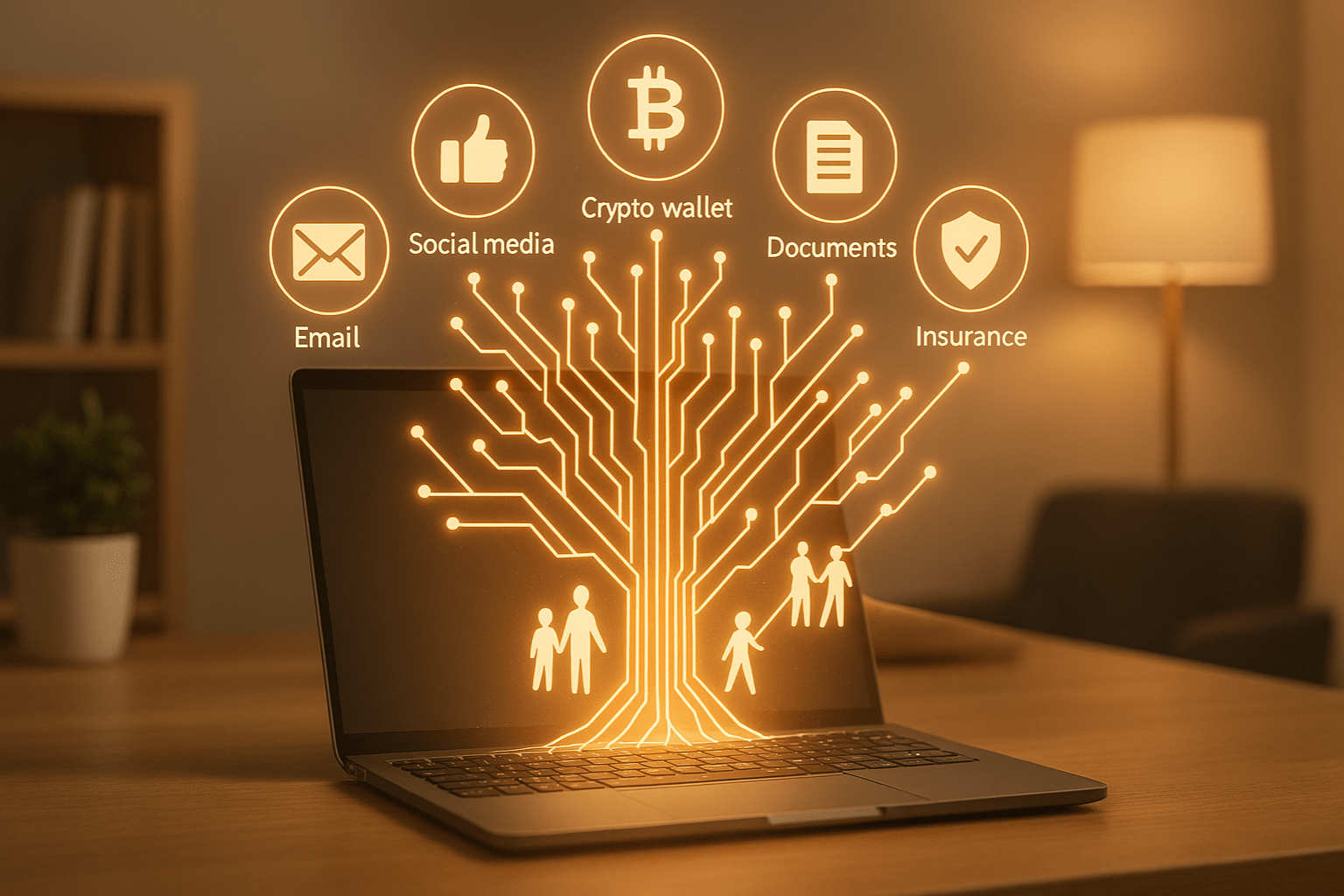
Think about how much of your life now lives online. Photos you never printed. Banking and insurance details you don’t keep in a filing cabinet. Emails, social media posts, maybe even a bit of cryptocurrency sitting in a digital wallet. It is all part of your story, and it does not just disappear when you do.
That is why digital inheritance matters. It is about making sure the people you trust can find and use what you leave behind, without having to play password detective or deal with frustrating account lockouts.
In the next few minutes, we will explore how to put a plan in place for your online life, and how a secure tool like InsureYouKnow.org can help you create a well-organized digital legacy your loved ones can actually access when it counts.
What Constitutes Digital Assets
When you think about what you own online, it is probably more than you realize. There are the obvious things like your insurance papers, bank records, medical files, and maybe a scan of your driver’s license sitting in a folder somewhere.
Then you have your accounts. Email, social media, streaming logins, and online banking all hold bits of your life, whether that is photos from years ago or details about your finances.
And do not forget the paid stuff. Cloud storage plans, memberships, crypto wallets, or payment apps like PayPal. Some of it has sentimental value, and some of it is worth real money.
Figuring out exactly what you have is step one in digital estate planning, and it makes life much easier for the people who will need to handle things later.
Risks of Digital Legacy Without Proper Planning
Not thinking about your digital stuff after you’re gone can really cause headaches. Sometimes you can’t get into accounts at all, and all those photos or important files? They might just disappear.
Hackers or scammers could also sneak in. They might use your info, drain money from digital wallets, or mess with accounts in ways that are hard to fix.
And honestly, it’s a lot for your family. They could spend hours digging for passwords, calling different companies, or trying to figure out what belongs where — all while they’re already dealing with grief.
Just taking a little time now to plan your digital estate can save a ton of trouble later and make sure the people you care about aren’t stuck sorting through a mess.
How InsureYouKnow.org Helps
Keeping track of all your digital stuff can be a pain, you know? InsureYouKnow.org makes it kind of simple. You just toss all your important docs, passwords, whatever, into one safe spot. You get to decide who sees what.
And if something happens, a family member can just log in and grab what they need. No digging through emails. No guessing passwords. Way less stress.
Honestly, it just makes your digital life easier and ready for your loved ones when it counts.
Best Practices in Preparing Your Digital Legacy
You know, getting your digital stuff in order now can save a lot of headaches later. Start by listing all your accounts and assets — emails, social media, bank stuff, subscriptions, crypto, everything.
Use password managers or secure lockers to keep logins safe. Also, jot down who should access what and how, and store it somewhere safe.
Finally, think about adding instructions in your will or estate plan. That way, your family can handle your digital life smoothly and without stress.
Step-by-Step Action Plan
Getting your digital stuff in order doesn’t have to be complicated. Here’s a simple way to do it.
- Make a list – Write down all your accounts, subscriptions, documents, crypto wallets… basically everything. Group them so it’s easy to see.
- Keep it safe – Store passwords and important docs in InsureYouKnow’s secure vault. That way, it’s all in one place and protected.
- Pick someone you trust – Decide who can access what. Set clear permissions so they know what’s theirs to handle.
- Check and update often – Things change, you know? Make a habit of reviewing your list regularly.
Doing this makes your digital life organized, safe, and way easier for your family when they need it.
Real-Life Scenario
Imagine this: Sarah had been using InsureYouKnow.org to organize her digital life. She had all her accounts, documents, and login info stored securely, and she’d assigned her brother as her digital heir with clear permissions.
When Sarah unexpectedly passed away, her brother didn’t have to hunt for passwords or guess what to do. He simply accessed the secure vault, grabbed the important files, and managed her online accounts without stress.
Thanks to pre-planning her digital estate, Sarah made things much easier for her loved ones. This shows how a little preparation can save a lot of headaches and ensure your digital legacy is handled smoothly.
Conclusion
Thinking about your digital stuff might feel a bit overwhelming, but honestly, getting it in order gives you peace of mind. Your loved ones won’t have to scramble or guess what to do.
Just start small. Make a list of your accounts and important files. Then use InsureYouKnow.org to keep everything safe and organized. A little planning now can make a huge difference later, and it keeps your digital life easy for your family.
Take Control of Your Health Data with a Digital Record Trust
July 31, 2025
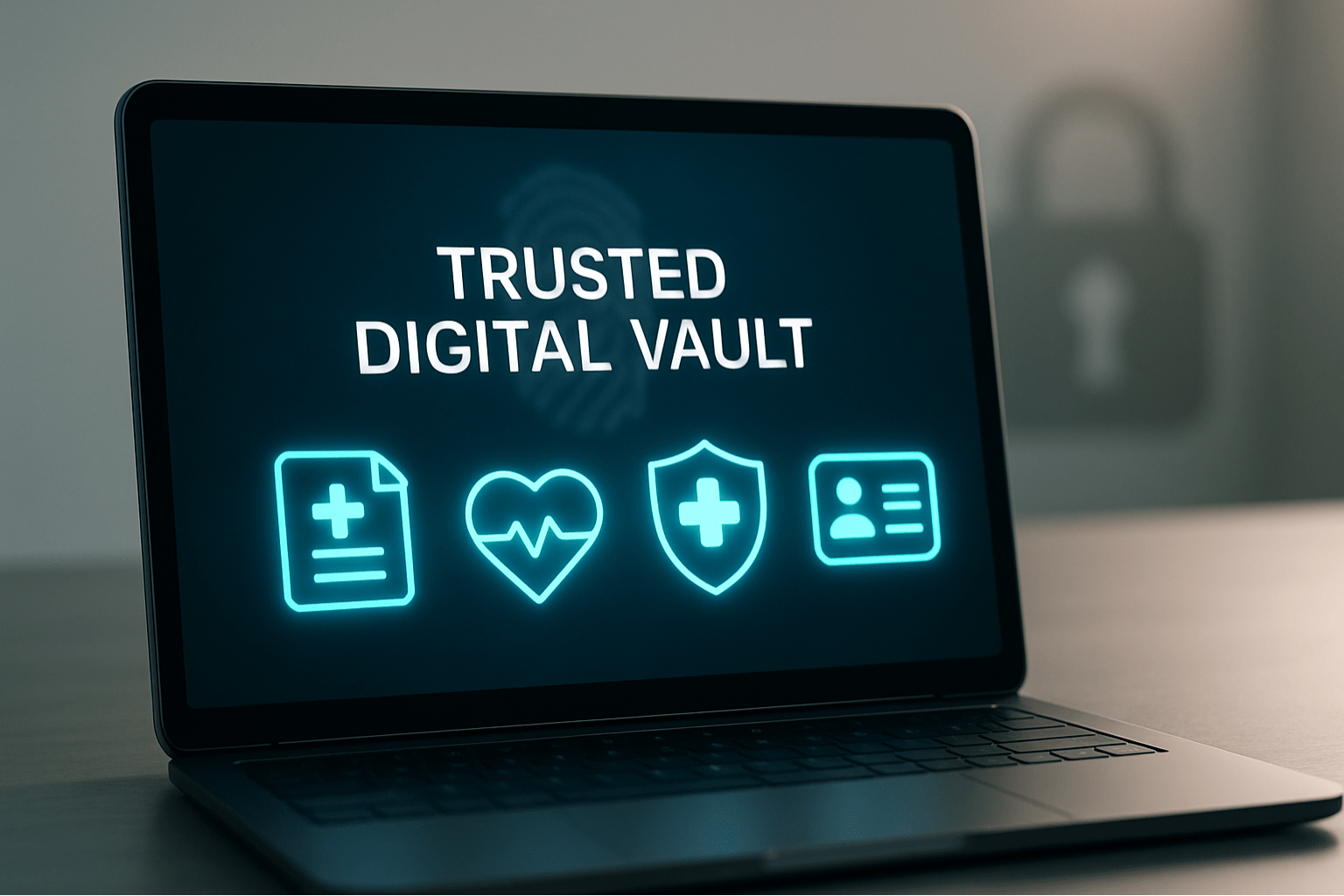
Imagine having all your medical records in one place where you decide who gets to see them. That’s the idea behind a health record trust. Instead of hospitals or clinics controlling access, this system gives you full ownership of your health information.
In the traditional setup, your data is scattered across different providers. It’s hard to access quickly, and you often have to go through formal requests. A health record trust puts you in charge, making your records easier to manage, share, and keep safe.
Why Personal Ownership of Health Data Is Important
When people have control over their personal fitness statistics, they’re empowered to take rate in their care. Instead of counting on hospitals or clinics to manipulate the facts, people can access, update, and proportion their statistics when and how they pick.
This sort of ownership improves portability, permitting sufferers to hold their scientific history throughout providers and places. It also supports accuracy, considering that patients can correct mistakes and hold their data modern. Most importantly, it promotes transparency, making it easier to understand your very own health and make knowledgeable selections.
Personal fitness records possession is a key part of affected person-centered care, wherein the focal point shifts from structures to the character. It ensures your information works for you, now not the alternative way around.
Key Features of a Digital Health Record Trust
A Digital Health Record Trust offers you complete control of your scientific records with tools that keep it secure, private, and smooth to manipulate. Here’s what makes it work:
1. Secure Cloud Storage
Your information is saved within the cloud, in order that they’re usually backed up and to be had whilst you need them—on any tool, anytime.
2. Strong Encryption and Privacy Settings
All data is covered with encryption to hold your personal fitness info safe. You manipulate who sees what, and nothing is shared without your permission.
3. Controlled Sharing
You can provide get right of entry to your own family participants, caregivers, or doctors. This ensures the proper human beings assist you while wanted—specifically in emergencies.
4. Version History and Audit Trail
Every replacement is tracked. You can see what modified, while it modified, and who accessed it, so your records live clear, accurate, and trustworthy.
How InsureYouKnow Supports These Core Principles
InsureYouKnow places you in control of your virtual health statistics. You can manage who sees your files with custom to get admission to permissions—whether or not it’s a circle of relatives, medical doctors, or caregivers.
All files are stored securely inside the cloud with sturdy encryption, preserving your touchy fitness statistics personal and protected.
Built-in reminders assist you hold the whole lot present day, so your facts are always updated while you need them maximum.
Real-Life Use Cases for Digital Health Record Access
1. Travel or Relocation
Whether you’re shifting to a brand new city or journeying abroad, having instantaneous admission to your virtual health facts guarantees docs can get the facts they need quickly—even if you’re a ways from home.
2. Transition of Care
As teens circulate from pediatric to adult care, a secure fitness document machine allows them to make that transition smoother. With all clinical records in a single location, new vendors get the entire image without delays.
3. Long-Term Caregiving
For caregivers coping with the fitness needs of a parent, spouse, or baby, digital access to scientific facts is crucial. It simplifies coordination, reduces stress, and ensures the proper decisions are made at the right time.
Simple Action Steps to Take Control of Your Health Records
1. Review How You Store Your Health Documents
Start by checking in which your scientific records, coverage papers, and emergency contacts are stored. Are they scattered across folders, emails, or physical documents? A short audit enables you to notice what’s lacking or old.
2. Choose Trusted People for Emergency Access
Think approximately who needs to be capable of viewing your information in case you’re ever in an emergency. It might be a partner, adult toddler, caregiver, or dependent on a pal. Make sure they know the way to get entry to what’s wished while time subjects most.
3. Set Up a Secure Digital Vault with InsureYouKnow
InsureYouKnow allows you to construct a non-public health record machine that acts like a virtual “relied on vault.” You can prepare your medical data set, get admission to permissions, and hold the whole thing competently stored in a single area with strong encryption and cloud safety.
Conclusion
Taking ownership of your health facts isn’t just about convenience—it’s about being organized, knowledgeable, and in control. When you control your own fitness records, you reduce the threat of delays throughout emergencies, enhance communique among vendors, and ensure nothing vital is misplaced or neglected.
By preserving your documents prepared, available, and steady in a relied on platform like InsureYouKnow, you create a machine that works for you and your family—each time and everywhere. It’s a simple step that brings lengthy-time period peace of mind and strengthens your potential to make informed selections approximately your care.
Now is the time to take control of your health statistics and construct a more secure, smarter future.