
Tag: Digital Vault
How to Tell Your Beneficiaries About Life Insurance Without Stress
March 19, 2026

Billions of dollars in life insurance death benefits sit unclaimed across the United States annually. Families often desperately need these funds, and the policies themselves remain completely valid. The problem usually stems from a simple communication gap where the named individuals had no idea the coverage even existed.
Industry investigations revealed major insurers releasing over $7 billion in previously forgotten benefits between 2006 and 2016, but only after regulators forced them to cross-reference death records. Experts strongly believe the actual amount of missing money is substantially higher. Current data points to roughly $6 billion in unpaid benefits sitting in limbo, largely caused by outdated contact details and uninformed relatives.
This situation is entirely preventable. Fixing the issue does not demand expensive attorneys, formal family meetings, or highly uncomfortable discussions. Policyholders just need to share the right details clearly and proactively so the information actually sticks.
Why Beneficiaries Remain in the Dark
Policyholders avoid talking about their coverage for several reasons. Some individuals harbor superstitions regarding death. Others fear the topic might sound morbid or cause unnecessary distress among relatives. A large portion of people simply assume loved ones will figure everything out when the moment arrives.
Insurance providers lack automatic alert systems to notify anyone when a policyholder passes away. No alarm sounds and no automatic check gets mailed. Companies usually only discover a death has occurred when a relative reaches out directly. That requires the family to actually know about the coverage beforehand.
The most frequently forgotten accounts include decades-old plans, employer-sponsored group coverage from previous jobs, and small whole-life policies intended for final expenses. Important paperwork easily gets lost during house moves. Premium drafts might quietly exit a bank account for years without a surviving spouse noticing. Lacking a clear handover of documents leaves surviving relatives guessing and frequently finding nothing.
Starting the Conversation Without Uncomfortable Feelings

Discussing these financial safeguards never has to sound like a grim announcement. Financial planners frequently suggest centering the talk on care and future preparation instead of loss. A simple mindset shift changes everything. The focus moves away from passing away and toward actively protecting important family members.
Several approaches help these talks feel completely natural:
- Tie it to a life event: Welcoming a new grandchild, navigating a health scare, or updating a will provides an easy opening. Someone might say, “While getting these organizational tasks done, it is important to share the details of this life insurance coverage.”
- Frame it as a gift: Informing dependents about their financial protection acts as a generous gesture. Policyholders can position the talk as offering clarity. A good phrase to use is, “To prevent any future scrambling, here are the essential details needed for the records.”
- Use a document review as the opener: Checking financial records every year builds excellent habits. Inviting an adult child or spouse to observe the review creates a low-pressure environment to share policy specifics naturally.
Essential Information for Beneficiaries to Know
Mentioning the mere existence of a policy falls short of being helpful. Grieving relatives require highly specific data to process claims quickly. Handing over this data early minimizes delays, lowers stress levels, and guarantees the funds reach the intended destinations promptly.
The National Association of Insurance Commissioners recommends granting access to the following specific details:
- The exact name of the provider and the full name of the insured person as listed on the contract
- The specific policy number and the exact type of coverage selected
- The total death benefit value alongside any attached riders
- Direct contact details for the provider or the managing agent
- The exact physical or digital location of the official documents
- Clear distinctions between primary and contingent individuals along with the designated percentage splits
Any individual holding multiple plans through an employer, private company, or professional group must document and share every single one. Relatives frequently uncover hidden coverage months or years after a funeral, making thorough documentation crucial.
Explaining Primary and Contingent Beneficiaries Clearly
The difference between primary and contingent designations frequently causes confusion. A primary designation puts a person or entity first in line for the funds. A contingent designation acts as a backup, stepping up only if the primary individual cannot collect the funds due to passing away themselves.
Everyone named on the contract must understand their exact role. Splitting funds requires each party to know their specific percentage share. Transparent communication stops arguments and blocks potential legal headaches later on. It helps to remind everyone that designated beneficiaries on a contract will overrule any instructions written into a standard estate plan.
Keeping Documents Accessible During Critical Moments

Spoken words offer a solid starting point but fall short long-term. People forget things quickly while grieving. Physical papers easily succumb to fires, floods, or misplacement during a move. The safest strategy pairs direct communication with a highly secure, centralized storage spot for all vital records.
Tucking the contract next to estate papers represents the traditional route, yet it carries flaws. Locking physical copies inside a bank safe deposit box often requires the policyholder to be present for access. This creates massive roadblocks for relatives at the worst possible time.
Digital platforms solve this accessibility problem beautifully. Encrypted online vaults allow users to stash life insurance details, medical coverage, banking numbers, and legal files in a single hub. Trusted contacts receive access to designated files, guaranteeing the correct people find the right information instantly from any location.
Updating Beneficiary Designations and Communicating Changes
Designations must evolve alongside major life shifts. Marriages, divorces, new babies, or the loss of a designated relative demand an immediate contract review. Neglected updates stand out as a top reason for delayed payouts and legal disputes. Industry research shows roughly 8% of claims hit roadblocks specifically due to obsolete contact data.
Updating a file means everyone involved needs a notification. Swapping out a former spouse for a new partner means both sides require an update, when appropriate. These chats might feel slightly awkward, but leaving a grieving family to fight over uncertain terms causes much deeper pain.
Creating an annual calendar alert to verify these designations builds a highly effective habit. Digital platforms often send automated monthly nudges to check for necessary updates. This turns file maintenance into a seamless part of standard financial upkeep.
Early Conversations Protect Loved Ones Tomorrow
Sharing policy details ranks among the most impactful financial steps a person can take. The process requires zero legal background and avoids feeling overly morbid. It just takes a willingness to speak directly and the discipline to organize the supporting paperwork.
Relatives who understand the coverage, know the storage location, and possess the correct contact numbers can actually focus on healing instead of hunting down forms. Providing that exact peace of mind remains the core purpose of buying coverage. The product only works if the protected individuals know it exists.
Utilizing an encrypted digital vault to hold these financial and legal records proves incredibly practical. This ensures the preparation goes far beyond spoken words. It builds an adaptable record that follows a family through every life stage, waiting quietly until the exact moment it becomes necessary.
2026 OBBBA Estate Tax Changes: What Families Must Update
March 11, 2026

The wealth transfer landscape just experienced a massive earthquake. When the One Big Beautiful Bill Act (OBBBA) took full effect on January 1, 2026, it completely tossed out the old estate planning rulebook. For years, financial planners, wealth managers, and tax attorneys had been bracing for the Tax Cuts and Jobs Act (TCJA) to expire. Everyone fully expected federal estate tax exemptions to get sliced in half overnight. Instead, lawmakers pivoted. The OBBBA rolled out permanent, historically high exemption thresholds that caught many off guard.
But breathing a sigh of relief and doing nothing is a very dangerous game. The new rules demand a fresh, immediate look at existing wills, family trusts, and generational wealth strategies. Navigating state-level tax cliffs, optimizing new child savings accounts, and securing vital legal documents in an encrypted digital vault are no longer optional steps. Taxpayers have to adapt to this new 2026 reality right now. Otherwise, they risk leaving their family’s financial future completely exposed to unnecessary taxation and legal chaos.
The New $15 Million Federal Exemption
Let us look closely at the numbers. The absolute heart of the OBBBA’s estate planning shift is a massive, permanent bump in federal estate, gift, and generation-skipping transfer (GST) tax exemptions. As of the start of 2026, the baseline sits at a staggering $15 million per person. For a married couple, that builds a $30 million fortress against federal wealth transfer taxes. And yes, those figures are indexed for inflation. They will keep inching up year after year to match economic changes.
Before this legislation passed, a low-level panic had set in among high-net-worth households. Families rushed to execute lifetime gifts, terrified the exemption would drop back down to roughly $7 million. Today, that ticking clock is gone. The absolute permanence of the $15 million threshold lets people slow down. Families can now make smarter, highly calculated, long-term choices about distributing their wealth without an artificial deadline hanging over their heads.
Realistically, only a tiny sliver of the absolute wealthiest estates will ever see that punishing 40% federal estate tax hit. Removing that massive federal tax burden for the vast majority of households changes the entire financial game. The planning focus now shifts sharply toward income tax efficiency and carefully managing assets that grow in value over time.
The Strategic Pivot to Capital Gains and Step-Up in Basis
With federal estate taxes officially off the table for most, a new financial villain emerges: the capital gains tax. This shift makes the “step-up in basis” strategy incredibly valuable. Under the current tax code, when someone inherits an asset think real estate, art collections, stock portfolios, or a family business the tax basis of that asset gets “stepped up.” It adjusts legally to the fair market value on the exact day the original owner passes away.
Consider an individual who bought a commercial property decades ago for $200,000. Today, the market values that property at a cool $2 million. If the owner hands that property to their children right now as a living gift, the kids take on that original $200,000 cost basis. If those heirs turn around and sell the building, they will get slapped with brutal capital gains taxes on $1.8 million of profit.
But what if that same property transfers at death? The heirs receive it with a stepped-up basis of $2 million. They could sell the building the very next day and owe absolutely zero capital gains tax. Because the OBBBA erased the fear of a 40% estate tax for most, holding onto highly appreciated assets until death is now the smartest play. It shields heirs from massive, wealth-destroying income tax bills.
Why Lifetime Gifting Remains Vital for High-Net-Worth Estates
Still, families hovering near or above that $15 million (or $30 million joint) mark cannot just sit back and relax. Lifetime gifting remains a cornerstone strategy for the ultra-wealthy. The basic math of estate planning has not changed one bit. Assets left inside a taxable estate will keep growing. Eventually, that future growth will face the 40% federal estate tax axe.
Moving assets today locks in the current $15 million exemption. It guarantees that any future market growth happens completely outside the taxable estate. Take a $10 million business interest as an example. Placing it into an irrevocable trust today is a smart move. If that business grows to $25 million over the next ten years, that entire $15 million of growth is totally safe from federal transfer taxes.
High-level tools like Spousal Lifetime Access Trusts (SLATs) and Generation-Skipping Dynasty Trusts are working harder than ever under the OBBBA. They let families use the big exemptions while keeping assets safe across multiple generations. However, pulling this off requires a mountain of complex legal paperwork. Keeping those irrevocable trust agreements highly secure and instantly accessible is the only way to ensure these sophisticated strategies actually work when the time comes.
The Hidden Trap of State-Level Estate Taxes
Here is a massive trap waiting to spring on unsuspecting families. The federal government eased up, but state governments definitely did not. Assuming the $15 million federal shield protects against all estate taxes is a very expensive mistake. Over a dozen states still enforce their own estate or inheritance taxes. Their exemption limits are usually far, far lower than the federal line.
Take New York’s infamous “tax cliff,” for example. In 2026, if a resident’s estate goes over the state exemption limit by even a fraction, the state taxes the entire estate. The law does not just tax the overflow; it taxes the whole thing. That triggers millions in surprise tax bills. Massachusetts and Oregon also enforce notoriously strict state-level limits.
Families living in or holding real estate in these specific states have to plan locally. Often, this means utilizing aggressive lifetime gifting. Many states with estate taxes completely lack a matching gift tax. Shrinking the taxable estate before death through planned giving can bypass the state tax cliff entirely.
New Provisions: Trump Accounts, 529s, and Charitable Giving
The OBBBA did not just tweak old rules; it brought brand-new tools to the table. Families need to weave these modern provisions into their legacy plans right away to maximize tax efficiency.
- Trump Accounts: A brand-new tax-advantaged setup designed specifically for children. For U.S. citizens born between 2025 and 2028, the federal government drops in a one-time $1,000 seed contribution. From there, families and employers can add up to $5,000 a year until the child turns 18. The wealth grows completely tax-deferred, offering a massive head start on generational wealth building.
- Expanded 529 Plans: Education savings just got a lot more flexible. Families can now pull out up to $20,000 a year for K-12 private school expenses, effectively doubling the old limit. Furthermore, the legal definition of qualified expenses expanded in 2026. Things like private tutoring and specialized textbooks now count, making these accounts far more versatile.
- Charitable Deduction Floors: Starting in 2026, taxpayers who itemize are looking at a new hurdle. Only charitable giving that passes 0.5% of their adjusted gross income actually counts for a tax deduction. This rule forces families to get highly strategic. “Bunching” donations into a single year using Donor-Advised Funds (DAFs) or private foundations is now the undisputed best way to squeeze out maximum tax benefits while supporting chosen causes.
The Critical Need for Digital Organization and Secure Storage
Every time tax laws undergo a massive rewrite, financial advisors sound the alarm. Update the wills. Change the trust terms. Fix the outdated beneficiary designations. But spending thousands of dollars and dozens of hours updating an estate plan is completely useless if no one can actually find the paperwork when tragedy strikes.
The modern estate is no longer just a stack of paper. It consists of digital assets, cryptocurrency private keys, online bank logins, and electronically signed medical directives. Trusting a rusty filing cabinet in a home office or a dusty safe deposit box at a local bank is a disaster waiting to happen. Fires, floods, or simple human error can wipe out years of meticulous legal planning in an instant. When a sudden emergency hits, a chosen digital executor needs fast, zero-friction access to the full financial picture. Hunting down scattered passwords while dealing with grief is a nightmare no family should face.
To make sure a newly updated 2026 estate plan actually works in the real world, families are rapidly migrating to encrypted, independent electronic safe deposit boxes. A centralized digital vault puts life insurance policies, updated trusts, and crucial medical records in one secure spot. Platforms utilizing military-grade cloud encryption and zero-knowledge architecture are the modern gold standard. Why? Because even the host website cannot see the user’s passwords. It guarantees sensitive financial blueprints stay permanently locked away from hackers, yet remain instantly available to trusted, designated contacts during life’s hardest moments.
Conclusion
The 2026 One Big Beautiful Bill Act handed families incredible tools to protect generational wealth. At the same time, it threw complex curveballs regarding capital gains, state taxes, and charity rules. The massive $15 million federal exemption is not an excuse to get lazy. It is a rare opportunity to build smarter, highly tax-efficient strategies. Taxpayers need to sit down with their legal and financial teams to completely overhaul their legacy plans today. And once those plans are updated? They must be locked inside a bulletproof, password-protected digital repository. That is the only way to ensure a carefully built financial legacy survives, stays protected, and activates exactly when the family needs it most.
2026 Student Loan Defaults: Secure Your Financial Records
March 6, 2026
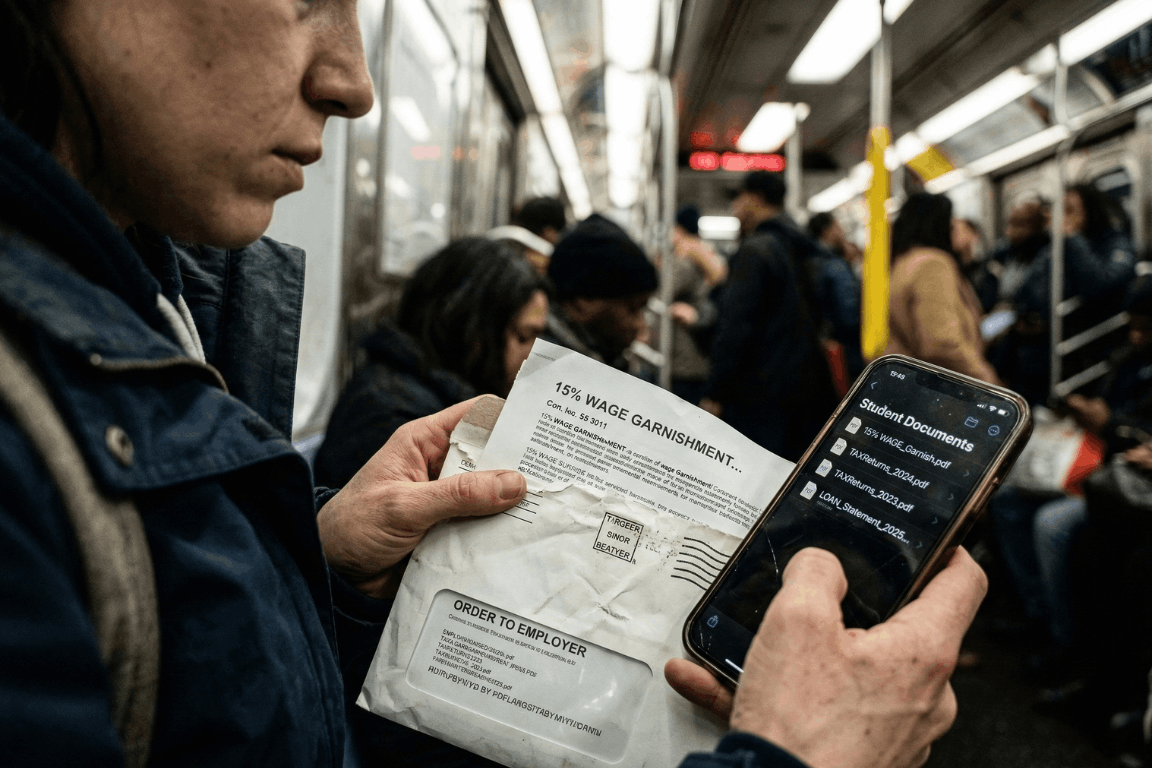
A massive financial wall hit millions of Americans earlier this year. Pandemic payment pauses are officially ancient history. The temporary relief programs dried up entirely. After months of messy court battles regarding income-driven repayment plans, the federal government decided to bring back its heaviest collection tools. Starting in early 2026, the U.S. Department of Education began sending administrative wage garnishment letters to defaulted borrowers. The numbers from major credit bureaus, like Experian, look pretty grim. The entire country is watching a massive wave of loan delinquencies happen in real time. People are suddenly staring down severe financial penalties. Getting through this economic squeeze requires a lot more than just reading news updates. It demands immediate, highly organized access to specific financial paperwork.
The 2026 Student Loan Landscape: A Shocking New Data Trend
So, who is actually defaulting right now? Historically, student loan defaults mostly hammered sub-prime borrowers. That whole narrative flipped completely upside down in 2026. Recent reports from credit bureaus reveal something entirely unexpected. Nearly a quarter of newly defaulted borrowers belong in the “prime” credit tier or even higher. These are the exact demographics the financial industry usually views as incredibly stable.
With over 5 million borrowers currently sitting in default status, and millions more falling behind every month, the economic pain is obvious. Borrowers are stuck navigating a bizarre maze of constantly changing payment plans. Making things worse, millions of accounts got bounced around between different private servicing companies over the last two years. Monthly payments got lost in the mail. Crucial paperwork simply vanished. Hold times to speak with basic customer service stretched into hours. Once a federal student loan reaches 270 days past due, it hits official default status. At that specific moment, the government gets to use an administrative superpower that regular credit card companies cannot even touch. They can literally take wages without ever stepping foot inside a courtroom.
Understanding Administrative Wage Garnishment: The 15% Reality
The fallout from a federal default happens fast. Through a process called Administrative Wage Garnishment (AWG), the Department of Education can legally force an employer to pull up to 15% of a borrower’s disposable pay. Disposable pay simply means the cash remaining after legally required deductions, like federal and state taxes, come out of the check.
Federal law does leave a very small safety net in place. Borrowers get to keep a weekly take-home amount equal to at least 30 times the federal minimum wage. But for anyone living from one paycheck to the next, suddenly losing 15% of their income is pure disaster. It usually means missing the rent, skipping the grocery store, or defaulting on other credit cards. Before the garnishment actually kicks in, the government must send a 30-day advance written warning. That specific 30-day window is basically everything. It acts as the only real timeframe a borrower gets to object or set up a different payment plan before their paycheck actually shrinks.
How to Stop Garnishment: The Heavy Burden of Proof
Borrowers holding a garnishment notice still carry some legal rights. During those 30 days, individuals can officially demand a hearing to stop the withholding order. They might attempt to prove extreme financial hardship. Or, they could try applying for federal loan rehabilitation. Rehabilitation usually involves agreeing to make nine on-time payments over a 10-month window to get the loan back on track.
Another route involves submitting a formal financial hardship appeal. Winning this appeal means legally proving that a 15% pay cut makes buying basic survival items impossible. The government looks at documented living expenses and compares them against very strict IRS Allowable Living Expense guidelines. If a family spends more on food or housing than the IRS thinks is necessary for that specific family size, the extra amount gets totally ignored. Proving hardship is notoriously difficult. Using these rights is never a walk in the park. It requires gathering highly specific legal and financial records immediately. In these types of administrative hearings, the burden of proof lands squarely on the borrower.
The Critical Role of Organized Financial Documents
Sloppy paperwork turns a bad money situation into an absolute nightmare. When the garnishment letter shows up, the clock ticks fast. Spending hours digging through cluttered email inboxes for old messages from loan servicers wastes valuable time. Tearing up the living room looking for utility bills to prove basic living expenses just fuels the anxiety. If a borrower fails to hand over the correct evidence within 30 days, their employer receives the order. The garnishment starts.
This explains exactly why relying on a secure, independent electronic safe deposit box changes the playing field. Keeping a dedicated digital vault for vital life information ensures nobody gets blindsided by aggressive debt collectors. Storing all important financial, legal, and contractual documents in one simple location gives borrowers a huge advantage. They can instantly grab the exact proof they need to protect their paychecks and negotiate with default resolution teams.
Essential Documents to Secure in a Digital Vault
To build a strong defense against a default warning, individuals should make sure the following documents are digitized, safely uploaded, and ready for action:
- Original Loan Agreements and Master Promissory Notes: Finding original contracts immediately helps verify the true debt amount. It also spots accounting errors and confirms which company actually owns the loan today.
- Complete Tax Returns: Proving financial hardship or enrolling in an income-driven repayment plan means submitting paperwork. The Department of Education demands recent federal and state tax returns before they even start talking.
- Official Pay Stubs: Current pay stubs are absolutely required to figure out actual disposable income. They also help verify that any proposed wage garnishment does not illegally drop below the minimum wage protection limit.
- Household Expense Records: Tracking basic living costs is a strict requirement for hardship appeals. Think about rent agreements, mortgage papers, utility bills, health insurance premiums, and pharmacy receipts. These papers help prove that living expenses are reasonable and fit within tight IRS standards.
- Correspondence with Loan Servicers: A strong paper trail of older payments, approved forbearances, and emails with the loan servicers can literally save the day. This proof is extremely important if someone needs to show a loan was wrongfully thrown into default in the first place.
The Absolute Security of Zero-Knowledge Storage
Privacy is absolutely non-negotiable when dealing with highly sensitive financial details. Relying on physical metal filing cabinets leaves people wide open to lost papers, house fires, or basic theft. Depending on regular, unencrypted email folders or a messy computer desktop basically hands sensitive financial data directly to hackers. Cybercriminals routinely target email servers specifically to find W-2 forms and tax returns. Once they grab those files, identity theft is pretty much guaranteed.
Using a specialized platform built with heavy-duty cloud encryption makes sure financial data stays completely private. The absolute best platforms run on Amazon cloud encryption mixed with a “zero-knowledge” setup. In a zero-knowledge system, only the actual account owner knows the password. The site administrators never get to see it. That means absolutely nobody else can ever gain access, view the files, or mine the stored documents to sell the data.
Strategic Document Sharing with Trusted Partners
Fixing a defaulted student loan is almost never a solo job. Borrowers usually need to bring in certified financial planners, tax accountants, or specialized student loan lawyers to help decode the messy federal rules.
Advanced secure portals allow individuals to selectively share specific document folders with these exact trusted partners. Sending unencrypted PDFs of tax returns and pay stubs back and forth through regular email is a massive cybersecurity hazard. Instead, account holders can simply give a legal advisor temporary, secure access to the required files right inside the encrypted vault. This targeted sharing feature speeds up the whole default resolution process, keeps communication secure, and leaves the rest of the vault totally locked down. Setting up automatic monthly reminders inside the portal also helps users routinely update their financial snapshots, keeping their defense strategy completely fresh.
Facing economic uncertainty requires a solid game plan. The return of federal student loan wage garnishments in 2026 creates a massive hurdle. Credit bureau data clearly shows that financial distress is hitting borrowers across every single demographic right now. Surviving this wave of defaults demands aggressive, proactive money management and flawless record-keeping. Centralizing vital financial documents into a secure, encrypted digital safe deposit box lets individuals tackle economic chaos with total confidence. Being prepared is simply the ultimate defense. It ensures that when critical financial information is needed the most, it stays protected, perfectly private, and instantly ready to use.
Public WiFi vs. Your Data: Why You Need a Secure Vault
January 28, 2026

The Open Window
A traveler sits at a crowded airport gate. The flight is delayed. Boredom sets in. The phone comes out, and there it is: “Free Airport WiFi.”
Click. Connected.
It feels like a small victory. A chance to check a bank balance, pay a credit card bill, or look up a policy number.
But that click? It is the digital equivalent of leaving a house key under the doormat and hoping no one looks.
In 2026, we treat our phones like fortresses. We lock them with faces and fingerprints. Yet, the moment we connect to an open network, we lower the drawbridge. We invite the world in. And the world is watching.
The Invisible Eavesdropper
Here is the ugly truth about public internet: it is loud.
When data leaves a phone on a secure home network, it whispers. On public WiFi, it screams.
The danger isn’t usually some master criminal in a hoodie. It is often just software. Simple, cheap scripts running on a laptop three seats away. These programs are like digital vacuums. They suck up everything floating through the air.
- The Man-in-the-Middle: A hacker cuts in line. The user sends a password to the bank. The hacker catches it, copies it, and then passes it to the bank. The login works. The user has no idea they just handed over their keys.
- The Fake Twin: You see a network called “Coffee_Shop_Free.” It looks real. It isn’t. A scammer set it up five minutes ago. Connect to it, and the device effectively belongs to them until you disconnect.
The “Inbox” Mistake
Fear makes people do silly things. When travelers get nervous about logging in, they turn to an old, bad habit: The Email Search.
“I won’t log in,” they think. “I’ll just find that PDF I emailed myself.”
This is a disaster.
An email inbox is not a safe. It is a glass box. Email accounts are the most hacked targets on the planet. If a thief gets into an email account, they don’t just read letters. They find the tax returns from 2024. They find the scan of the child’s birth certificate. They find the list of “backup codes.”
Using an inbox to store life’s vital documents is like hiding jewelry in a clear plastic bag. It doesn’t work.
The Real Fix: A Digital Vault
So, what is the answer? Carry a filing cabinet? Never go online?
No. The answer is a Secure Digital Vault.
This is where platforms like InsureYouKnow.org step in. They aren’t storage bins. They are armored trucks.
1. It Shreds the Data A real vault uses encryption that mimics the banking world, like Amazon Cloud security. If a hacker snatches a file from the air, they don’t get a readable document. They get noise. A jumbled mess of code that means nothing. The thief gets the envelope, but they can never read the letter.
2. Nobody Knows the Code Privacy matters. The best systems run on “zero-knowledge” rules. That means the company holding the data doesn’t have the password. Even if they wanted to look, they couldn’t. The user holds the only key.
3. Get In, Get Out With a vault, the data lives in the cloud, not on the device. A user can log in on a hotel computer, check a passport number, and vanish. No files left in the “Downloads” folder. No trail for the next guest to find.
Peace of Mind
Security usually feels like a headache. Extra steps. More passwords.
But actually? It is freedom.
It is the ability to lose a wallet in Paris and not fall apart. Why? Because the backup copies of every card and ID are sitting behind an iron door in the cloud. Accessible. Safe. Ready.
Public WiFi is fine for reading gossip columns or checking the weather. But for the heavy stuff like the money, the legacy, and the identity, stay off the open road. Put the valuables in a vault. Lock it up. Then go enjoy the coffee.
Crypto Estate Planning: How to Protect Your Digital Assets
January 21, 2026

Introduction: The Hidden Tragedy of Lost Cryptocurrency
Billions in cryptocurrency are currently lost in digital limbo. It wasn’t hackers or scams. Owners simply passed away without sharing the password.
Crypto is unforgiving compared to a bank. There is no “Forgot Password” button or help desk to call. If the login details vanish, the money vanishes with them.
This puts families in a bind. Most executors aren’t tech-savvy, so handing them a hardware wallet without instructions is like leaving a locked safe without the key.
The fix is simple. You don’t need to be a tech expert. You just need a secure, central place to leave a clear “treasure map” that guides your family to the assets.
Why a Will Alone Isn’t Enough for Cryptocurrency
A lot of people assume that as long as their cryptocurrency is mentioned in their will, everything is taken care of. In practice, that rarely works out.
1. Privacy vs. Access
When someone dies, their will typically becomes a public document. If wallet details or crypto account information are written into it, that sensitive data can be seen by anyone who pulls the record. That’s an obvious security risk.
But putting detailed login instructions into a will isn’t safe either. Anyone who gets a copy of the will intentionally or not could try to use that information to get into the accounts.
2. The Custody Problem: Exchange vs. Private Wallet
How and where cryptocurrency is stored changes the situation completely:
On an exchange (like Coinbase or Binance):
The executor would usually need:
- The username and password
- Access to the linked email account
- Access to the phone used for two-factor authentication (2FA)
In a private wallet (like Ledger or Trezor):
The executor would usually need:
- The physical device
- The PIN code
- The 12- or 24-word seed phrase
If even one of these is missing, there’s a real chance the assets will never be recovered.
The “Treasure Map” Strategy (Safety First)
Before anything else, one rule must be clear:
Never upload a 12- or 24-word seed phrase to the internet. Not even to a secure portal.
Those words are the master key to the wallet. If someone gets them, they can steal everything.
So what should be stored instead?
Breadcrumbs, not the key.
The goal is to leave a clear, simple map that tells loved ones:
- What assets exist
- Where they are located
- How to access them safely
Examples of What to Store in a Secure Digital Vault
- A document stating:
“My Ledger wallet is taped under the bottom drawer of my desk.”
“The seed phrase is stored in a sealed envelope in the bank safety deposit box.”
- A list of exchanges used:
“Accounts exist on Coinbase and Kraken.”
This step is critical. Family members cannot claim assets if they don’t even know which website or platform to look at.
Device Access Instructions
Most crypto accounts use two-factor authentication. That code is usually sent to a phone or email.
A simple note explaining:
- How to unlock the phone or laptop
- Where the phone is kept
- Which email account receives security codes
can make the difference between recovery and total loss.
How InsureYouKnow.org Solves the Executor Gap
This is where InsureYouKnow.org becomes essential.
A Centralized Digital Vault
InsureYouKnow.org acts as the bridge between a complex digital life and non-technical family members. It allows users to securely store:
- Letters of instruction
- Lists of crypto exchanges
- Locations of hardware wallets
- Guidance for accessing phones, emails, and computers
All in one place.
Secure Document Uploads and Shared Access
Users can upload documents such as a “Crypto How-To Guide” or “Letter of Instruction” and grant access to a trusted partner or executor.
This ensures the right person has the right information at the right time.
Strong Encryption for Peace of Mind
InsureYouKnow.org uses Amazon cloud encryption, making it a safe place to store sensitive account lists and location maps for physical crypto keys.
While private seed phrases should always remain offline, everything else needed for recovery can be organized securely inside the platform.
A Step-by-Step Checklist for Every Crypto Owner
This simple checklist helps ensure cryptocurrency doesn’t vanish after death.
Step 1: Inventory All Crypto Assets
List every place where crypto is stored:
- Exchanges
- Hardware wallets
- Software wallets
Note whether each is online or offline.
Step 2: Write a “Letter of Instruction”
This letter should explain everything in plain language.
Write it as if explaining to a fifth grader.
Include:
- What cryptocurrency is
- Which platforms are used
- Where devices are located
- Where passwords and seed phrases are stored physically
- How two-factor authentication works
Step 3: Secure Seed Phrases Offline
Write seed phrases on paper or metal plates.
Store them in:
- A safe
- A bank safety deposit box
- A sealed envelope with a trusted attorney
Never store them digitally.
Step 4: Upload Instructions to InsureYouKnow.org
Upload:
- The Letter of Instruction
- Lists of exchanges
- Device locations
- Access instructions for email and phone
This becomes the digital “treasure map.”
Step 5: Share Access With a Trusted Partner
Grant access to a spouse, adult child, executor, or attorney.
They don’t need crypto knowledge.
They only need clear instructions and a secure place to find them.
Conclusion: Don’t Let Digital Wealth Disappear
Cryptocurrency represents the future of finance. But protecting it still requires old-school organization.
Without a plan, digital assets can vanish forever.
With a simple treasure map and a secure vault, families can inherit what was meant for them.
No one should leave behind money that loved ones can never reach.
Sandwich Generation Guide: Organize Parents’ & Kids’ Records
January 8, 2026

The Squeeze is Real
The term “Sandwich Generation” sounds polite, almost clinical. But for the millions of adults living it, the reality feels a lot more like a pressure cooker. They are squeezed tight. On one side, there are children needing help with homework, permission slips, and growing pains. On the other, aging parents need support with doctors, medications, and a lifetime of accumulated paperwork.
It is exhausting.
The hardest part usually isn’t the physical caregiving. It is the administration. It is being the unpaid, overworked secretary for two different households. One minute, a parent is hunting for a vaccination card for summer camp; the next, they are frantically searching for Mom’s Medicare supplement number because a receptionist is waiting on the line.
When these worlds collide, chaos wins. Unless, of course, there is a system in place.
Two Households, One Overloaded Brain
The main problem isn’t a lack of effort. It is a lack of centralization. The “Sandwich” caregiver is trying to run two different operating systems at once.
Consider the children. Their documentation is constant and urgent:
- Social Security cards (usually lost in a drawer somewhere).
- Immunization records that schools demand every September.
- Birth certificates for sports or travel.
Then look at the parents. Their paper trail is decades long and much heavier:
- Wills, Trusts, and Deeds (often hidden in “safe” places that no one can find).
- Complex lists of daily medications.
- Insurance policies that need to be renewed.
- The dreaded “In Case of Emergency” contacts.
Keeping the kids’ files in a backpack and the parents’ files in a dusty filing cabinet across town simply doesn’t work. Not in 2026. When an emergency happens, and they always happen at inconvenient times, nobody wants to be driving across town to find a piece of paper.
The “Kitchen Table” Talk
Getting organized starts with a conversation, not a scanner. This is the tricky part. Many adults feel awkward asking their parents about wills or bank accounts. It feels intrusive.
But the conversation doesn’t have to be about control. It should be about safety. The approach matters. Framing it as, “We need to make sure the doctors know what you need if you can’t tell them,” works a lot better than, “Give me your passwords.”
The goal is strictly practical: preventing a crisis from becoming a disaster.
Cut the Clutter: What Actually Matters?
A common mistake is trying to save everything. But honestly, nobody needs to digitize a utility bill from 1998. To survive the squeeze, caregivers need to be ruthless about what they keep.
The “Must-Have” list is actually quite short:
- The Legal Shield: Power of Attorney. This is non-negotiable. Without it, an adult child is legally a stranger to their parent’s bank or doctor.
- The Medical Snapshot: A simple, updated list of what pills they take and who their primary doctor is.
- The Money Trail: Just a list of where the accounts are. Not necessarily the balances, but the locations of the banks and insurance policies.
Stop Relying on Physical Folders
Paper is fragile. It burns, it tears, and most importantly, it stays in one place.
If a parent falls ill while the caregiver is on vacation, that physical folder in the hallway closet is useless. This is why moving to a digital system is the only logical step for a modern family.
Using a secure, encrypted platform, like InsureYouKnow.org, solves the geography problem. It puts the information in the cloud, protected by encryption that is tougher than any lock on a filing cabinet. It means the right information is available on a smartphone, right in the hospital lobby, exactly when it is needed.
Don’t Go It Alone
There is a hero complex in the Sandwich Generation. Everyone tries to carry the load solo. But that is a recipe for burnout.
Once the records are digital, they should be shared. A spouse, a reliable sibling, or a family attorney needs access, too. Modern digital vaults allow for this kind of “trusted partner” access. It ensures that if the primary caregiver gets the flu or gets stuck in a meeting, someone else can step in and handle the situation.
Finding Some Peace
At the end of the day, organizing these records isn’t really about paperwork. It is about buying back time.
Every minute saved by not hunting for a lost insurance card is a minute that can be spent actually being a parent or a son or daughter. The paperwork will always be there, but the stress doesn’t have to be. By merging these two chaotic worlds into one secure place, the Sandwich Generation can finally take a breath.
Why Emailing Files to Yourself Is Not a Secure Strategy
December 17, 2025

It happens. A tax return needs saving. A passport needs copying. Time is short. The solution seems obvious: attach the file, type in the email address, and hit send.
Done. Safe. Accessible from anywhere.
Or so it seems.
That “Sent” folder feels like a private archive. In reality, it is a ticking time bomb. Cybersecurity pros don’t view email as a vault. They view it as a sieve. It leaks. And when it comes to the blueprints of a person’s life, wills, deeds, insurance policies, using email for storage isn’t just a bad habit. It is a security nightmare.
The Glass Envelope
Here is the thing about email. It feels private. It requires a password to log in, after all. But once a message leaves the draft folder, it travels across the open web. It hops from server to server.
Think of it less like a sealed letter and more like a postcard. The postman can read it. The sorting clerk can read it. Anyone who intercepts the mail truck can read it.
While big tech companies lock the front door, the data inside often sits in plain text. If a hacker guesses a password, or if the email provider has a breach, those attachments aren’t encrypted. They are just sitting there. Open. Readable. Ready to be stolen.
The Trap of “Searchability”
The best feature of email is also its biggest flaw. It is searchable.
Type “tax” into the search bar, and boom: five years of returns appear. Convenient for the user? Absolutely. But it is even more convenient for a thief.
When cybercriminals crack an account, they don’t scroll through boring updates from Netflix or Amazon. They run bots. These automated scripts hunt for gold. They scan for keywords like “SSN,” “Scan,” “Medical,” or “Deed.”
In three seconds flat, a hacker can scrape a decade of sensitive life data. That PDF of a driver’s license sent in 2019? The user forgot it. The hacker found it. And now, identity theft is just a few clicks away.
The “Whoops” Factor
Then there is the human element. We are clumsy.
Predictive text is great until it isn’t. A user starts typing “Sarah” to send a financial statement to a spouse. The computer autofills “Sarah” the realtor from four years ago. The “Send” button is hit before the brain catches up.
Too late.
There is no taking it back. A total stranger now holds the keys to a private financial life. It happens constantly. It is messy. And it is completely preventable.
The Fix: A Real Vault
If the inbox is a postcard, a Secure Digital Vault is a steel fortress.
This is why platforms like InsureYouKnow.org exist. They don’t just “store” files. They lock them down.
The difference lies in the math. Real security uses AES-256 encryption. Imagine taking a document and putting it through a shredder that turns it into millions of mathematical shards. The only person with the glue to put it back together is the account owner. Even if a thief stole the server, they would get nothing but digital noise.
Plus, a vault brings order to chaos.
When a crisis hits, a fire, a sudden hospital trip, nobody wants to dig through a mountain of spam to find an insurance policy. A vault keeps things sorted. Medical. Legal. Financial. Everything in its right place.
The Bottom Line
Convenience is a trap. Saving ten seconds by emailing a file is not worth the misery of untangling a stolen identity.
Vital documents don’t belong in the “Sent” folder. They belong behind a lock. So, go ahead. Search the inbox for “scan.” Delete the results. And put those files somewhere they actually belong.
Fire, Flood, or Theft: Are Your Documents Actually Safe?
December 10, 2025

We all have that one spot.
Maybe it’s a dedicated drawer. Maybe it’s a filing cabinet. Or, if you’re feeling responsible, it’s a heavy metal box shoved in the back of the master closet. You toss your birth certificates, the deed to the house, and the passports in there. You lock it. You think, “Done. That’s safe.”
We obsess over the expensive stuff. We insure the car. We put a giant rubber case on the new phone. We hide the jewelry. But we hardly ever stop to think about the paperwork.
Here is the cold, hard truth: If a disaster levels your house, losing the TV is just an inconvenience. You go to the store. You buy another one.
But losing the paper trail that proves you exist? That isn’t an errand. That is a nightmare.
So, take a good, hard look at your setup. Is it actually secure? Because that “safe spot” might just be the most dangerous place in your home.
The Great “Fireproof” Lie
You bought a safe. It has a sticker on the front that says FIREPROOF in big, bold, reassuring letters. You trust it.
But dig into the fine print. Most of those boxes you buy at the hardware store aren’t actually fireproof. They are fire-resistant.
It sounds like splitting hairs, but it matters. Usually, that resistance only buys you about 30 minutes. Maybe an hour if you spent the big bucks. But house fires don’t check their watch. If a fire burns hotter or longer than that rating, the inside of that safe becomes a kiln. The paper inside doesn’t just get warm; it cooks.
And then, there is the water.
How do you put out a fire? With thousands of gallons of high-pressure water. Or maybe the disaster is a flood. Most consumer safes aren’t sealed tight. They leak. So, you might survive the flames only to crack open your safe and find a brick of wet, unreadable pulp where your will used to be.
The Identity Trap
Picture the week after a major disaster. Your home is gone or uninhabitable. You are stuck in a hotel room. You need to access your bank account, file an insurance claim, and maybe apply for emergency aid.
But your ID was in the house.
It starts a loop that will drive you up the wall. You need a driver’s license to get a certified copy of your birth certificate. But wait—you need a birth certificate to get a replacement license. You need proof of residency to talk to the bank, but your utility bills burned up with the filing cabinet. You end up stuck, unable to prove you are who you say you are, right when you need access to your money the most.
If Two Guys Can Lift It, It’s Gone
Burglars are lazy, but they aren’t stupid. They know exactly where people keep the goods.
If you haven’t bolted that safe into the concrete foundation, it isn’t a safe. It’s a takeout box. A thief isn’t going to stand there fiddling with the combination lock like in the movies. They are just going to pick it up, walk out the door, and crack it open later in their garage.
Sure, they want the cash or the watches. But once they have your Social Security card? They have hit the jackpot. Identity theft is a much deeper hole to dig out of than simple robbery. You can replace a stolen laptop in a day. Cleaning up a stolen identity takes years of fighting with credit bureaus.
The Only Real Fix: Get It Off-Site
Paper is fragile. It burns, it tears, it rots, and it fades. Relying on a single physical copy of anything important is a gamble.
The only way to win is to put a copy where the fire can’t burn it and the thief can’t grab it. You have to go digital.
This is why InsureYouKnow.org exists. It isn’t just about storage; it’s about survival.
- Your Phone is the Key: If you have to evacuate in ten minutes, you don’t need to grab the heavy paperwork. You just need your phone. All your policy numbers, medical records, and deeds are right there.
- Real Security: We aren’t talking about a random Google Drive folder. We are talking about encryption that keeps your data locked down. Only you have the key.
- The “What If” Plan: If something happens to you, your family doesn’t have to tear the house apart looking for the life insurance policy. You can set it up so they get access exactly when they need it.
What You Need to Scan Today
Don’t go crazy scanning every grocery receipt. Focus on the “High Value” targets. If losing it would ruin your month, scan it.
- The “Who Am I” Docs: Birth certificates, passports, Social Security cards.
- The “What I Own” Docs: The house deed, car titles, huge asset receipts.
- The Money: A cheat sheet with bank account numbers and credit card hotlines.
- The Protection: Declarations pages for your home, auto, and life insurance.
- The Legacy: Wills, Trusts, and Power of Attorney forms.
The Bottom Line
A physical safe is great for storing a spare set of car keys or a watch. But it shouldn’t be the only thing standing between you and total chaos.
Backing up your life on a secure digital vault is the cheapest insurance policy you will ever buy. It costs almost nothing, takes a few minutes, and ensures that no matter what happens to the house, your life remains intact.
Don’t wait for the emergency. Handle it now.