
Tag: Digital Security
Passkeys vs. Passwords: Why It’s Time to Switch Now
February 26, 2026
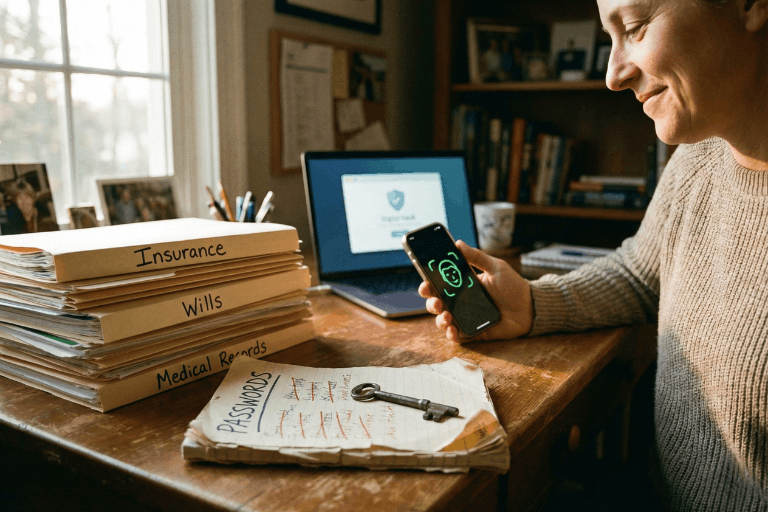
We all do it. Every morning. You grab your coffee, sit down, and try to log into your bank. Or maybe your insurance portal. You type in a password. Maybe it’s a strong one. Maybe it’s… well, let’s be real. It’s probably the same one you use for Netflix. But here is the hard truth: relying on a secret code just doesn’t cut it anymore. Not when your entire financial life is sitting behind it. Fast forward to 2026, and there is finally a better option that people are actually using: the passkey.
If you are the one stuck managing the heavy stuff for your family – wills, health records, the “in case of emergency” file – knowing the difference between a passkey and a password isn’t just tech trivia. It is a survival skill. It’s about keeping the wolves at the door away from the things that actually matter.
This guide breaks down exactly what passkeys are, how they smash the old-school password system, and why making the switch is probably the smartest move you can make right now.
What Is a Password – And Why Is It No Longer Enough?
Think about it. A password is just a string of letters you made up. It’s a secret handshake between you and a computer. And for a long time? That was fine.
But here is the snag: humans are involved. And humans? We are messy. The stats are pretty rough – something like 70% of hacks start because of a weak or stolen login. We reuse passwords because we’re lazy. We pick easy ones because we’re forgetful. Or we get tricked by a fake email and hand them over on a silver platter.
Common password headaches include:
- Brute-force attacks: Hackers have computers that can guess billions of passwords a second. If yours is simple, it’s gone before you can blink.
- The Dark Web: If one random site you use gets breached, your password ends up for sale. Suddenly, the bad guys have the keys to your whole life.
- Phishing: It is terrifyingly easy to get fooled by a fake email or website that looks real. You type it in, and poof – they have it.
- Fatigue: You have dozens of accounts. Remembering unique codes for all of them? Impossible. So we reuse them. And that is dangerous.
- SMS flaws: Even those text message codes aren’t bulletproof. Hackers can swap SIM cards and steal those codes right out of the air.
There is a saying in the security world that haunts me: Hackers don’t break in – they log in. If they have your password, they are you.
What Is a Passkey – And How Does It Work?
Passkeys are a total rewrite of the rules. Forget typing. A passkey uses public-key cryptography. Imagine a digital key that is split in two. One half sits on the website. The other half stays locked inside your phone or laptop.
When you want to log in, your phone and the website have a quick, silent chat. You prove it’s you by just unlocking your screen – Face ID, fingerprint, whatever. You don’t type a single letter. Nothing gets sent over the internet for a hacker to steal.
Think of it like a puzzle. The website has a piece. Your phone has a piece. They only fit together when you – the real you – are holding the device.
Key facts about passkeys:
- They run on the FIDO2 standard. Basically, the big tech companies all agreed on a better way to do things.
- Everyone is jumping on board: Google, Apple, Amazon, Chase Bank. They all support it.
- Millions of people are already using them without even realizing it.
- You can’t phish them. You can’t guess them.
- If you have a smartphone from the last few years, you are already ready to go.
Passkeys vs. Passwords: A Side-by-Side Comparison
Why is everyone making such a big deal about this? You have to look at the differences side-by-side to really get it.
1. Security
- Passwords: Weak. They can be stolen, guessed, or fished out of you with a fake email.
- Passkeys: Rock solid. The private key never leaves your phone. Even if a hacker breaks into the bank’s server, they can’t steal your key because it isn’t there.
2. Ease of Use
- Passwords: A pain. You forget them. You reset them. You type them wrong.
- Passkeys: Easy. You look at your phone, or touch the sensor. Done. It works 98% of the time and it’s way faster.
3. Phishing Resistance
- Passwords: Terrible. If a fake site looks real, you’ll probably type your password in.
- Passkeys: Perfect. A passkey is tied to the real website. If you land on a fake site, your phone knows. It simply won’t let you log in.
4. Device Dependency and Flexibility
- Passwords: You can use them anywhere, but that’s also why they are risky.
- Passkeys: They live on your device. But don’t worry – Apple and Google sync them to the cloud. So your passkeys are on your phone, your tablet, and your laptop automatically.
5. Risk in a Data Breach
- Passwords: If a company gets hacked, your password is leaked.
- Passkeys: If a company gets hacked, the hackers get… nothing useful. They just get a public key that can’t unlock anything without your phone.
Why This Matters for Protecting Vital Life Records
We usually don’t think about this stuff until it’s too late. You get hacked, or a family member passes away and nobody can get into their accounts. That is a nightmare scenario.
The accounts that hold your life’s work – insurance, savings, wills – need better protection than “123456.” If these get breached, it’s not just annoying. It’s identity theft. It’s losing money.
The banks know this. That’s why Chase and Wells Fargo are pushing passkeys. They want you safe.
If you are using a digital vault to keep your family’s info organized, turning on passkeys is the single best thing you can do today.
How to Set Up a Passkey (It Is Simpler Than It Sounds)
You don’t need to be a tech wizard. It takes two minutes.
Step 1: Go to your account settings (Google, Amazon, whatever).
Step 2: Look for “Passkeys” or “Security.”
Step 3: Click “Create Passkey.” Your phone will ask for your face or fingerprint. Do it.
Step 4: You’re done. Next time, just click “Use Passkey.”
Step 5: If you want to be extra safe, use a password manager like 1Password to keep them all organized.
Expert Tip: Start with the big ones. Email. Bank. Insurance. Get those locked down first.
Should Passwords Be Abandoned Entirely?
Not yet. We’re in a transition phase. Lots of old websites still need passwords. So here is the game plan:
- Switch to passkeys for anything important.
- Use a password manager to generate crazy long passwords for the junk sites that don’t support passkeys yet.
- Stop using SMS codes if you can help it. Use an app instead.
- Get a hardware key (like a YubiKey) if you are really paranoid about your email security.
- Check back often. More sites are adding this every month.
Microsoft went passkey-first last year and it’s been huge. By the end of 2026, typing passwords will feel like using a flip phone.
What Happens If a Device Is Lost?
Everyone asks this. “If I lose my phone, am I locked out forever?”
No. You’re fine.
- Cloud Sync: If you use an iPhone, your keys are in iCloud. Get a new phone, sign in, and they are back. Same for Android.
- Backup: You can still use other ways to get into your account if you absolutely have to.
- Thieves can’t use them: Even if someone steals your phone, they don’t have your face or fingerprint. They can’t use your passkeys.
Passkeys and the Future of Secure Document Storage
For families storing wills and financial docs online, security is everything. A digital vault is pointless if the key is under the mat.
Passkeys fix the human error part. You can’t accidentally give away your passkey. It solves the biggest problem in security: us.
Experts at Gartner and big tech firms are calling this the biggest shift in security in decades. The password era is ending. Finally.
Key Takeaways
- Passwords are weak. They are too easy to steal or guess.
- Passkeys are strong. They use heavy-duty encryption and your own biometrics.
- It’s happening now. Major banks and tech giants are already using them.
- Mix it up. Use passkeys where you can, strong passwords where you must.
- Don’t worry about lost phones. Cloud sync has your back.
- Protect your legacy. If you store vital records, this is a must-have upgrade.
Conclusion: The Lock Is Getting an Upgrade
Switching to passkeys isn’t just about cool new tech. It’s about peace of mind. Passwords put all the pressure on you to be perfect. Passkeys let your device handle the security so you don’t have to.
If you are serious about keeping your family’s future safe, stop waiting. Passkeys are here. They work. And they are way better than what you’re using now.
The best time to switch was yesterday. The second best time is today.
Protect What Matters Most
InsureYouKnow.org provides a secure, encrypted electronic safe deposit box for life’s most important information – insurance policies, financial records, healthcare documents, and more. Storing vital records in one organized, protected location means families are never left searching when they need information most. Start protecting what matters today at InsureYouKnow.org.
What Happens to Your Digital Assets After You Die?
September 24, 2025

We spend so much of our lives online that it’s easy to forget just how much we’ve tucked away in digital spaces. Photos on Google Drive. A lifetime of emails. Bank apps, crypto wallets, even the music and books we’ve bought but never actually “own.” All of these things add up to what people now call your digital assets.
The tricky question is: what happens to them when you’re no longer here?
A Hidden Part of Your Estate
Think about how a traditional estate works. You leave a house, some savings, maybe a car, and your family knows how to claim those things. But with digital property, it is different. Passwords lock things up. Privacy laws keep companies from handing over your accounts. In many cases, providers do not even recognize heirs unless you have given explicit permission.
That means your online life, all those accounts and files, might just sit there untouched. Some platforms will eventually delete them. Others freeze them in time. And unless someone has the right access, even valuable things like cryptocurrency can disappear forever.
Why Families Struggle
It is easy to imagine the problems. Maybe your daughter knows you kept all the family photos in your Google account but cannot get past the two-factor authentication. Or perhaps you held a few thousand dollars in a crypto wallet that requires a private key only you knew. Even something as simple as canceling a subscription can be a nightmare if nobody has your login.
The result? Frustration, wasted time, and sometimes permanent loss.
The Law and the Fine Print
Adding to the confusion are the laws and service agreements. In many places, executors do not automatically get digital access. US states that follow a law called RUFADAA allow it only if you have given written consent, usually in your will. Big tech companies add another layer: Google lets you set up an Inactive Account Manager, Facebook has legacy contact settings, and Apple has its own Digital Legacy program. If you do not turn those on, your family may have no options.
So between legal barriers and tech restrictions, the default outcome is often nothing happens and accounts remain locked away.
How You Can Plan Ahead
The solution is not complicated, but it does take a little thought:
- Make a list of important accounts. It does not have to be detailed, but your family should at least know what exists.
- Decide who should handle them. Pick someone you trust and tell them they will be your digital executor.
- Write it into your will. A line or two giving that person authority can make a big difference.
- Use built-in tools. Set up legacy contacts where available. It only takes a few minutes.
- Keep access information safe. A password manager with emergency access, or a sealed note in a safe, works better than trying to share details in casual ways.
The key is to make sure someone you trust knows how to act when the time comes.
One practical way to protect your digital legacy is by using a secure service like InsureYouKnow. It allows you to store important documents, account information, and passwords in a safe, encrypted digital vault. You can control who has access and receive reminders to keep your records up to date, making it easier for your loved ones to manage your digital assets according to your wishes.
Why It Matters
Digital assets are not just about money. Sure, cryptocurrency or an online business can carry real financial weight, but the sentimental side matters just as much. Family photos, voice notes, or personal letters stored in an inbox can be treasures to those you leave behind. Without a plan, those things may vanish into the cloud forever.
By setting aside an hour or two to prepare, you can spare your loved ones unnecessary stress and give them access to the parts of your life that matter most.
Easy Cybersecurity Tips for Everyday People | InsureYouKnow
September 17, 2025
For a lot of folks, “cybersecurity” sounds like something only big companies or computer geeks deal with. But the truth? Hackers usually go after regular people because it’s easier. A weak password, one wrong click, or an ignored update can open the door to stolen money or lost files.
The good news is: basic habits can block most of it. No tech degree required.
Passwords People Actually Remember
Too many people still use “123456” or their dog’s name. One local teacher did exactly that and her email got hacked. The criminal then tried the same password on her shopping account and social media. It worked.
A better option is something odd but memorable. Instead of “Fluffy123,” think of a goofy phrase like BlueShoesDance99. Long, random, easy to remember. And honestly, password managers are a lifesaver when accounts pile up.
That Extra Lock (2FA)
Two-factor authentication might sound fancy, but it’s just a second lock. A small business owner nearly lost access to his email until 2FA blocked the hacker, who couldn’t get the code sent to his phone.
Most banks, emails, and social apps have it. Turning it on takes maybe two minutes.
Don’t Snooze Updates Forever
Almost everyone hits “remind me later” when updates pop up. A family ignored updates for months until their computer froze with malware. Repairs cost more than the laptop.
Updates may be annoying, but they fix holes criminals know about. Letting them run overnight is the easiest fix.
Those Sneaky Emails
Scam emails are slick these days. A retiree thought her bank was threatening to close her account unless she clicked a link. The logo looked perfect. Luckily, she noticed the sender’s email address was slightly off. One phone call to the real bank confirmed it was fake.
If an email feels urgent or fishy, don’t click. Go straight to the company website or call instead.
Backups Save Heartbreak
One father lost every baby photo after his hard drive failed. No backup. Nothing to recover. Since then, he keeps copies in two places: a small external drive and cloud storage. That way, if one fails, the other survives.
Phones Count Too
Phones hold more personal info than many computers. Losing an unlocked one is like handing over the keys to a stranger. A PIN or fingerprint lock is quick protection. It’s surprising how many people still skip it.
Oversharing Online
Birthdays, street names, even a child’s school—these little details show up in people’s posts every day. Hackers love that because those details often answer security questions. Keeping some things private online makes their job harder.
Quick Checks Make a Difference
A quick weekend check of accounts helps. One person caught a strange $7 charge on his debit card—it turned out to be a test run by a thief. Because he noticed early, the bank froze the card before anything bigger happened.
If Trouble Hits
If an account gets hacked, the worst thing is to freeze. Call the bank, reset passwords, and lock accounts quickly. Backups make recovery much easier. Families who’ve thought about these steps bounce back faster.
Wrapping Up
Staying safe online isn’t about being a tech expert. It’s about a handful of habits: stronger passwords, two-factor logins, letting updates run, backing things up, spotting fake emails, and not oversharing.
It’s the digital version of locking the front door. Not perfect, but it keeps most trouble out.
And remember, protecting digital life also means protecting the important documents behind it—insurance policies, medical files, wills, financial records, even family photos. A secure, organized place like InsureYouKnow.org helps individuals and families keep critical information safe, accessible, and private. Pairing smart cybersecurity habits with a trusted storage solution creates real peace of mind.