
Tag: Digital Legacy
How to Tell Your Beneficiaries About Life Insurance Without Stress
March 19, 2026

Billions of dollars in life insurance death benefits sit unclaimed across the United States annually. Families often desperately need these funds, and the policies themselves remain completely valid. The problem usually stems from a simple communication gap where the named individuals had no idea the coverage even existed.
Industry investigations revealed major insurers releasing over $7 billion in previously forgotten benefits between 2006 and 2016, but only after regulators forced them to cross-reference death records. Experts strongly believe the actual amount of missing money is substantially higher. Current data points to roughly $6 billion in unpaid benefits sitting in limbo, largely caused by outdated contact details and uninformed relatives.
This situation is entirely preventable. Fixing the issue does not demand expensive attorneys, formal family meetings, or highly uncomfortable discussions. Policyholders just need to share the right details clearly and proactively so the information actually sticks.
Why Beneficiaries Remain in the Dark
Policyholders avoid talking about their coverage for several reasons. Some individuals harbor superstitions regarding death. Others fear the topic might sound morbid or cause unnecessary distress among relatives. A large portion of people simply assume loved ones will figure everything out when the moment arrives.
Insurance providers lack automatic alert systems to notify anyone when a policyholder passes away. No alarm sounds and no automatic check gets mailed. Companies usually only discover a death has occurred when a relative reaches out directly. That requires the family to actually know about the coverage beforehand.
The most frequently forgotten accounts include decades-old plans, employer-sponsored group coverage from previous jobs, and small whole-life policies intended for final expenses. Important paperwork easily gets lost during house moves. Premium drafts might quietly exit a bank account for years without a surviving spouse noticing. Lacking a clear handover of documents leaves surviving relatives guessing and frequently finding nothing.
Starting the Conversation Without Uncomfortable Feelings

Discussing these financial safeguards never has to sound like a grim announcement. Financial planners frequently suggest centering the talk on care and future preparation instead of loss. A simple mindset shift changes everything. The focus moves away from passing away and toward actively protecting important family members.
Several approaches help these talks feel completely natural:
- Tie it to a life event: Welcoming a new grandchild, navigating a health scare, or updating a will provides an easy opening. Someone might say, “While getting these organizational tasks done, it is important to share the details of this life insurance coverage.”
- Frame it as a gift: Informing dependents about their financial protection acts as a generous gesture. Policyholders can position the talk as offering clarity. A good phrase to use is, “To prevent any future scrambling, here are the essential details needed for the records.”
- Use a document review as the opener: Checking financial records every year builds excellent habits. Inviting an adult child or spouse to observe the review creates a low-pressure environment to share policy specifics naturally.
Essential Information for Beneficiaries to Know
Mentioning the mere existence of a policy falls short of being helpful. Grieving relatives require highly specific data to process claims quickly. Handing over this data early minimizes delays, lowers stress levels, and guarantees the funds reach the intended destinations promptly.
The National Association of Insurance Commissioners recommends granting access to the following specific details:
- The exact name of the provider and the full name of the insured person as listed on the contract
- The specific policy number and the exact type of coverage selected
- The total death benefit value alongside any attached riders
- Direct contact details for the provider or the managing agent
- The exact physical or digital location of the official documents
- Clear distinctions between primary and contingent individuals along with the designated percentage splits
Any individual holding multiple plans through an employer, private company, or professional group must document and share every single one. Relatives frequently uncover hidden coverage months or years after a funeral, making thorough documentation crucial.
Explaining Primary and Contingent Beneficiaries Clearly
The difference between primary and contingent designations frequently causes confusion. A primary designation puts a person or entity first in line for the funds. A contingent designation acts as a backup, stepping up only if the primary individual cannot collect the funds due to passing away themselves.
Everyone named on the contract must understand their exact role. Splitting funds requires each party to know their specific percentage share. Transparent communication stops arguments and blocks potential legal headaches later on. It helps to remind everyone that designated beneficiaries on a contract will overrule any instructions written into a standard estate plan.
Keeping Documents Accessible During Critical Moments

Spoken words offer a solid starting point but fall short long-term. People forget things quickly while grieving. Physical papers easily succumb to fires, floods, or misplacement during a move. The safest strategy pairs direct communication with a highly secure, centralized storage spot for all vital records.
Tucking the contract next to estate papers represents the traditional route, yet it carries flaws. Locking physical copies inside a bank safe deposit box often requires the policyholder to be present for access. This creates massive roadblocks for relatives at the worst possible time.
Digital platforms solve this accessibility problem beautifully. Encrypted online vaults allow users to stash life insurance details, medical coverage, banking numbers, and legal files in a single hub. Trusted contacts receive access to designated files, guaranteeing the correct people find the right information instantly from any location.
Updating Beneficiary Designations and Communicating Changes
Designations must evolve alongside major life shifts. Marriages, divorces, new babies, or the loss of a designated relative demand an immediate contract review. Neglected updates stand out as a top reason for delayed payouts and legal disputes. Industry research shows roughly 8% of claims hit roadblocks specifically due to obsolete contact data.
Updating a file means everyone involved needs a notification. Swapping out a former spouse for a new partner means both sides require an update, when appropriate. These chats might feel slightly awkward, but leaving a grieving family to fight over uncertain terms causes much deeper pain.
Creating an annual calendar alert to verify these designations builds a highly effective habit. Digital platforms often send automated monthly nudges to check for necessary updates. This turns file maintenance into a seamless part of standard financial upkeep.
Early Conversations Protect Loved Ones Tomorrow
Sharing policy details ranks among the most impactful financial steps a person can take. The process requires zero legal background and avoids feeling overly morbid. It just takes a willingness to speak directly and the discipline to organize the supporting paperwork.
Relatives who understand the coverage, know the storage location, and possess the correct contact numbers can actually focus on healing instead of hunting down forms. Providing that exact peace of mind remains the core purpose of buying coverage. The product only works if the protected individuals know it exists.
Utilizing an encrypted digital vault to hold these financial and legal records proves incredibly practical. This ensures the preparation goes far beyond spoken words. It builds an adaptable record that follows a family through every life stage, waiting quietly until the exact moment it becomes necessary.
2026 OBBBA Estate Tax Changes: What Families Must Update
March 11, 2026

The wealth transfer landscape just experienced a massive earthquake. When the One Big Beautiful Bill Act (OBBBA) took full effect on January 1, 2026, it completely tossed out the old estate planning rulebook. For years, financial planners, wealth managers, and tax attorneys had been bracing for the Tax Cuts and Jobs Act (TCJA) to expire. Everyone fully expected federal estate tax exemptions to get sliced in half overnight. Instead, lawmakers pivoted. The OBBBA rolled out permanent, historically high exemption thresholds that caught many off guard.
But breathing a sigh of relief and doing nothing is a very dangerous game. The new rules demand a fresh, immediate look at existing wills, family trusts, and generational wealth strategies. Navigating state-level tax cliffs, optimizing new child savings accounts, and securing vital legal documents in an encrypted digital vault are no longer optional steps. Taxpayers have to adapt to this new 2026 reality right now. Otherwise, they risk leaving their family’s financial future completely exposed to unnecessary taxation and legal chaos.
The New $15 Million Federal Exemption
Let us look closely at the numbers. The absolute heart of the OBBBA’s estate planning shift is a massive, permanent bump in federal estate, gift, and generation-skipping transfer (GST) tax exemptions. As of the start of 2026, the baseline sits at a staggering $15 million per person. For a married couple, that builds a $30 million fortress against federal wealth transfer taxes. And yes, those figures are indexed for inflation. They will keep inching up year after year to match economic changes.
Before this legislation passed, a low-level panic had set in among high-net-worth households. Families rushed to execute lifetime gifts, terrified the exemption would drop back down to roughly $7 million. Today, that ticking clock is gone. The absolute permanence of the $15 million threshold lets people slow down. Families can now make smarter, highly calculated, long-term choices about distributing their wealth without an artificial deadline hanging over their heads.
Realistically, only a tiny sliver of the absolute wealthiest estates will ever see that punishing 40% federal estate tax hit. Removing that massive federal tax burden for the vast majority of households changes the entire financial game. The planning focus now shifts sharply toward income tax efficiency and carefully managing assets that grow in value over time.
The Strategic Pivot to Capital Gains and Step-Up in Basis
With federal estate taxes officially off the table for most, a new financial villain emerges: the capital gains tax. This shift makes the “step-up in basis” strategy incredibly valuable. Under the current tax code, when someone inherits an asset think real estate, art collections, stock portfolios, or a family business the tax basis of that asset gets “stepped up.” It adjusts legally to the fair market value on the exact day the original owner passes away.
Consider an individual who bought a commercial property decades ago for $200,000. Today, the market values that property at a cool $2 million. If the owner hands that property to their children right now as a living gift, the kids take on that original $200,000 cost basis. If those heirs turn around and sell the building, they will get slapped with brutal capital gains taxes on $1.8 million of profit.
But what if that same property transfers at death? The heirs receive it with a stepped-up basis of $2 million. They could sell the building the very next day and owe absolutely zero capital gains tax. Because the OBBBA erased the fear of a 40% estate tax for most, holding onto highly appreciated assets until death is now the smartest play. It shields heirs from massive, wealth-destroying income tax bills.
Why Lifetime Gifting Remains Vital for High-Net-Worth Estates
Still, families hovering near or above that $15 million (or $30 million joint) mark cannot just sit back and relax. Lifetime gifting remains a cornerstone strategy for the ultra-wealthy. The basic math of estate planning has not changed one bit. Assets left inside a taxable estate will keep growing. Eventually, that future growth will face the 40% federal estate tax axe.
Moving assets today locks in the current $15 million exemption. It guarantees that any future market growth happens completely outside the taxable estate. Take a $10 million business interest as an example. Placing it into an irrevocable trust today is a smart move. If that business grows to $25 million over the next ten years, that entire $15 million of growth is totally safe from federal transfer taxes.
High-level tools like Spousal Lifetime Access Trusts (SLATs) and Generation-Skipping Dynasty Trusts are working harder than ever under the OBBBA. They let families use the big exemptions while keeping assets safe across multiple generations. However, pulling this off requires a mountain of complex legal paperwork. Keeping those irrevocable trust agreements highly secure and instantly accessible is the only way to ensure these sophisticated strategies actually work when the time comes.
The Hidden Trap of State-Level Estate Taxes
Here is a massive trap waiting to spring on unsuspecting families. The federal government eased up, but state governments definitely did not. Assuming the $15 million federal shield protects against all estate taxes is a very expensive mistake. Over a dozen states still enforce their own estate or inheritance taxes. Their exemption limits are usually far, far lower than the federal line.
Take New York’s infamous “tax cliff,” for example. In 2026, if a resident’s estate goes over the state exemption limit by even a fraction, the state taxes the entire estate. The law does not just tax the overflow; it taxes the whole thing. That triggers millions in surprise tax bills. Massachusetts and Oregon also enforce notoriously strict state-level limits.
Families living in or holding real estate in these specific states have to plan locally. Often, this means utilizing aggressive lifetime gifting. Many states with estate taxes completely lack a matching gift tax. Shrinking the taxable estate before death through planned giving can bypass the state tax cliff entirely.
New Provisions: Trump Accounts, 529s, and Charitable Giving
The OBBBA did not just tweak old rules; it brought brand-new tools to the table. Families need to weave these modern provisions into their legacy plans right away to maximize tax efficiency.
- Trump Accounts: A brand-new tax-advantaged setup designed specifically for children. For U.S. citizens born between 2025 and 2028, the federal government drops in a one-time $1,000 seed contribution. From there, families and employers can add up to $5,000 a year until the child turns 18. The wealth grows completely tax-deferred, offering a massive head start on generational wealth building.
- Expanded 529 Plans: Education savings just got a lot more flexible. Families can now pull out up to $20,000 a year for K-12 private school expenses, effectively doubling the old limit. Furthermore, the legal definition of qualified expenses expanded in 2026. Things like private tutoring and specialized textbooks now count, making these accounts far more versatile.
- Charitable Deduction Floors: Starting in 2026, taxpayers who itemize are looking at a new hurdle. Only charitable giving that passes 0.5% of their adjusted gross income actually counts for a tax deduction. This rule forces families to get highly strategic. “Bunching” donations into a single year using Donor-Advised Funds (DAFs) or private foundations is now the undisputed best way to squeeze out maximum tax benefits while supporting chosen causes.
The Critical Need for Digital Organization and Secure Storage
Every time tax laws undergo a massive rewrite, financial advisors sound the alarm. Update the wills. Change the trust terms. Fix the outdated beneficiary designations. But spending thousands of dollars and dozens of hours updating an estate plan is completely useless if no one can actually find the paperwork when tragedy strikes.
The modern estate is no longer just a stack of paper. It consists of digital assets, cryptocurrency private keys, online bank logins, and electronically signed medical directives. Trusting a rusty filing cabinet in a home office or a dusty safe deposit box at a local bank is a disaster waiting to happen. Fires, floods, or simple human error can wipe out years of meticulous legal planning in an instant. When a sudden emergency hits, a chosen digital executor needs fast, zero-friction access to the full financial picture. Hunting down scattered passwords while dealing with grief is a nightmare no family should face.
To make sure a newly updated 2026 estate plan actually works in the real world, families are rapidly migrating to encrypted, independent electronic safe deposit boxes. A centralized digital vault puts life insurance policies, updated trusts, and crucial medical records in one secure spot. Platforms utilizing military-grade cloud encryption and zero-knowledge architecture are the modern gold standard. Why? Because even the host website cannot see the user’s passwords. It guarantees sensitive financial blueprints stay permanently locked away from hackers, yet remain instantly available to trusted, designated contacts during life’s hardest moments.
Conclusion
The 2026 One Big Beautiful Bill Act handed families incredible tools to protect generational wealth. At the same time, it threw complex curveballs regarding capital gains, state taxes, and charity rules. The massive $15 million federal exemption is not an excuse to get lazy. It is a rare opportunity to build smarter, highly tax-efficient strategies. Taxpayers need to sit down with their legal and financial teams to completely overhaul their legacy plans today. And once those plans are updated? They must be locked inside a bulletproof, password-protected digital repository. That is the only way to ensure a carefully built financial legacy survives, stays protected, and activates exactly when the family needs it most.
Passkeys vs. Passwords: Why It’s Time to Switch Now
February 26, 2026
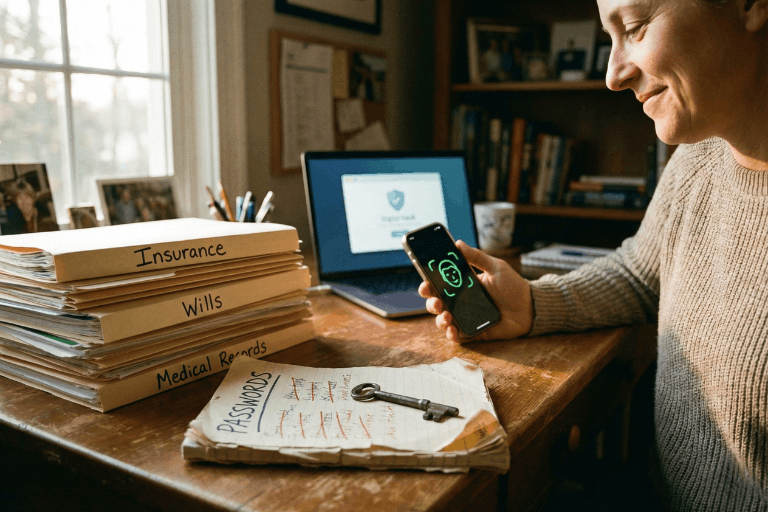
We all do it. Every morning. You grab your coffee, sit down, and try to log into your bank. Or maybe your insurance portal. You type in a password. Maybe it’s a strong one. Maybe it’s… well, let’s be real. It’s probably the same one you use for Netflix. But here is the hard truth: relying on a secret code just doesn’t cut it anymore. Not when your entire financial life is sitting behind it. Fast forward to 2026, and there is finally a better option that people are actually using: the passkey.
If you are the one stuck managing the heavy stuff for your family – wills, health records, the “in case of emergency” file – knowing the difference between a passkey and a password isn’t just tech trivia. It is a survival skill. It’s about keeping the wolves at the door away from the things that actually matter.
This guide breaks down exactly what passkeys are, how they smash the old-school password system, and why making the switch is probably the smartest move you can make right now.
What Is a Password – And Why Is It No Longer Enough?
Think about it. A password is just a string of letters you made up. It’s a secret handshake between you and a computer. And for a long time? That was fine.
But here is the snag: humans are involved. And humans? We are messy. The stats are pretty rough – something like 70% of hacks start because of a weak or stolen login. We reuse passwords because we’re lazy. We pick easy ones because we’re forgetful. Or we get tricked by a fake email and hand them over on a silver platter.
Common password headaches include:
- Brute-force attacks: Hackers have computers that can guess billions of passwords a second. If yours is simple, it’s gone before you can blink.
- The Dark Web: If one random site you use gets breached, your password ends up for sale. Suddenly, the bad guys have the keys to your whole life.
- Phishing: It is terrifyingly easy to get fooled by a fake email or website that looks real. You type it in, and poof – they have it.
- Fatigue: You have dozens of accounts. Remembering unique codes for all of them? Impossible. So we reuse them. And that is dangerous.
- SMS flaws: Even those text message codes aren’t bulletproof. Hackers can swap SIM cards and steal those codes right out of the air.
There is a saying in the security world that haunts me: Hackers don’t break in – they log in. If they have your password, they are you.
What Is a Passkey – And How Does It Work?
Passkeys are a total rewrite of the rules. Forget typing. A passkey uses public-key cryptography. Imagine a digital key that is split in two. One half sits on the website. The other half stays locked inside your phone or laptop.
When you want to log in, your phone and the website have a quick, silent chat. You prove it’s you by just unlocking your screen – Face ID, fingerprint, whatever. You don’t type a single letter. Nothing gets sent over the internet for a hacker to steal.
Think of it like a puzzle. The website has a piece. Your phone has a piece. They only fit together when you – the real you – are holding the device.
Key facts about passkeys:
- They run on the FIDO2 standard. Basically, the big tech companies all agreed on a better way to do things.
- Everyone is jumping on board: Google, Apple, Amazon, Chase Bank. They all support it.
- Millions of people are already using them without even realizing it.
- You can’t phish them. You can’t guess them.
- If you have a smartphone from the last few years, you are already ready to go.
Passkeys vs. Passwords: A Side-by-Side Comparison
Why is everyone making such a big deal about this? You have to look at the differences side-by-side to really get it.
1. Security
- Passwords: Weak. They can be stolen, guessed, or fished out of you with a fake email.
- Passkeys: Rock solid. The private key never leaves your phone. Even if a hacker breaks into the bank’s server, they can’t steal your key because it isn’t there.
2. Ease of Use
- Passwords: A pain. You forget them. You reset them. You type them wrong.
- Passkeys: Easy. You look at your phone, or touch the sensor. Done. It works 98% of the time and it’s way faster.
3. Phishing Resistance
- Passwords: Terrible. If a fake site looks real, you’ll probably type your password in.
- Passkeys: Perfect. A passkey is tied to the real website. If you land on a fake site, your phone knows. It simply won’t let you log in.
4. Device Dependency and Flexibility
- Passwords: You can use them anywhere, but that’s also why they are risky.
- Passkeys: They live on your device. But don’t worry – Apple and Google sync them to the cloud. So your passkeys are on your phone, your tablet, and your laptop automatically.
5. Risk in a Data Breach
- Passwords: If a company gets hacked, your password is leaked.
- Passkeys: If a company gets hacked, the hackers get… nothing useful. They just get a public key that can’t unlock anything without your phone.
Why This Matters for Protecting Vital Life Records
We usually don’t think about this stuff until it’s too late. You get hacked, or a family member passes away and nobody can get into their accounts. That is a nightmare scenario.
The accounts that hold your life’s work – insurance, savings, wills – need better protection than “123456.” If these get breached, it’s not just annoying. It’s identity theft. It’s losing money.
The banks know this. That’s why Chase and Wells Fargo are pushing passkeys. They want you safe.
If you are using a digital vault to keep your family’s info organized, turning on passkeys is the single best thing you can do today.
How to Set Up a Passkey (It Is Simpler Than It Sounds)
You don’t need to be a tech wizard. It takes two minutes.
Step 1: Go to your account settings (Google, Amazon, whatever).
Step 2: Look for “Passkeys” or “Security.”
Step 3: Click “Create Passkey.” Your phone will ask for your face or fingerprint. Do it.
Step 4: You’re done. Next time, just click “Use Passkey.”
Step 5: If you want to be extra safe, use a password manager like 1Password to keep them all organized.
Expert Tip: Start with the big ones. Email. Bank. Insurance. Get those locked down first.
Should Passwords Be Abandoned Entirely?
Not yet. We’re in a transition phase. Lots of old websites still need passwords. So here is the game plan:
- Switch to passkeys for anything important.
- Use a password manager to generate crazy long passwords for the junk sites that don’t support passkeys yet.
- Stop using SMS codes if you can help it. Use an app instead.
- Get a hardware key (like a YubiKey) if you are really paranoid about your email security.
- Check back often. More sites are adding this every month.
Microsoft went passkey-first last year and it’s been huge. By the end of 2026, typing passwords will feel like using a flip phone.
What Happens If a Device Is Lost?
Everyone asks this. “If I lose my phone, am I locked out forever?”
No. You’re fine.
- Cloud Sync: If you use an iPhone, your keys are in iCloud. Get a new phone, sign in, and they are back. Same for Android.
- Backup: You can still use other ways to get into your account if you absolutely have to.
- Thieves can’t use them: Even if someone steals your phone, they don’t have your face or fingerprint. They can’t use your passkeys.
Passkeys and the Future of Secure Document Storage
For families storing wills and financial docs online, security is everything. A digital vault is pointless if the key is under the mat.
Passkeys fix the human error part. You can’t accidentally give away your passkey. It solves the biggest problem in security: us.
Experts at Gartner and big tech firms are calling this the biggest shift in security in decades. The password era is ending. Finally.
Key Takeaways
- Passwords are weak. They are too easy to steal or guess.
- Passkeys are strong. They use heavy-duty encryption and your own biometrics.
- It’s happening now. Major banks and tech giants are already using them.
- Mix it up. Use passkeys where you can, strong passwords where you must.
- Don’t worry about lost phones. Cloud sync has your back.
- Protect your legacy. If you store vital records, this is a must-have upgrade.
Conclusion: The Lock Is Getting an Upgrade
Switching to passkeys isn’t just about cool new tech. It’s about peace of mind. Passwords put all the pressure on you to be perfect. Passkeys let your device handle the security so you don’t have to.
If you are serious about keeping your family’s future safe, stop waiting. Passkeys are here. They work. And they are way better than what you’re using now.
The best time to switch was yesterday. The second best time is today.
Protect What Matters Most
InsureYouKnow.org provides a secure, encrypted electronic safe deposit box for life’s most important information – insurance policies, financial records, healthcare documents, and more. Storing vital records in one organized, protected location means families are never left searching when they need information most. Start protecting what matters today at InsureYouKnow.org.
AI and Data Privacy in 2026: Securing Vital Information
February 19, 2026

Forget the old sci-fi movies. Today, artificial intelligence practically runs the show. It handles everything from spotting diseases to balancing checkbooks. Every major industry uses these tools to save time and cut corners. But there is a massive catch. This entire system runs on one specific fuel. That fuel is personal information.
Understanding how these powerful computer networks handle private details matters more today than ever before. The tech moves incredibly fast. The ways companies grab and store digital footprints change right along with it.
The AI Data Appetite: How Information is Used
Machine learning models are hungry. These systems require an unbelievable amount of raw material to actually function. Sometimes, a program chews through billions of data points just to learn a single, simple pattern. A fast screen swipe, a late-night online purchase, or a routine doctor’s chart update, they all leave a permanent mark.
Code then sifts through this massive pile of details to customize what people see online. Sure, that makes picking a streaming movie or getting a quick cash loan way easier. But it comes at a cost. Big corporations constantly harvest and tag private details. These software tools connect the dots between things that seem totally unrelated. Next thing you know, a retailer is predicting what a customer will buy next Tuesday, or even guessing their secret health conditions.
Emerging Privacy Risks in the AI Era
This massive leap in technology brings a totally new set of privacy headaches. People have to deal with these threats every single day.
- Sophisticated Cyber Threats: Hackers rarely waste time guessing passwords anymore. Why bother? They use generative code to craft perfect phishing emails and hyper-realistic deepfakes instead. These modern scams blow right past old-school security filters. Because of this, bank records and identities sit directly in the firing line.
- The Rise of “Agentic” AI and Shadow Apps: Smart software agents operate on their own now. They move files and make choices at crazy speeds. When employees or everyday folks rely on unregulated “shadow” tech tools, highly sensitive documents often bleed right into public training models. The worst part? Nobody usually notices until the damage is fully done.
- Algorithmic Bias and Automated Decisions: As computers take over boring office work, invisible biases easily sneak into the mix. A broken piece of code might quietly trash a mortgage application or throw away a great resume. It bases the choice on a hidden profile. The person gets a rejection letter, usually with absolutely zero explanation.
The 2026 Regulatory Landscape
Lawmakers worldwide are finally pushing back hard. This year marks a massive turning point for digital rules and corporate behavior.
Huge rulebooks like the European Union’s AI Act are fully active right now. They slap heavy limits on dangerous technology. Meanwhile, dozens of US states rolled out tough privacy laws that demand total honesty from tech companies. Businesses face strict legal orders to tell the public whenever a machine makes a major choice about a human life. Consumers actually hold real power again. They can demand a look at their files, force fixes, or completely scrub their names from corporate servers.
AI as a Digital Defender
Strangely enough, the exact same tech causing these nightmares also acts as the ultimate shield. Artificial intelligence is completely rewriting the cybersecurity rulebook.
Modern data defense relies heavily on smart threat detection. Clever networks watch internet traffic around the clock. They spot weird behavior and shut down hacks long before human security guards even finish their morning coffee. It also drives better ways to hide identities. Companies can track big shopping trends without ever seeing a specific name or street address.
Strategies for Protecting Vital Information
With the internet getting messier by the minute, folks need solid plans to lock down their critical records. Tossing important papers into a messy email folder or a dusty metal filing cabinet is just asking for trouble. Those old methods simply cannot survive modern cyber attacks. They also fail completely during sudden physical emergencies.
Switching to secure, encrypted digital storage offers a much stronger defense. Platforms offering independent, password-protected electronic safe deposit boxes keep life insurance policies, legal contracts, and medical histories totally out of reach from snooping data scrapers. Putting this vital information inside a heavily locked cloud vault guarantees families can grab exactly what they need during a crisis. At the exact same time, the data stays totally hidden from digital thieves.
The Future of Digital Privacy
The collision between smart machines and data privacy stands as the defining tech battle of 2026. The everyday perks are super obvious. But the background risks demand real attention. Staying updated on legal rights gives regular people a fighting chance. Plus, leaning on heavily encrypted storage for major documents lets individuals walk through this new era safely. Taking a few smart steps right now protects immediate privacy while securing a solid, long-term digital legacy.
Crypto Estate Planning: How to Protect Your Digital Assets
January 21, 2026

Introduction: The Hidden Tragedy of Lost Cryptocurrency
Billions in cryptocurrency are currently lost in digital limbo. It wasn’t hackers or scams. Owners simply passed away without sharing the password.
Crypto is unforgiving compared to a bank. There is no “Forgot Password” button or help desk to call. If the login details vanish, the money vanishes with them.
This puts families in a bind. Most executors aren’t tech-savvy, so handing them a hardware wallet without instructions is like leaving a locked safe without the key.
The fix is simple. You don’t need to be a tech expert. You just need a secure, central place to leave a clear “treasure map” that guides your family to the assets.
Why a Will Alone Isn’t Enough for Cryptocurrency
A lot of people assume that as long as their cryptocurrency is mentioned in their will, everything is taken care of. In practice, that rarely works out.
1. Privacy vs. Access
When someone dies, their will typically becomes a public document. If wallet details or crypto account information are written into it, that sensitive data can be seen by anyone who pulls the record. That’s an obvious security risk.
But putting detailed login instructions into a will isn’t safe either. Anyone who gets a copy of the will intentionally or not could try to use that information to get into the accounts.
2. The Custody Problem: Exchange vs. Private Wallet
How and where cryptocurrency is stored changes the situation completely:
On an exchange (like Coinbase or Binance):
The executor would usually need:
- The username and password
- Access to the linked email account
- Access to the phone used for two-factor authentication (2FA)
In a private wallet (like Ledger or Trezor):
The executor would usually need:
- The physical device
- The PIN code
- The 12- or 24-word seed phrase
If even one of these is missing, there’s a real chance the assets will never be recovered.
The “Treasure Map” Strategy (Safety First)
Before anything else, one rule must be clear:
Never upload a 12- or 24-word seed phrase to the internet. Not even to a secure portal.
Those words are the master key to the wallet. If someone gets them, they can steal everything.
So what should be stored instead?
Breadcrumbs, not the key.
The goal is to leave a clear, simple map that tells loved ones:
- What assets exist
- Where they are located
- How to access them safely
Examples of What to Store in a Secure Digital Vault
- A document stating:
“My Ledger wallet is taped under the bottom drawer of my desk.”
“The seed phrase is stored in a sealed envelope in the bank safety deposit box.”
- A list of exchanges used:
“Accounts exist on Coinbase and Kraken.”
This step is critical. Family members cannot claim assets if they don’t even know which website or platform to look at.
Device Access Instructions
Most crypto accounts use two-factor authentication. That code is usually sent to a phone or email.
A simple note explaining:
- How to unlock the phone or laptop
- Where the phone is kept
- Which email account receives security codes
can make the difference between recovery and total loss.
How InsureYouKnow.org Solves the Executor Gap
This is where InsureYouKnow.org becomes essential.
A Centralized Digital Vault
InsureYouKnow.org acts as the bridge between a complex digital life and non-technical family members. It allows users to securely store:
- Letters of instruction
- Lists of crypto exchanges
- Locations of hardware wallets
- Guidance for accessing phones, emails, and computers
All in one place.
Secure Document Uploads and Shared Access
Users can upload documents such as a “Crypto How-To Guide” or “Letter of Instruction” and grant access to a trusted partner or executor.
This ensures the right person has the right information at the right time.
Strong Encryption for Peace of Mind
InsureYouKnow.org uses Amazon cloud encryption, making it a safe place to store sensitive account lists and location maps for physical crypto keys.
While private seed phrases should always remain offline, everything else needed for recovery can be organized securely inside the platform.
A Step-by-Step Checklist for Every Crypto Owner
This simple checklist helps ensure cryptocurrency doesn’t vanish after death.
Step 1: Inventory All Crypto Assets
List every place where crypto is stored:
- Exchanges
- Hardware wallets
- Software wallets
Note whether each is online or offline.
Step 2: Write a “Letter of Instruction”
This letter should explain everything in plain language.
Write it as if explaining to a fifth grader.
Include:
- What cryptocurrency is
- Which platforms are used
- Where devices are located
- Where passwords and seed phrases are stored physically
- How two-factor authentication works
Step 3: Secure Seed Phrases Offline
Write seed phrases on paper or metal plates.
Store them in:
- A safe
- A bank safety deposit box
- A sealed envelope with a trusted attorney
Never store them digitally.
Step 4: Upload Instructions to InsureYouKnow.org
Upload:
- The Letter of Instruction
- Lists of exchanges
- Device locations
- Access instructions for email and phone
This becomes the digital “treasure map.”
Step 5: Share Access With a Trusted Partner
Grant access to a spouse, adult child, executor, or attorney.
They don’t need crypto knowledge.
They only need clear instructions and a secure place to find them.
Conclusion: Don’t Let Digital Wealth Disappear
Cryptocurrency represents the future of finance. But protecting it still requires old-school organization.
Without a plan, digital assets can vanish forever.
With a simple treasure map and a secure vault, families can inherit what was meant for them.
No one should leave behind money that loved ones can never reach.
Swedish Death Cleaning for Your Digital Life: A Simple Guide
January 15, 2026

The mess you can’t see
There is a Swedish concept that has been making the rounds lately called döstädning. In English, it translates to “Swedish Death Cleaning.” It sounds a bit dark on the surface. Maybe even depressing. But the idea is actually pretty practical: you clear out your physical belongings, the dusty boxes, the clothes that don’t fit, the broken furniture, so your family isn’t stuck dealing with a mountain of junk when you are gone.
But here is the thing about modern life in 2026: the biggest mess isn’t in the garage. It’s floating in the cloud.
People are walking around right now with thousands of blurry photos, email accounts from ten years ago, and passwords that exist only in their heads. It is a silent chaotic mess. And if something happens, that digital chaos becomes a massive headache for the people left behind. Applying a little döstädning to the online world isn’t just about being tidy. It is about saving loved ones from a nightmare.
First, stop the bleeding
Before trying to organize the important stuff, the useless noise has to go.
Think about the average inbox. It is usually stuffed with newsletters that haven’t been opened since 2019 and receipts for things long thrown away. The first step of the clean-up is arguably the best part: hitting unsubscribe. If a subscription hasn’t provided value in the last six months, cut it loose.
Then look at the bank statement. How many streaming services or random apps are charging five dollars a month for nothing? Canceling those doesn’t just save cash today; it stops a confusing financial web from forming later. It is less for the family to untangle.
And then, the photos. Digital hoarding feels safe because it doesn’t take up room in the house. But leaving someone 50,000 screenshots to sort through is rough. Deleting the junk helps the real memories stand out.
The problem with passwords
Imagine cleaning up a whole house, locking the front door, and then throwing the key into a river. That is basically what happens when a digital life is organized but locked down.
In the past, important documents lived in a filing cabinet. A physical key could be found. Today? The “key” is a complex password or a face scan. If nobody else has those credentials, the assets inside, bank accounts, sentimental emails, crypto wallets, might as well not exist. They are locked in a digital vault with no door.
Scribbling passwords on a sticky note is risky. But keeping them entirely memorized is worse.
A smarter way to store it
Once the trash is deleted, what is left? The vital stuff. The deeds, the insurance policies, the wills, the vet records for the dog. These are the papers families panic over during an emergency.
Leaving these files scattered across three different cloud drives and a laptop desktop is a recipe for disaster. The strategy has to shift from “saving” to “managing.”
This is why platforms like InsureYouKnow.org are picking up steam. They aren’t just storage drives. They are digital safety deposit boxes. It gives people a single, encrypted place to put the things that actually matter. And unlike a regular hard drive, it bridges the gap. It keeps the data safe from hackers but ensures a trusted person can actually get to it when they need to.
It answers the question “Where is the policy?” before anyone even has to ask.
A lighter load
Calling it “Death Cleaning” makes it sound heavy. But honestly? It feels more like life cleaning.
There is a real sense of relief that comes from knowing the digital house is in order. No more background stress about lost files or forgotten logins. Just the calm knowledge that if life throws a curveball, the family won’t be stuck fighting with customer support to get into an account. They will have everything they need, right there, ready to go.
5 Scams Targeting Seniors in 2026 (And How to Lock Down Your Data)
January 1, 2026

Can you believe it is 2026? We have apps for everything and phones that are smarter than the computers we grew up with. But there is a flip side. All this tech has handed crooks a brand new playbook. And let’s be honest, they love targeting seniors.
The scams floating around right now aren’t the sloppy emails we used to laugh at. These new ones are sharp. They use fancy tech and psychological tricks to bypass your gut instincts. But don’t worry. You don’t need to be a tech wizard to stay safe; you just need to know what the red flags look like.
Here is what is happening out there and how to keep your private life private.
1. The “Grandchild” Voice Clone (It’s Not Them)
You might remember the old version of this trick. Someone calls pretending to be a grandson in trouble. Usually, you could tell it wasn’t him because the voice was off.
Well, the game has changed.
Scammers are now grabbing snippets of audio from social media videos. If your grandchild posted a video on TikTok or Instagram, that is all they need. They use AI to clone the voice. When the phone rings, it sounds exactly like them. Same laugh, same tone. They will say they are in jail or stuck in Mexico and need money fast.
What to do:
- The Password Rule: Agree on a secret family password. If “Bobby” calls saying he is in trouble, ask for the password. If he can’t give it, hang up.
- Don’t Panic: Hang up and call their real cell phone number. Verify it yourself.
2. The “Computer Meltdown” Pop up
You are just reading the news or looking for a recipe, and suddenly BAM. A siren starts wailing from your speakers. A box pops up on the screen saying your computer is infected and you have to call “Microsoft” immediately.
It is terrifying, right? That is the point.
But here is the truth. It is all smoke and mirrors. Your computer is fine. The person on that phone line isn’t tech support; they are a thief waiting for you to open the front door. If you let them “remote in,” they will swipe your passwords or charge you for fixing a problem that didn’t exist.
What to do:
- Ignore the Number: Real companies like Apple or Microsoft will never put a phone number on a warning pop up. Never.
- The Hard Reset: If your mouse freezes, just hold the power button down until the screen goes black. Turn it back on, and the “virus” will be gone.
3. The Medicare “Chip Card” Trap
Medicare rules are a maze, and scammers know it. The latest trick? A friendly phone call telling you that you are due for a “refund” or a new “chip card.”
It sounds great, doesn’t it? But then comes the catch. To get the goods, they say they just need to “verify” your Social Security Number or your current Medicare ID.
What to do:
- Guard It: Treat your Medicare number like the combination to a safe.
- Check Your Vault: Don’t take a stranger’s word for it. If you keep your insurance details stored in a secure spot, like the InsureYouKnow.org portal, you can just log in and check your official policy. Call the number on your documents, not the one the stranger gave you.
4. The “Pig Butchering” Long Game
This one is nasty because it pulls on heartstrings. It usually starts with a “wrong number” text or a random message on Facebook. The person is nice. You start chatting. Over weeks, maybe even months, you become friends.
Then, they mention money. They are making a killing in crypto or gold, and they want to help you do the same. You might even put a little money in and see it grow on a website they send you. But the moment you invest a serious amount? The website vanishes, and so does your “friend.”
What to do:
- Keep Wallets Closed: Never take financial advice from someone you have only met through a screen.
- Do Your Homework: If they send a photo, run it through a Google Image search. You will probably find that picture belongs to a model or someone else entirely.
5. The Fake Government Threat
Fear is a powerful tool. Scammers love to pretend they are the IRS or the Social Security Administration. You will get a text or voicemail saying your account is “suspended” or you owe back taxes.
They will threaten arrest if you don’t pay right now. And weirdly, they often want payment in gift cards.
What to do:
- Gift Cards equal Scam: The government will never ask you to pay a fine with an Amazon gift card. That just doesn’t happen.
- Slow Down: They want you to panic so you stop thinking. Take a breath. It is almost certainly fake.
The Secret Weapon? Getting Organized.
Why do these scams work? Because they rely on chaos. They hope you don’t know where your real policy is. They hope you can’t find the right phone number to check if the story is true.
If you have your house in order, they can’t touch you.
When you have your vital info, like IDs, policies, and bank contacts, locked in a secure, encrypted hub, you have the power. If someone calls about your life insurance, you don’t have to guess. You log in, look at the real document, and you see the truth.
Stay Safe Out There:
- Verify, Verify, Verify: Don’t trust Caller ID.
- Lock It Up: Use a secure service to store your life’s paperwork.
- Buddy System: Share access to that digital vault with a family member you trust. It helps to have backup.
You don’t have to be paranoid to be safe in 2026. You just have to be organized.
What Happens to Your Digital Assets After You Die?
September 24, 2025

We spend so much of our lives online that it’s easy to forget just how much we’ve tucked away in digital spaces. Photos on Google Drive. A lifetime of emails. Bank apps, crypto wallets, even the music and books we’ve bought but never actually “own.” All of these things add up to what people now call your digital assets.
The tricky question is: what happens to them when you’re no longer here?
A Hidden Part of Your Estate
Think about how a traditional estate works. You leave a house, some savings, maybe a car, and your family knows how to claim those things. But with digital property, it is different. Passwords lock things up. Privacy laws keep companies from handing over your accounts. In many cases, providers do not even recognize heirs unless you have given explicit permission.
That means your online life, all those accounts and files, might just sit there untouched. Some platforms will eventually delete them. Others freeze them in time. And unless someone has the right access, even valuable things like cryptocurrency can disappear forever.
Why Families Struggle
It is easy to imagine the problems. Maybe your daughter knows you kept all the family photos in your Google account but cannot get past the two-factor authentication. Or perhaps you held a few thousand dollars in a crypto wallet that requires a private key only you knew. Even something as simple as canceling a subscription can be a nightmare if nobody has your login.
The result? Frustration, wasted time, and sometimes permanent loss.
The Law and the Fine Print
Adding to the confusion are the laws and service agreements. In many places, executors do not automatically get digital access. US states that follow a law called RUFADAA allow it only if you have given written consent, usually in your will. Big tech companies add another layer: Google lets you set up an Inactive Account Manager, Facebook has legacy contact settings, and Apple has its own Digital Legacy program. If you do not turn those on, your family may have no options.
So between legal barriers and tech restrictions, the default outcome is often nothing happens and accounts remain locked away.
How You Can Plan Ahead
The solution is not complicated, but it does take a little thought:
- Make a list of important accounts. It does not have to be detailed, but your family should at least know what exists.
- Decide who should handle them. Pick someone you trust and tell them they will be your digital executor.
- Write it into your will. A line or two giving that person authority can make a big difference.
- Use built-in tools. Set up legacy contacts where available. It only takes a few minutes.
- Keep access information safe. A password manager with emergency access, or a sealed note in a safe, works better than trying to share details in casual ways.
The key is to make sure someone you trust knows how to act when the time comes.
One practical way to protect your digital legacy is by using a secure service like InsureYouKnow. It allows you to store important documents, account information, and passwords in a safe, encrypted digital vault. You can control who has access and receive reminders to keep your records up to date, making it easier for your loved ones to manage your digital assets according to your wishes.
Why It Matters
Digital assets are not just about money. Sure, cryptocurrency or an online business can carry real financial weight, but the sentimental side matters just as much. Family photos, voice notes, or personal letters stored in an inbox can be treasures to those you leave behind. Without a plan, those things may vanish into the cloud forever.
By setting aside an hour or two to prepare, you can spare your loved ones unnecessary stress and give them access to the parts of your life that matter most.
Digital Inheritance: Secure Your Online Legacy with InsureYouKnow
August 13, 2025

Think about how much of your life now lives online. Photos you never printed. Banking and insurance details you don’t keep in a filing cabinet. Emails, social media posts, maybe even a bit of cryptocurrency sitting in a digital wallet. It is all part of your story, and it does not just disappear when you do.
That is why digital inheritance matters. It is about making sure the people you trust can find and use what you leave behind, without having to play password detective or deal with frustrating account lockouts.
In the next few minutes, we will explore how to put a plan in place for your online life, and how a secure tool like InsureYouKnow.org can help you create a well-organized digital legacy your loved ones can actually access when it counts.
What Constitutes Digital Assets
When you think about what you own online, it is probably more than you realize. There are the obvious things like your insurance papers, bank records, medical files, and maybe a scan of your driver’s license sitting in a folder somewhere.
Then you have your accounts. Email, social media, streaming logins, and online banking all hold bits of your life, whether that is photos from years ago or details about your finances.
And do not forget the paid stuff. Cloud storage plans, memberships, crypto wallets, or payment apps like PayPal. Some of it has sentimental value, and some of it is worth real money.
Figuring out exactly what you have is step one in digital estate planning, and it makes life much easier for the people who will need to handle things later.
Risks of Digital Legacy Without Proper Planning
Not thinking about your digital stuff after you’re gone can really cause headaches. Sometimes you can’t get into accounts at all, and all those photos or important files? They might just disappear.
Hackers or scammers could also sneak in. They might use your info, drain money from digital wallets, or mess with accounts in ways that are hard to fix.
And honestly, it’s a lot for your family. They could spend hours digging for passwords, calling different companies, or trying to figure out what belongs where — all while they’re already dealing with grief.
Just taking a little time now to plan your digital estate can save a ton of trouble later and make sure the people you care about aren’t stuck sorting through a mess.
How InsureYouKnow.org Helps
Keeping track of all your digital stuff can be a pain, you know? InsureYouKnow.org makes it kind of simple. You just toss all your important docs, passwords, whatever, into one safe spot. You get to decide who sees what.
And if something happens, a family member can just log in and grab what they need. No digging through emails. No guessing passwords. Way less stress.
Honestly, it just makes your digital life easier and ready for your loved ones when it counts.
Best Practices in Preparing Your Digital Legacy
You know, getting your digital stuff in order now can save a lot of headaches later. Start by listing all your accounts and assets — emails, social media, bank stuff, subscriptions, crypto, everything.
Use password managers or secure lockers to keep logins safe. Also, jot down who should access what and how, and store it somewhere safe.
Finally, think about adding instructions in your will or estate plan. That way, your family can handle your digital life smoothly and without stress.
Step-by-Step Action Plan
Getting your digital stuff in order doesn’t have to be complicated. Here’s a simple way to do it.
- Make a list – Write down all your accounts, subscriptions, documents, crypto wallets… basically everything. Group them so it’s easy to see.
- Keep it safe – Store passwords and important docs in InsureYouKnow’s secure vault. That way, it’s all in one place and protected.
- Pick someone you trust – Decide who can access what. Set clear permissions so they know what’s theirs to handle.
- Check and update often – Things change, you know? Make a habit of reviewing your list regularly.
Doing this makes your digital life organized, safe, and way easier for your family when they need it.
Real-Life Scenario
Imagine this: Sarah had been using InsureYouKnow.org to organize her digital life. She had all her accounts, documents, and login info stored securely, and she’d assigned her brother as her digital heir with clear permissions.
When Sarah unexpectedly passed away, her brother didn’t have to hunt for passwords or guess what to do. He simply accessed the secure vault, grabbed the important files, and managed her online accounts without stress.
Thanks to pre-planning her digital estate, Sarah made things much easier for her loved ones. This shows how a little preparation can save a lot of headaches and ensure your digital legacy is handled smoothly.
Conclusion
Thinking about your digital stuff might feel a bit overwhelming, but honestly, getting it in order gives you peace of mind. Your loved ones won’t have to scramble or guess what to do.
Just start small. Make a list of your accounts and important files. Then use InsureYouKnow.org to keep everything safe and organized. A little planning now can make a huge difference later, and it keeps your digital life easy for your family.