
Category: Technology
Digital Death Directives: How to Stop Posthumous AI Doppelgangers
March 25, 2026

The afterlife has officially relocated. It now lives on servers.
What used to be a purely spiritual concept has collided head-on with artificial intelligence, spawning a frankly bizarre, multi-billion-dollar market dubbed “grief tech.” This booming sector takes cutting-edge generative algorithms and uses them to resurrect the dead digitally speaking. Software can now map the exact voice, facial tics, and conversational habits of someone who recently passed away. The result is a highly interactive, slightly unsettling avatar that texts, speaks, and reacts from beyond the grave.
Sure, this technology brings a strange sort of solace to some grieving families. But it also rips open a massive ethical and legal black hole. As the software gets cheaper and sharper, building a posthumous “digital doppelgänger” is no longer just a weird plotline from a late-night sci-fi show. It is happening right now. That harsh reality explains exactly why modern estate planners are aggressively pushing a vital new tool for everyone’s administrative toolkit: the Digital Death Directive.
The Rise of “Grief Tech” and the AI Afterlife
Families used to rely on dusty photo albums, fading polaroids, or old voicemails saved on a carrier network just to remember a loved one. Generative AI completely shattered that old dynamic. Mourning is rapidly shifting from remembering someone quietly to actively chatting with their digital ghost.
Startups and massive tech conglomerates alike are clawing for a piece of an estimated $126 billion death tech industry. And the mechanics are shocking in their simplicity. Users just dump audio files, old text threads, angry emails, and vacation pictures into a proprietary model. Almost instantly, the machine spits out a convincing voice clone or a deepfake video. These so-called “deadbots” actually study a person’s specific sense of humor. They learn their slang. Surviving relatives can literally text a synthetic version of the person they buried last week and get back an eerily accurate response.

Developers keep filing patents for wild new integrations, too. Some experimental designs even let algorithms hijack a deceased user’s social media feeds, posting memories and commenting on photos exactly like the living person used to do. It is a stunning technological leap. It is also an absolute minefield.
The Ethical Minefield of the Digital Doppelgänger
Just because a developer can code a digital soul does not mean anyone actually should.
Getting a morning voice note from an AI replica of a late spouse might offer a temporary emotional crutch for people struggling through raw grief. Yet, psychologists are increasingly sounding the alarm. Leaning too heavily on a machine often short-circuits the natural human mourning process. It traps vulnerable people in a loop, fostering an unhealthy dependency on a bot that feels absolutely nothing.
Then, you hit the legal nightmare. The laws surrounding digital resurrection are practically nonexistent. A handful of states have passed post-mortem privacy laws, but those generally just protect famous celebrities from unauthorized commercial deepfakes in movie trailers. For everyday citizens? There are virtually no rules. Nothing stops a distant cousin, a rogue app developer, or a scam artist from scraping a dead person’s public online life to build a clone.
Imagine the potential fallout. A grieving widow opens her smartphone to a synthetic voice message from her late husband, cooked up by well-meaning friends who accidentally caused severe emotional trauma instead of providing comfort. Worse still, cybercriminals clone a voice using public TikTok videos to bypass biometric banking security and drain dormant checking accounts. Without explicit, legally binding instructions left behind, families walk into this digital chaos completely blind.
Enter the “Digital Death Directive”
Standard estate planning relies heavily on a Last Will and Testament to hand out tangible objects houses, cars, vintage watches, and cash. But traditional wills completely ignore the massive, sprawling digital footprints people drag behind them today. That is exactly where the Digital Death Directive takes over.
Think of it as a highly specialized addendum to a will, or a standalone legal document, that dictates precisely how a digital legacy gets handled when the heartbeat finally stops. Above all else, it plants a firm legal flag regarding consent. It specifically outlines the total refusal or permission for posthumous AI recreation. Drawing clear boundaries protects the deceased’s identity while sparing exhausted heirs from making impossible, agonizing choices during a funeral.
Key Elements of a Comprehensive Digital Death Directive
To make sure a tech company or a family member actually follows these digital wishes, the document needs a few non-negotiable pieces built directly into its framework:
1. Explicit Consent or Refusal for AI Recreation
The single most critical clause today tackles artificial intelligence head-on. The paperwork must clearly state if personal data can be used to train voice clones or video avatars. If the answer is yes, the document must specifically name who gets to pull the trigger and what exact software platforms they are legally allowed to touch. If the answer is no, the language must slam the door completely shut, forbidding anyone from twisting the person’s likeness into a chatbot.
2. The Appointment of a Digital Executor
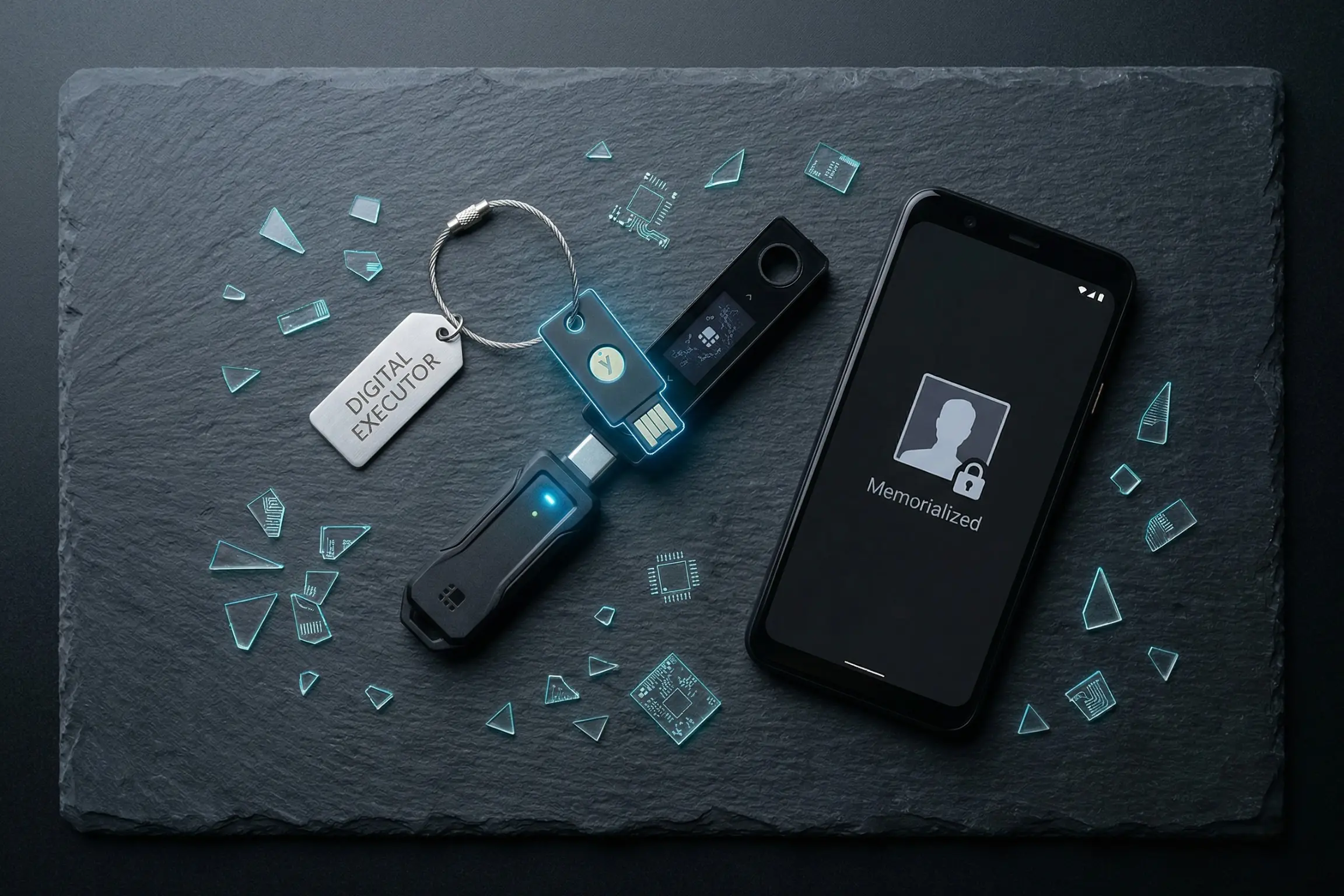
Physical wealth needs a standard executor. Digital estates require a Digital Executor. This specific person gets the legal green light to act as a digital bouncer. They manage, download, or completely nuke digital assets, acting as the ultimate enforcer for the directive’s rules.
3. Data Destruction vs. Data Archiving
Everyone hoards weird digital baggage. Unflattering search histories, awkward direct messages, hidden photo vaults, and rough drafts of emails. The directive tells the Digital Executor exactly what to save for the grandkids and what to permanently burn. Many people strongly prefer a total post-mortem data wipe to keep their secrets safely hidden.
4. Social Media Memorialization Protocols
Social profiles essentially serve as modern-day gravestones. The directive must decide if accounts on platforms like Facebook, Instagram, or LinkedIn should vanish completely into the ether or shift into locked, official “Memorialized” modes where nobody can log in and post new content.
5. Access to the “Seed Phrase” and Financial Tech
For anyone holding cryptocurrency, NFTs, or decentralized assets, standard banking rules simply do not apply. Sliding a death certificate across a desk to a bank teller will not unlock a Bitcoin wallet. The directive has to map out exactly how to find hardware wallets and private keys. Without those exact seed phrases, the funds disappear into the blockchain forever, totally unrecoverable.
The Importance of Secure Storage
Writing the document is really only half the battle. Storing it poorly makes the entire effort totally worthless.
Decades ago, families stuffed important papers into bank safe deposit boxes or heavy, fireproof home safes. But the digital age moves way too fast for physical brass locks. A bank vault is totally useless on a Sunday night during a sudden medical crisis in a different time zone. Furthermore, static paper documents cannot keep up with the endless password updates and new account creations that define modern internet usage.
Proper estate planning demands modern storage solutions. Critical documents belong in an encrypted, independent cloud environment. That setup guarantees the Digital Executor and trusted partners can grab the directive the exact second they need it, no matter where they happen to be standing.
Taking Control of the Digital Hereafter
The line separating life, death, and data gets blurrier every single day. As tech companies relentlessly push the envelope of what is scientifically possible, protecting a posthumous identity falls entirely on the individual. A Digital Death Directive is no longer a quirky, niche tool for tech nerds. It is a fundamental necessity for anyone with a Wi-Fi connection.
By locking down these difficult decisions today, individuals guarantee that a digital doppelgänger will never hijack their life’s true legacy. Taking action now allows the real memory to finally rest in peace.
Take the Next Step to Uncomplicate Life: Ensure loved ones never have to guess or fight about a digital legacy. Take 10 minutes today to draft a Digital Death Directive and upload it securely to the InsureYouKnow.org Electronic Safe Deposit Box, where it remains encrypted, protected, and instantly accessible to trusted partners when they need it most.
2026 Student Loan Defaults: Secure Your Financial Records
March 6, 2026
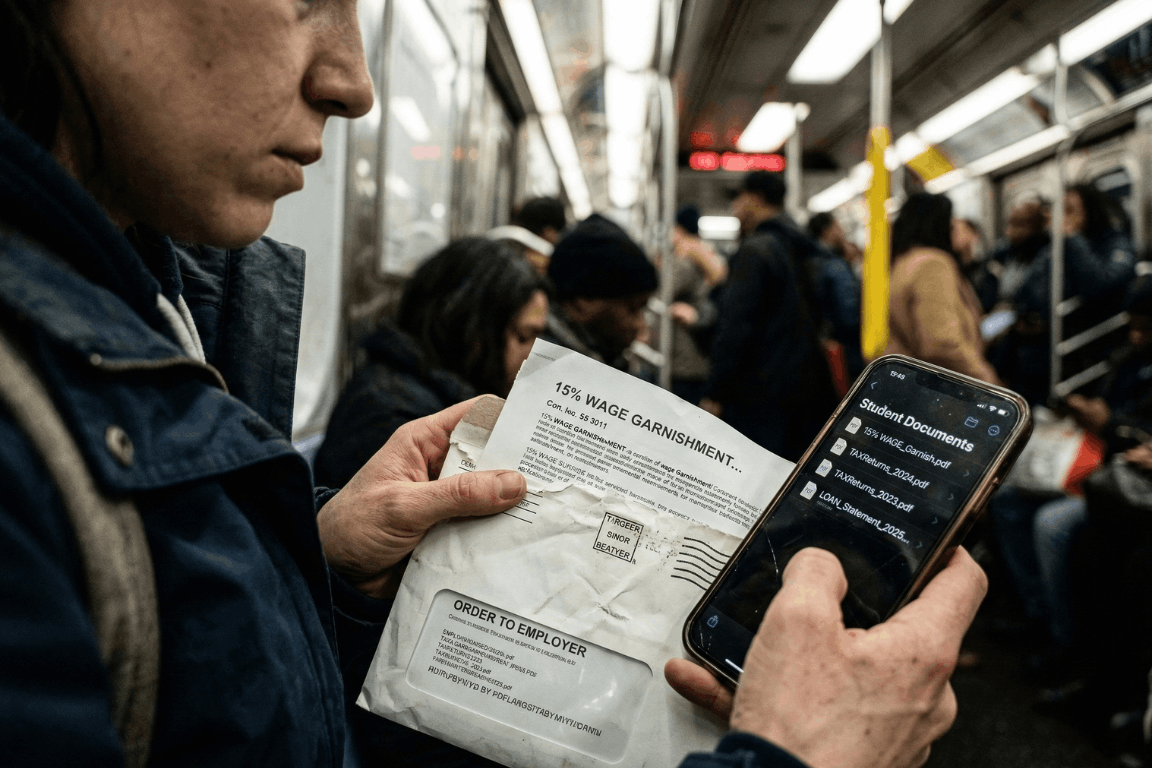
A massive financial wall hit millions of Americans earlier this year. Pandemic payment pauses are officially ancient history. The temporary relief programs dried up entirely. After months of messy court battles regarding income-driven repayment plans, the federal government decided to bring back its heaviest collection tools. Starting in early 2026, the U.S. Department of Education began sending administrative wage garnishment letters to defaulted borrowers. The numbers from major credit bureaus, like Experian, look pretty grim. The entire country is watching a massive wave of loan delinquencies happen in real time. People are suddenly staring down severe financial penalties. Getting through this economic squeeze requires a lot more than just reading news updates. It demands immediate, highly organized access to specific financial paperwork.
The 2026 Student Loan Landscape: A Shocking New Data Trend
So, who is actually defaulting right now? Historically, student loan defaults mostly hammered sub-prime borrowers. That whole narrative flipped completely upside down in 2026. Recent reports from credit bureaus reveal something entirely unexpected. Nearly a quarter of newly defaulted borrowers belong in the “prime” credit tier or even higher. These are the exact demographics the financial industry usually views as incredibly stable.
With over 5 million borrowers currently sitting in default status, and millions more falling behind every month, the economic pain is obvious. Borrowers are stuck navigating a bizarre maze of constantly changing payment plans. Making things worse, millions of accounts got bounced around between different private servicing companies over the last two years. Monthly payments got lost in the mail. Crucial paperwork simply vanished. Hold times to speak with basic customer service stretched into hours. Once a federal student loan reaches 270 days past due, it hits official default status. At that specific moment, the government gets to use an administrative superpower that regular credit card companies cannot even touch. They can literally take wages without ever stepping foot inside a courtroom.
Understanding Administrative Wage Garnishment: The 15% Reality
The fallout from a federal default happens fast. Through a process called Administrative Wage Garnishment (AWG), the Department of Education can legally force an employer to pull up to 15% of a borrower’s disposable pay. Disposable pay simply means the cash remaining after legally required deductions, like federal and state taxes, come out of the check.
Federal law does leave a very small safety net in place. Borrowers get to keep a weekly take-home amount equal to at least 30 times the federal minimum wage. But for anyone living from one paycheck to the next, suddenly losing 15% of their income is pure disaster. It usually means missing the rent, skipping the grocery store, or defaulting on other credit cards. Before the garnishment actually kicks in, the government must send a 30-day advance written warning. That specific 30-day window is basically everything. It acts as the only real timeframe a borrower gets to object or set up a different payment plan before their paycheck actually shrinks.
How to Stop Garnishment: The Heavy Burden of Proof
Borrowers holding a garnishment notice still carry some legal rights. During those 30 days, individuals can officially demand a hearing to stop the withholding order. They might attempt to prove extreme financial hardship. Or, they could try applying for federal loan rehabilitation. Rehabilitation usually involves agreeing to make nine on-time payments over a 10-month window to get the loan back on track.
Another route involves submitting a formal financial hardship appeal. Winning this appeal means legally proving that a 15% pay cut makes buying basic survival items impossible. The government looks at documented living expenses and compares them against very strict IRS Allowable Living Expense guidelines. If a family spends more on food or housing than the IRS thinks is necessary for that specific family size, the extra amount gets totally ignored. Proving hardship is notoriously difficult. Using these rights is never a walk in the park. It requires gathering highly specific legal and financial records immediately. In these types of administrative hearings, the burden of proof lands squarely on the borrower.
The Critical Role of Organized Financial Documents
Sloppy paperwork turns a bad money situation into an absolute nightmare. When the garnishment letter shows up, the clock ticks fast. Spending hours digging through cluttered email inboxes for old messages from loan servicers wastes valuable time. Tearing up the living room looking for utility bills to prove basic living expenses just fuels the anxiety. If a borrower fails to hand over the correct evidence within 30 days, their employer receives the order. The garnishment starts.
This explains exactly why relying on a secure, independent electronic safe deposit box changes the playing field. Keeping a dedicated digital vault for vital life information ensures nobody gets blindsided by aggressive debt collectors. Storing all important financial, legal, and contractual documents in one simple location gives borrowers a huge advantage. They can instantly grab the exact proof they need to protect their paychecks and negotiate with default resolution teams.
Essential Documents to Secure in a Digital Vault
To build a strong defense against a default warning, individuals should make sure the following documents are digitized, safely uploaded, and ready for action:
- Original Loan Agreements and Master Promissory Notes: Finding original contracts immediately helps verify the true debt amount. It also spots accounting errors and confirms which company actually owns the loan today.
- Complete Tax Returns: Proving financial hardship or enrolling in an income-driven repayment plan means submitting paperwork. The Department of Education demands recent federal and state tax returns before they even start talking.
- Official Pay Stubs: Current pay stubs are absolutely required to figure out actual disposable income. They also help verify that any proposed wage garnishment does not illegally drop below the minimum wage protection limit.
- Household Expense Records: Tracking basic living costs is a strict requirement for hardship appeals. Think about rent agreements, mortgage papers, utility bills, health insurance premiums, and pharmacy receipts. These papers help prove that living expenses are reasonable and fit within tight IRS standards.
- Correspondence with Loan Servicers: A strong paper trail of older payments, approved forbearances, and emails with the loan servicers can literally save the day. This proof is extremely important if someone needs to show a loan was wrongfully thrown into default in the first place.
The Absolute Security of Zero-Knowledge Storage
Privacy is absolutely non-negotiable when dealing with highly sensitive financial details. Relying on physical metal filing cabinets leaves people wide open to lost papers, house fires, or basic theft. Depending on regular, unencrypted email folders or a messy computer desktop basically hands sensitive financial data directly to hackers. Cybercriminals routinely target email servers specifically to find W-2 forms and tax returns. Once they grab those files, identity theft is pretty much guaranteed.
Using a specialized platform built with heavy-duty cloud encryption makes sure financial data stays completely private. The absolute best platforms run on Amazon cloud encryption mixed with a “zero-knowledge” setup. In a zero-knowledge system, only the actual account owner knows the password. The site administrators never get to see it. That means absolutely nobody else can ever gain access, view the files, or mine the stored documents to sell the data.
Strategic Document Sharing with Trusted Partners
Fixing a defaulted student loan is almost never a solo job. Borrowers usually need to bring in certified financial planners, tax accountants, or specialized student loan lawyers to help decode the messy federal rules.
Advanced secure portals allow individuals to selectively share specific document folders with these exact trusted partners. Sending unencrypted PDFs of tax returns and pay stubs back and forth through regular email is a massive cybersecurity hazard. Instead, account holders can simply give a legal advisor temporary, secure access to the required files right inside the encrypted vault. This targeted sharing feature speeds up the whole default resolution process, keeps communication secure, and leaves the rest of the vault totally locked down. Setting up automatic monthly reminders inside the portal also helps users routinely update their financial snapshots, keeping their defense strategy completely fresh.
Facing economic uncertainty requires a solid game plan. The return of federal student loan wage garnishments in 2026 creates a massive hurdle. Credit bureau data clearly shows that financial distress is hitting borrowers across every single demographic right now. Surviving this wave of defaults demands aggressive, proactive money management and flawless record-keeping. Centralizing vital financial documents into a secure, encrypted digital safe deposit box lets individuals tackle economic chaos with total confidence. Being prepared is simply the ultimate defense. It ensures that when critical financial information is needed the most, it stays protected, perfectly private, and instantly ready to use.
Passkeys vs. Passwords: Why It’s Time to Switch Now
February 26, 2026
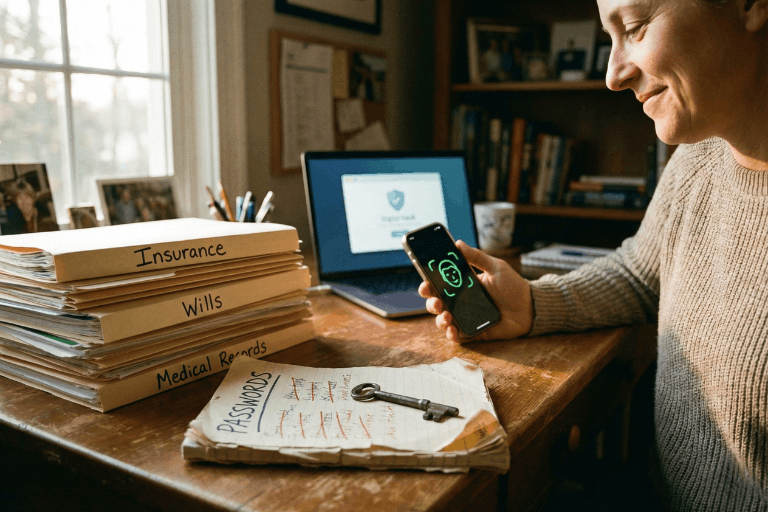
We all do it. Every morning. You grab your coffee, sit down, and try to log into your bank. Or maybe your insurance portal. You type in a password. Maybe it’s a strong one. Maybe it’s… well, let’s be real. It’s probably the same one you use for Netflix. But here is the hard truth: relying on a secret code just doesn’t cut it anymore. Not when your entire financial life is sitting behind it. Fast forward to 2026, and there is finally a better option that people are actually using: the passkey.
If you are the one stuck managing the heavy stuff for your family – wills, health records, the “in case of emergency” file – knowing the difference between a passkey and a password isn’t just tech trivia. It is a survival skill. It’s about keeping the wolves at the door away from the things that actually matter.
This guide breaks down exactly what passkeys are, how they smash the old-school password system, and why making the switch is probably the smartest move you can make right now.
What Is a Password – And Why Is It No Longer Enough?
Think about it. A password is just a string of letters you made up. It’s a secret handshake between you and a computer. And for a long time? That was fine.
But here is the snag: humans are involved. And humans? We are messy. The stats are pretty rough – something like 70% of hacks start because of a weak or stolen login. We reuse passwords because we’re lazy. We pick easy ones because we’re forgetful. Or we get tricked by a fake email and hand them over on a silver platter.
Common password headaches include:
- Brute-force attacks: Hackers have computers that can guess billions of passwords a second. If yours is simple, it’s gone before you can blink.
- The Dark Web: If one random site you use gets breached, your password ends up for sale. Suddenly, the bad guys have the keys to your whole life.
- Phishing: It is terrifyingly easy to get fooled by a fake email or website that looks real. You type it in, and poof – they have it.
- Fatigue: You have dozens of accounts. Remembering unique codes for all of them? Impossible. So we reuse them. And that is dangerous.
- SMS flaws: Even those text message codes aren’t bulletproof. Hackers can swap SIM cards and steal those codes right out of the air.
There is a saying in the security world that haunts me: Hackers don’t break in – they log in. If they have your password, they are you.
What Is a Passkey – And How Does It Work?
Passkeys are a total rewrite of the rules. Forget typing. A passkey uses public-key cryptography. Imagine a digital key that is split in two. One half sits on the website. The other half stays locked inside your phone or laptop.
When you want to log in, your phone and the website have a quick, silent chat. You prove it’s you by just unlocking your screen – Face ID, fingerprint, whatever. You don’t type a single letter. Nothing gets sent over the internet for a hacker to steal.
Think of it like a puzzle. The website has a piece. Your phone has a piece. They only fit together when you – the real you – are holding the device.
Key facts about passkeys:
- They run on the FIDO2 standard. Basically, the big tech companies all agreed on a better way to do things.
- Everyone is jumping on board: Google, Apple, Amazon, Chase Bank. They all support it.
- Millions of people are already using them without even realizing it.
- You can’t phish them. You can’t guess them.
- If you have a smartphone from the last few years, you are already ready to go.
Passkeys vs. Passwords: A Side-by-Side Comparison
Why is everyone making such a big deal about this? You have to look at the differences side-by-side to really get it.
1. Security
- Passwords: Weak. They can be stolen, guessed, or fished out of you with a fake email.
- Passkeys: Rock solid. The private key never leaves your phone. Even if a hacker breaks into the bank’s server, they can’t steal your key because it isn’t there.
2. Ease of Use
- Passwords: A pain. You forget them. You reset them. You type them wrong.
- Passkeys: Easy. You look at your phone, or touch the sensor. Done. It works 98% of the time and it’s way faster.
3. Phishing Resistance
- Passwords: Terrible. If a fake site looks real, you’ll probably type your password in.
- Passkeys: Perfect. A passkey is tied to the real website. If you land on a fake site, your phone knows. It simply won’t let you log in.
4. Device Dependency and Flexibility
- Passwords: You can use them anywhere, but that’s also why they are risky.
- Passkeys: They live on your device. But don’t worry – Apple and Google sync them to the cloud. So your passkeys are on your phone, your tablet, and your laptop automatically.
5. Risk in a Data Breach
- Passwords: If a company gets hacked, your password is leaked.
- Passkeys: If a company gets hacked, the hackers get… nothing useful. They just get a public key that can’t unlock anything without your phone.
Why This Matters for Protecting Vital Life Records
We usually don’t think about this stuff until it’s too late. You get hacked, or a family member passes away and nobody can get into their accounts. That is a nightmare scenario.
The accounts that hold your life’s work – insurance, savings, wills – need better protection than “123456.” If these get breached, it’s not just annoying. It’s identity theft. It’s losing money.
The banks know this. That’s why Chase and Wells Fargo are pushing passkeys. They want you safe.
If you are using a digital vault to keep your family’s info organized, turning on passkeys is the single best thing you can do today.
How to Set Up a Passkey (It Is Simpler Than It Sounds)
You don’t need to be a tech wizard. It takes two minutes.
Step 1: Go to your account settings (Google, Amazon, whatever).
Step 2: Look for “Passkeys” or “Security.”
Step 3: Click “Create Passkey.” Your phone will ask for your face or fingerprint. Do it.
Step 4: You’re done. Next time, just click “Use Passkey.”
Step 5: If you want to be extra safe, use a password manager like 1Password to keep them all organized.
Expert Tip: Start with the big ones. Email. Bank. Insurance. Get those locked down first.
Should Passwords Be Abandoned Entirely?
Not yet. We’re in a transition phase. Lots of old websites still need passwords. So here is the game plan:
- Switch to passkeys for anything important.
- Use a password manager to generate crazy long passwords for the junk sites that don’t support passkeys yet.
- Stop using SMS codes if you can help it. Use an app instead.
- Get a hardware key (like a YubiKey) if you are really paranoid about your email security.
- Check back often. More sites are adding this every month.
Microsoft went passkey-first last year and it’s been huge. By the end of 2026, typing passwords will feel like using a flip phone.
What Happens If a Device Is Lost?
Everyone asks this. “If I lose my phone, am I locked out forever?”
No. You’re fine.
- Cloud Sync: If you use an iPhone, your keys are in iCloud. Get a new phone, sign in, and they are back. Same for Android.
- Backup: You can still use other ways to get into your account if you absolutely have to.
- Thieves can’t use them: Even if someone steals your phone, they don’t have your face or fingerprint. They can’t use your passkeys.
Passkeys and the Future of Secure Document Storage
For families storing wills and financial docs online, security is everything. A digital vault is pointless if the key is under the mat.
Passkeys fix the human error part. You can’t accidentally give away your passkey. It solves the biggest problem in security: us.
Experts at Gartner and big tech firms are calling this the biggest shift in security in decades. The password era is ending. Finally.
Key Takeaways
- Passwords are weak. They are too easy to steal or guess.
- Passkeys are strong. They use heavy-duty encryption and your own biometrics.
- It’s happening now. Major banks and tech giants are already using them.
- Mix it up. Use passkeys where you can, strong passwords where you must.
- Don’t worry about lost phones. Cloud sync has your back.
- Protect your legacy. If you store vital records, this is a must-have upgrade.
Conclusion: The Lock Is Getting an Upgrade
Switching to passkeys isn’t just about cool new tech. It’s about peace of mind. Passwords put all the pressure on you to be perfect. Passkeys let your device handle the security so you don’t have to.
If you are serious about keeping your family’s future safe, stop waiting. Passkeys are here. They work. And they are way better than what you’re using now.
The best time to switch was yesterday. The second best time is today.
Protect What Matters Most
InsureYouKnow.org provides a secure, encrypted electronic safe deposit box for life’s most important information – insurance policies, financial records, healthcare documents, and more. Storing vital records in one organized, protected location means families are never left searching when they need information most. Start protecting what matters today at InsureYouKnow.org.
AI and Data Privacy in 2026: Securing Vital Information
February 19, 2026

Forget the old sci-fi movies. Today, artificial intelligence practically runs the show. It handles everything from spotting diseases to balancing checkbooks. Every major industry uses these tools to save time and cut corners. But there is a massive catch. This entire system runs on one specific fuel. That fuel is personal information.
Understanding how these powerful computer networks handle private details matters more today than ever before. The tech moves incredibly fast. The ways companies grab and store digital footprints change right along with it.
The AI Data Appetite: How Information is Used
Machine learning models are hungry. These systems require an unbelievable amount of raw material to actually function. Sometimes, a program chews through billions of data points just to learn a single, simple pattern. A fast screen swipe, a late-night online purchase, or a routine doctor’s chart update, they all leave a permanent mark.
Code then sifts through this massive pile of details to customize what people see online. Sure, that makes picking a streaming movie or getting a quick cash loan way easier. But it comes at a cost. Big corporations constantly harvest and tag private details. These software tools connect the dots between things that seem totally unrelated. Next thing you know, a retailer is predicting what a customer will buy next Tuesday, or even guessing their secret health conditions.
Emerging Privacy Risks in the AI Era
This massive leap in technology brings a totally new set of privacy headaches. People have to deal with these threats every single day.
- Sophisticated Cyber Threats: Hackers rarely waste time guessing passwords anymore. Why bother? They use generative code to craft perfect phishing emails and hyper-realistic deepfakes instead. These modern scams blow right past old-school security filters. Because of this, bank records and identities sit directly in the firing line.
- The Rise of “Agentic” AI and Shadow Apps: Smart software agents operate on their own now. They move files and make choices at crazy speeds. When employees or everyday folks rely on unregulated “shadow” tech tools, highly sensitive documents often bleed right into public training models. The worst part? Nobody usually notices until the damage is fully done.
- Algorithmic Bias and Automated Decisions: As computers take over boring office work, invisible biases easily sneak into the mix. A broken piece of code might quietly trash a mortgage application or throw away a great resume. It bases the choice on a hidden profile. The person gets a rejection letter, usually with absolutely zero explanation.
The 2026 Regulatory Landscape
Lawmakers worldwide are finally pushing back hard. This year marks a massive turning point for digital rules and corporate behavior.
Huge rulebooks like the European Union’s AI Act are fully active right now. They slap heavy limits on dangerous technology. Meanwhile, dozens of US states rolled out tough privacy laws that demand total honesty from tech companies. Businesses face strict legal orders to tell the public whenever a machine makes a major choice about a human life. Consumers actually hold real power again. They can demand a look at their files, force fixes, or completely scrub their names from corporate servers.
AI as a Digital Defender
Strangely enough, the exact same tech causing these nightmares also acts as the ultimate shield. Artificial intelligence is completely rewriting the cybersecurity rulebook.
Modern data defense relies heavily on smart threat detection. Clever networks watch internet traffic around the clock. They spot weird behavior and shut down hacks long before human security guards even finish their morning coffee. It also drives better ways to hide identities. Companies can track big shopping trends without ever seeing a specific name or street address.
Strategies for Protecting Vital Information
With the internet getting messier by the minute, folks need solid plans to lock down their critical records. Tossing important papers into a messy email folder or a dusty metal filing cabinet is just asking for trouble. Those old methods simply cannot survive modern cyber attacks. They also fail completely during sudden physical emergencies.
Switching to secure, encrypted digital storage offers a much stronger defense. Platforms offering independent, password-protected electronic safe deposit boxes keep life insurance policies, legal contracts, and medical histories totally out of reach from snooping data scrapers. Putting this vital information inside a heavily locked cloud vault guarantees families can grab exactly what they need during a crisis. At the exact same time, the data stays totally hidden from digital thieves.
The Future of Digital Privacy
The collision between smart machines and data privacy stands as the defining tech battle of 2026. The everyday perks are super obvious. But the background risks demand real attention. Staying updated on legal rights gives regular people a fighting chance. Plus, leaning on heavily encrypted storage for major documents lets individuals walk through this new era safely. Taking a few smart steps right now protects immediate privacy while securing a solid, long-term digital legacy.
Medical ID Wallet Cards vs. Digital Access: Which is Better?
February 11, 2026
The Emergency Question
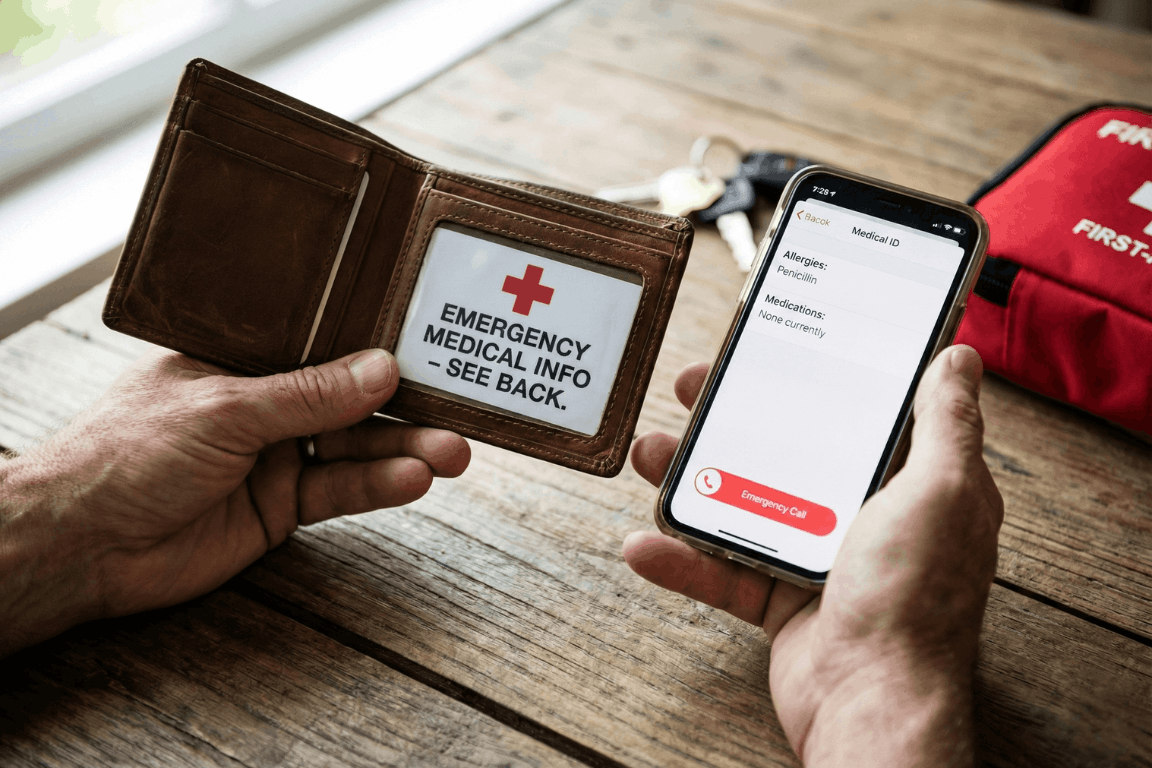
Picture someone collapsing in a store, unable to talk. Paramedics rush over but need answers. What allergies does this person have? What medications? Any serious health problems? Should these details live on a card in their wallet or sit on their phone?
Here’s the thing: picking just one isn’t the best move.
Medical ID Wallet Cards
Advantages
- Battery? What battery? These cards just work, period.
- First responders get it: About 95% of EMTs know to check wallets.
- Zero connectivity needed: Mountains, basements, middle of nowhere. Doesn’t matter.
- Won’t break the bank: Spend maybe $5-10 once, that’s it.
Disadvantages
- There’s only so much room on a tiny card.
- Wallets get misplaced or left at home sometimes.
- People forget to scratch out old info and add new stuff.
- Cards get wet, fade, or become hard to read after a while.
Digital Smartphone Medical IDs
Advantages
- Room for everything: Write down every single medication and condition.
- Updates take two seconds: New prescription? Changed doctors? Fixed instantly.
- Talks to 911: iPhones automatically send this stuff when someone dials emergency.
- Costs nothing: Already sitting in the phone waiting to be used.
Disadvantages
- Dead phone equals zero help.
- Some paramedics haven’t learned the tricks for every phone type yet.
- Accidents crack screens and destroy phones pretty often.
- Weird fact: Only about 1 in 4 people actually bother setting this up.
The Smart Choice: Use Both
- Medical Alert Jewelry: Get a bracelet stamped with the biggest health concern plus “SEE WALLET CARD”.
- Wallet Card: The most important stuff, right there in physical form.
- Digital Medical ID: Everything else stored on the phone (make sure it shows without unlocking).
- Backup Copies: Stick extras in the glove box, desk drawer, with Mom or a close friend. Consider using a secure digital vault like InsureYouKnow to store copies of medical cards, insurance information, and emergency contacts that family members can access when needed.
Quick Setup
Wallet Card:
- Write down allergies, health conditions, meds, who to call.
- Get it laminated so it lasts.
- Make a few copies.
iPhone:
- Open Health app → Find Medical ID → Turn on “Show When Locked”.
Android:
- Go to Settings → Look for Safety & Emergency → Switch on “Show on Lock Screen”.
Total time needed: about 10 minutes.
Real Examples
- Diabetic collapse: Woman’s wallet card listed her insulin information. Paramedics knew exactly what to do.
- Allergic reaction: Guy’s phone shattered during his fall. Good thing his wallet card mentioned that penicillin allergy.
- Lost senior: Older woman wandered off, couldn’t remember her name. Her iPhone Medical ID had her daughter’s number right there.
Who Needs This?
People dealing with:
- Health stuff like diabetes, seizures, heart trouble.
- Bad allergies that could turn dangerous.
- Pills they take every day.
- Pacemakers, implants, that kind of thing.
Common Mistakes
- Picking one method and ignoring the other.
- Setting it up once and never looking at it again.
- Leaving the lock screen access turned off on phones.
- Keeping it secret from family members.
The Bottom Line
Why choose? Wallet cards save the day when phones quit. Digital files hold way more detail than any card could. Together, they’ve got each other’s backs.
- Money spent: Less than fifty bucks
- Time invested: Ten minutes
- Potential payoff: Might literally save someone’s life
Action Steps
- Today: Get that phone Medical ID set up (takes 5 minutes).
- This week: Print out a wallet card (another 5 minutes).
- Twice a year: Check both and update anything that changed.
When things go wrong, having a backup plan makes all the difference.
Storing Everything Securely
Beyond wallet cards and phone apps, keeping digital copies of medical information in a secure vault ensures family members can access critical details during emergencies. Platforms like InsureYouKnow provide encrypted storage for medical records, insurance policies, medication lists, and emergency contacts. This creates another layer of protection, especially when someone needs to share information with multiple family members or caregivers.
Medical History Cheat Sheet: What ER Doctors Need
February 4, 2026

The “Golden Hour” Gap
The Emergency Room is a storm. Noise. Chaos. Speed. Doctors and nurses fight the clock. They chase the “Golden Hour.” That tiny window where fast action beats death.
But silence is the enemy. Ambulances dump patients who can’t talk. Shock takes over. Or they are out cold. In that high-pressure moment, a missing detail, a drug allergy, an old surgery, sends the team down the wrong road. That road ends badly.
Ask any ER staffer. They agree on one thing. A simple “cheat sheet” is the best tool a person can bring through those doors.
Why Memory Fails in a Crisis
People think they will remember. “I know my meds,” they say. They are wrong. Trauma wipes the brain clean. Pain and fear take over. A patient knows they take a “heart pill.” The name? Gone. The dose? Forgotten.
A written paper fixes this. It talks when the mouth cannot. It stops the guessing game between a frantic arrival and safe care.
The ER Doctor’s Wish List: 6 Essentials
What goes on the paper? Forget the thick file. Medical teams want facts. Facts that change the plan right now.
1. The “Big Picture” Demographics
Before the IV goes in, the team must know who they are treating. They need to know who signs the forms.
- Full Legal Name and Date of Birth: This finds old records in the computer.
- Blood Type: Vital for fast transfusions.
- Emergency Contacts: A spouse. A parent. Someone who answers “yes” or “no” to surgery when the patient can’t.
2. The Medication List (Crucial)
This part kills people if it’s wrong. Drug interactions cause huge messes in hospitals. Be exact:
- Prescription Drugs: The name. The dose (like 50mg). The schedule.
- Over-the-Counter (OTC) Meds: Aspirin. Ibuprofen. They seem safe. They aren’t. They thin blood. They hit kidneys.
- Supplements and Vitamins: Herbal pills often fight with anesthesia.
Note: Never write “Take as directed.” That tells the doctor zero.
3. The Allergy Alert
Does the patient hate penicillin? Latex? Contrast dye? The team needs to know. Now. The wrong drug turns a broken bone into a breathing emergency. List the allergen and the reaction. “Penicillin: Hives.” “Peanuts: Throat shuts.”
4. Past Medical History (PMH)
Context is king. A stomach ache in a healthy teen is one thing. In a Crohn’s patient, it’s another.
- Chronic Conditions: Diabetes. Asthma. Epilepsy. High blood pressure. Heart issues.
- Implants: Pacemakers. Metal rods. Artificial joints. The team must know this before an MRI scan starts.
- Past Surgeries: A quick list. “Appendectomy, 2015.” “C-Section, 2020.”
5. Recent History
Sometimes the clue is new. A note about travel, especially overseas, helps. So does a note about recent hospital stays. This helps doctors spot weird infections.
6. Insurance and Directives
Life comes first. But paperwork causes headaches later. List Insurance Policy and Group Numbers. Also, check for an Advance Directive or DNR (Do Not Resuscitate) order. A copy must exist. Otherwise, the patient’s wishes get ignored.
Paper vs. Digital: The Accessibility Problem
Old advice? Keep a card in a wallet. But paper sucks. It fades. It tears. It gets lost. Or it sits in a kitchen drawer while the car crash happens three towns over.
Digital vaults like InsureYouKnow.org changed the game. Storing this “Cheat Sheet” in a secure cloud keeps data safe. It stays ready. A trusted partner pulls up the vault on a phone. Seconds later, the ER team has the facts.
The Final Diagnosis
Being ready isn’t paranoia. It is smart. A Medical History Cheat Sheet takes ten minutes. It pays off in safety. It lets doctors work faster. It stops bad errors. And it gives families peace. They know the health story is clear. Even when the room is silent.
Public WiFi vs. Your Data: Why You Need a Secure Vault
January 28, 2026

The Open Window
A traveler sits at a crowded airport gate. The flight is delayed. Boredom sets in. The phone comes out, and there it is: “Free Airport WiFi.”
Click. Connected.
It feels like a small victory. A chance to check a bank balance, pay a credit card bill, or look up a policy number.
But that click? It is the digital equivalent of leaving a house key under the doormat and hoping no one looks.
In 2026, we treat our phones like fortresses. We lock them with faces and fingerprints. Yet, the moment we connect to an open network, we lower the drawbridge. We invite the world in. And the world is watching.
The Invisible Eavesdropper
Here is the ugly truth about public internet: it is loud.
When data leaves a phone on a secure home network, it whispers. On public WiFi, it screams.
The danger isn’t usually some master criminal in a hoodie. It is often just software. Simple, cheap scripts running on a laptop three seats away. These programs are like digital vacuums. They suck up everything floating through the air.
- The Man-in-the-Middle: A hacker cuts in line. The user sends a password to the bank. The hacker catches it, copies it, and then passes it to the bank. The login works. The user has no idea they just handed over their keys.
- The Fake Twin: You see a network called “Coffee_Shop_Free.” It looks real. It isn’t. A scammer set it up five minutes ago. Connect to it, and the device effectively belongs to them until you disconnect.
The “Inbox” Mistake
Fear makes people do silly things. When travelers get nervous about logging in, they turn to an old, bad habit: The Email Search.
“I won’t log in,” they think. “I’ll just find that PDF I emailed myself.”
This is a disaster.
An email inbox is not a safe. It is a glass box. Email accounts are the most hacked targets on the planet. If a thief gets into an email account, they don’t just read letters. They find the tax returns from 2024. They find the scan of the child’s birth certificate. They find the list of “backup codes.”
Using an inbox to store life’s vital documents is like hiding jewelry in a clear plastic bag. It doesn’t work.
The Real Fix: A Digital Vault
So, what is the answer? Carry a filing cabinet? Never go online?
No. The answer is a Secure Digital Vault.
This is where platforms like InsureYouKnow.org step in. They aren’t storage bins. They are armored trucks.
1. It Shreds the Data A real vault uses encryption that mimics the banking world, like Amazon Cloud security. If a hacker snatches a file from the air, they don’t get a readable document. They get noise. A jumbled mess of code that means nothing. The thief gets the envelope, but they can never read the letter.
2. Nobody Knows the Code Privacy matters. The best systems run on “zero-knowledge” rules. That means the company holding the data doesn’t have the password. Even if they wanted to look, they couldn’t. The user holds the only key.
3. Get In, Get Out With a vault, the data lives in the cloud, not on the device. A user can log in on a hotel computer, check a passport number, and vanish. No files left in the “Downloads” folder. No trail for the next guest to find.
Peace of Mind
Security usually feels like a headache. Extra steps. More passwords.
But actually? It is freedom.
It is the ability to lose a wallet in Paris and not fall apart. Why? Because the backup copies of every card and ID are sitting behind an iron door in the cloud. Accessible. Safe. Ready.
Public WiFi is fine for reading gossip columns or checking the weather. But for the heavy stuff like the money, the legacy, and the identity, stay off the open road. Put the valuables in a vault. Lock it up. Then go enjoy the coffee.
Crypto Estate Planning: How to Protect Your Digital Assets
January 21, 2026

Introduction: The Hidden Tragedy of Lost Cryptocurrency
Billions in cryptocurrency are currently lost in digital limbo. It wasn’t hackers or scams. Owners simply passed away without sharing the password.
Crypto is unforgiving compared to a bank. There is no “Forgot Password” button or help desk to call. If the login details vanish, the money vanishes with them.
This puts families in a bind. Most executors aren’t tech-savvy, so handing them a hardware wallet without instructions is like leaving a locked safe without the key.
The fix is simple. You don’t need to be a tech expert. You just need a secure, central place to leave a clear “treasure map” that guides your family to the assets.
Why a Will Alone Isn’t Enough for Cryptocurrency
A lot of people assume that as long as their cryptocurrency is mentioned in their will, everything is taken care of. In practice, that rarely works out.
1. Privacy vs. Access
When someone dies, their will typically becomes a public document. If wallet details or crypto account information are written into it, that sensitive data can be seen by anyone who pulls the record. That’s an obvious security risk.
But putting detailed login instructions into a will isn’t safe either. Anyone who gets a copy of the will intentionally or not could try to use that information to get into the accounts.
2. The Custody Problem: Exchange vs. Private Wallet
How and where cryptocurrency is stored changes the situation completely:
On an exchange (like Coinbase or Binance):
The executor would usually need:
- The username and password
- Access to the linked email account
- Access to the phone used for two-factor authentication (2FA)
In a private wallet (like Ledger or Trezor):
The executor would usually need:
- The physical device
- The PIN code
- The 12- or 24-word seed phrase
If even one of these is missing, there’s a real chance the assets will never be recovered.
The “Treasure Map” Strategy (Safety First)
Before anything else, one rule must be clear:
Never upload a 12- or 24-word seed phrase to the internet. Not even to a secure portal.
Those words are the master key to the wallet. If someone gets them, they can steal everything.
So what should be stored instead?
Breadcrumbs, not the key.
The goal is to leave a clear, simple map that tells loved ones:
- What assets exist
- Where they are located
- How to access them safely
Examples of What to Store in a Secure Digital Vault
- A document stating:
“My Ledger wallet is taped under the bottom drawer of my desk.”
“The seed phrase is stored in a sealed envelope in the bank safety deposit box.”
- A list of exchanges used:
“Accounts exist on Coinbase and Kraken.”
This step is critical. Family members cannot claim assets if they don’t even know which website or platform to look at.
Device Access Instructions
Most crypto accounts use two-factor authentication. That code is usually sent to a phone or email.
A simple note explaining:
- How to unlock the phone or laptop
- Where the phone is kept
- Which email account receives security codes
can make the difference between recovery and total loss.
How InsureYouKnow.org Solves the Executor Gap
This is where InsureYouKnow.org becomes essential.
A Centralized Digital Vault
InsureYouKnow.org acts as the bridge between a complex digital life and non-technical family members. It allows users to securely store:
- Letters of instruction
- Lists of crypto exchanges
- Locations of hardware wallets
- Guidance for accessing phones, emails, and computers
All in one place.
Secure Document Uploads and Shared Access
Users can upload documents such as a “Crypto How-To Guide” or “Letter of Instruction” and grant access to a trusted partner or executor.
This ensures the right person has the right information at the right time.
Strong Encryption for Peace of Mind
InsureYouKnow.org uses Amazon cloud encryption, making it a safe place to store sensitive account lists and location maps for physical crypto keys.
While private seed phrases should always remain offline, everything else needed for recovery can be organized securely inside the platform.
A Step-by-Step Checklist for Every Crypto Owner
This simple checklist helps ensure cryptocurrency doesn’t vanish after death.
Step 1: Inventory All Crypto Assets
List every place where crypto is stored:
- Exchanges
- Hardware wallets
- Software wallets
Note whether each is online or offline.
Step 2: Write a “Letter of Instruction”
This letter should explain everything in plain language.
Write it as if explaining to a fifth grader.
Include:
- What cryptocurrency is
- Which platforms are used
- Where devices are located
- Where passwords and seed phrases are stored physically
- How two-factor authentication works
Step 3: Secure Seed Phrases Offline
Write seed phrases on paper or metal plates.
Store them in:
- A safe
- A bank safety deposit box
- A sealed envelope with a trusted attorney
Never store them digitally.
Step 4: Upload Instructions to InsureYouKnow.org
Upload:
- The Letter of Instruction
- Lists of exchanges
- Device locations
- Access instructions for email and phone
This becomes the digital “treasure map.”
Step 5: Share Access With a Trusted Partner
Grant access to a spouse, adult child, executor, or attorney.
They don’t need crypto knowledge.
They only need clear instructions and a secure place to find them.
Conclusion: Don’t Let Digital Wealth Disappear
Cryptocurrency represents the future of finance. But protecting it still requires old-school organization.
Without a plan, digital assets can vanish forever.
With a simple treasure map and a secure vault, families can inherit what was meant for them.
No one should leave behind money that loved ones can never reach.
Swedish Death Cleaning for Your Digital Life: A Simple Guide
January 15, 2026
The mess you can’t see
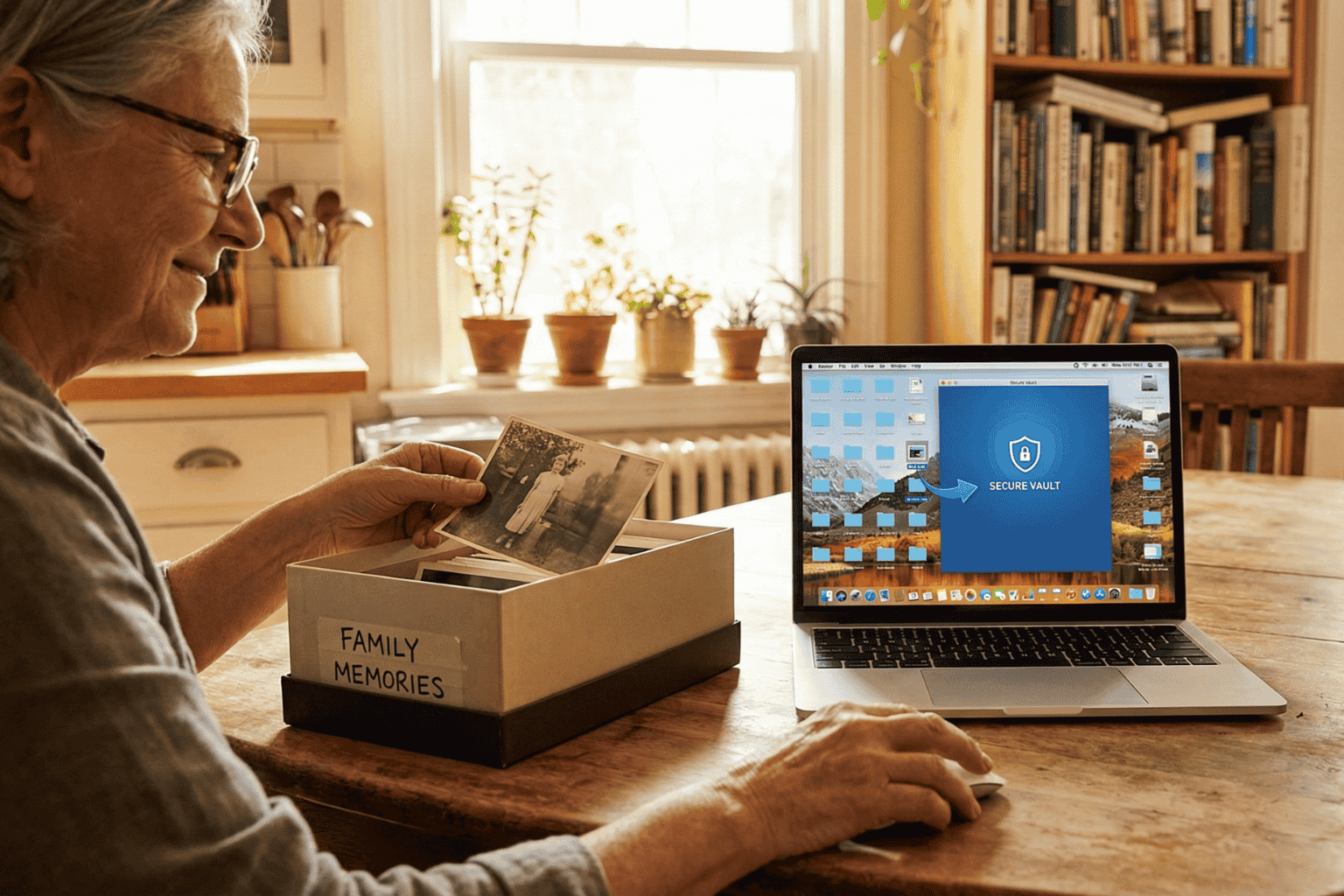
There is a Swedish concept that has been making the rounds lately called döstädning. In English, it translates to “Swedish Death Cleaning.” It sounds a bit dark on the surface. Maybe even depressing. But the idea is actually pretty practical: you clear out your physical belongings, the dusty boxes, the clothes that don’t fit, the broken furniture, so your family isn’t stuck dealing with a mountain of junk when you are gone.
But here is the thing about modern life in 2026: the biggest mess isn’t in the garage. It’s floating in the cloud.
People are walking around right now with thousands of blurry photos, email accounts from ten years ago, and passwords that exist only in their heads. It is a silent chaotic mess. And if something happens, that digital chaos becomes a massive headache for the people left behind. Applying a little döstädning to the online world isn’t just about being tidy. It is about saving loved ones from a nightmare.
First, stop the bleeding
Before trying to organize the important stuff, the useless noise has to go.
Think about the average inbox. It is usually stuffed with newsletters that haven’t been opened since 2019 and receipts for things long thrown away. The first step of the clean-up is arguably the best part: hitting unsubscribe. If a subscription hasn’t provided value in the last six months, cut it loose.
Then look at the bank statement. How many streaming services or random apps are charging five dollars a month for nothing? Canceling those doesn’t just save cash today; it stops a confusing financial web from forming later. It is less for the family to untangle.
And then, the photos. Digital hoarding feels safe because it doesn’t take up room in the house. But leaving someone 50,000 screenshots to sort through is rough. Deleting the junk helps the real memories stand out.
The problem with passwords
Imagine cleaning up a whole house, locking the front door, and then throwing the key into a river. That is basically what happens when a digital life is organized but locked down.
In the past, important documents lived in a filing cabinet. A physical key could be found. Today? The “key” is a complex password or a face scan. If nobody else has those credentials, the assets inside, bank accounts, sentimental emails, crypto wallets, might as well not exist. They are locked in a digital vault with no door.
Scribbling passwords on a sticky note is risky. But keeping them entirely memorized is worse.
A smarter way to store it
Once the trash is deleted, what is left? The vital stuff. The deeds, the insurance policies, the wills, the vet records for the dog. These are the papers families panic over during an emergency.
Leaving these files scattered across three different cloud drives and a laptop desktop is a recipe for disaster. The strategy has to shift from “saving” to “managing.”
This is why platforms like InsureYouKnow.org are picking up steam. They aren’t just storage drives. They are digital safety deposit boxes. It gives people a single, encrypted place to put the things that actually matter. And unlike a regular hard drive, it bridges the gap. It keeps the data safe from hackers but ensures a trusted person can actually get to it when they need to.
It answers the question “Where is the policy?” before anyone even has to ask.
A lighter load
Calling it “Death Cleaning” makes it sound heavy. But honestly? It feels more like life cleaning.
There is a real sense of relief that comes from knowing the digital house is in order. No more background stress about lost files or forgotten logins. Just the calm knowledge that if life throws a curveball, the family won’t be stuck fighting with customer support to get into an account. They will have everything they need, right there, ready to go.
Sandwich Generation Guide: Organize Parents’ & Kids’ Records
January 8, 2026

The Squeeze is Real
The term “Sandwich Generation” sounds polite, almost clinical. But for the millions of adults living it, the reality feels a lot more like a pressure cooker. They are squeezed tight. On one side, there are children needing help with homework, permission slips, and growing pains. On the other, aging parents need support with doctors, medications, and a lifetime of accumulated paperwork.
It is exhausting.
The hardest part usually isn’t the physical caregiving. It is the administration. It is being the unpaid, overworked secretary for two different households. One minute, a parent is hunting for a vaccination card for summer camp; the next, they are frantically searching for Mom’s Medicare supplement number because a receptionist is waiting on the line.
When these worlds collide, chaos wins. Unless, of course, there is a system in place.
Two Households, One Overloaded Brain
The main problem isn’t a lack of effort. It is a lack of centralization. The “Sandwich” caregiver is trying to run two different operating systems at once.
Consider the children. Their documentation is constant and urgent:
- Social Security cards (usually lost in a drawer somewhere).
- Immunization records that schools demand every September.
- Birth certificates for sports or travel.
Then look at the parents. Their paper trail is decades long and much heavier:
- Wills, Trusts, and Deeds (often hidden in “safe” places that no one can find).
- Complex lists of daily medications.
- Insurance policies that need to be renewed.
- The dreaded “In Case of Emergency” contacts.
Keeping the kids’ files in a backpack and the parents’ files in a dusty filing cabinet across town simply doesn’t work. Not in 2026. When an emergency happens, and they always happen at inconvenient times, nobody wants to be driving across town to find a piece of paper.
The “Kitchen Table” Talk
Getting organized starts with a conversation, not a scanner. This is the tricky part. Many adults feel awkward asking their parents about wills or bank accounts. It feels intrusive.
But the conversation doesn’t have to be about control. It should be about safety. The approach matters. Framing it as, “We need to make sure the doctors know what you need if you can’t tell them,” works a lot better than, “Give me your passwords.”
The goal is strictly practical: preventing a crisis from becoming a disaster.
Cut the Clutter: What Actually Matters?
A common mistake is trying to save everything. But honestly, nobody needs to digitize a utility bill from 1998. To survive the squeeze, caregivers need to be ruthless about what they keep.
The “Must-Have” list is actually quite short:
- The Legal Shield: Power of Attorney. This is non-negotiable. Without it, an adult child is legally a stranger to their parent’s bank or doctor.
- The Medical Snapshot: A simple, updated list of what pills they take and who their primary doctor is.
- The Money Trail: Just a list of where the accounts are. Not necessarily the balances, but the locations of the banks and insurance policies.
Stop Relying on Physical Folders
Paper is fragile. It burns, it tears, and most importantly, it stays in one place.
If a parent falls ill while the caregiver is on vacation, that physical folder in the hallway closet is useless. This is why moving to a digital system is the only logical step for a modern family.
Using a secure, encrypted platform, like InsureYouKnow.org, solves the geography problem. It puts the information in the cloud, protected by encryption that is tougher than any lock on a filing cabinet. It means the right information is available on a smartphone, right in the hospital lobby, exactly when it is needed.
Don’t Go It Alone
There is a hero complex in the Sandwich Generation. Everyone tries to carry the load solo. But that is a recipe for burnout.
Once the records are digital, they should be shared. A spouse, a reliable sibling, or a family attorney needs access, too. Modern digital vaults allow for this kind of “trusted partner” access. It ensures that if the primary caregiver gets the flu or gets stuck in a meeting, someone else can step in and handle the situation.
Finding Some Peace
At the end of the day, organizing these records isn’t really about paperwork. It is about buying back time.
Every minute saved by not hunting for a lost insurance card is a minute that can be spent actually being a parent or a son or daughter. The paperwork will always be there, but the stress doesn’t have to be. By merging these two chaotic worlds into one secure place, the Sandwich Generation can finally take a breath.