
Author: Gerry Acuna
Save on Everyday Expenses Like a Financial Expert
October 15, 2026

If the cost of everyday living is overtaking your paycheck, you can take steps to get a handle on your finances and reduce financial stress. A recent study by Edward Jones and Gallup found that 83% of Americans experienced financial stress, strain, or uncertainty within the last year. Half of the respondents said they were not in a financial crisis, but were not fully confident.
The first step to feeling more in control of your financial situation is figuring out whether your income covers all your expenses. It seems simple, but the sooner you look at your budget, the more options you’ll have to make the most of your money.
Creating a Better Budget
Every budgeting method follows the same basic principle: making sure your spending doesn’t exceed your income. Creating a budget lets you see where you can cut spending.
“Seeing where your money is going every day can make you aware of unnecessary purchases that you may be making,” says Jennifer McDermott, a consumer advocate at finder.com. “Plus, cutting out those extra daily purchases can help you put aside more money for the future.”
First, be realistic about what you actually spend and how much you can save each month. Don’t set your savings goal too high and then feel deprived. By grouping your spending into categories, you can easily see where you are spending too much. Also plan for the occasional curveball, and always keep some funds set aside for emergencies.
Auditing Your Subscriptions
A recent CNET poll found that the average American is spending $111 monthly on unused subscriptions. Taking time to review your monthly charges and cancel services you’re not using could free up significant money for your budget and savings.
“Grab some paper or make a spreadsheet and list any recurring expenses that you might be able to cut,” says Byron Ellis, a certified financial planner with United Capital Financial Life Management. “Also list any high expenses that you might be able to reduce.”
Don’t just look at recurring streaming charges. Review your insurance policies and any memberships, such as a gym. If you rarely go to the gym, consider canceling and using free online workout classes and walking more outside instead. Many services allow you to pause your subscription without canceling if you’re hesitant to let something go altogether.
Having Savings Goals
You will be far more motivated to save if you set clear and achievable savings goals for yourself. Instead of just trying to save a certain amount of money, a savings goal helps you remember what you’re saving for. Whether it’s buying a new home, paying off student loan debt, or starting a business, figuring out exactly how much you need and how long it will take is the first actionable step.
Then, set up a recurring direct deposit into your savings account. “Automate weekly savings for small amounts you won’t miss, even as little as $10 or $20 per week,” says Andrea Woroch, a nationally recognized consumer expert. “These small amounts will build quickly over time, and you will learn to live without those extra funds.” By shopping around, you can find a savings account with the best interest rates, which can really boost your savings too.
Cutting Costs at Home
According to the Energy Saving Trust, lowering the thermostat by just one degree Celsius (about two degrees Fahrenheit) can cut your annual bill by up to 10%. Turning off heating or cooling in unused rooms, or programming the temperature to adjust accordingly, can noticeably reduce your energy costs. Switching to LED bulbs can also significantly reduce your home’s lighting costs. Modern LED lightbulbs last up to 25 times longer than traditional lightbulbs and use about 70% less energy, making them worth the upfront investment.
Make sure you’re unplugging everything when it isn’t being used, including TVs, laptops, coffee makers, and cable boxes. In fact, the U.S. Department of Energy estimated that leaving these unused appliances plugged in can account for 5–10% of the average home’s electrical use. “They continue to suck energy even when turned off, which adds to your energy bill,” says Woroch. In certain areas, power strips make it easier to turn off multiple electronics at once, such as at a desk or TV area.
Saving on Fuel
Speeding, accelerating quickly, and braking at the last minute all increase fuel consumption. Properly inflated tires help you get the most out of each tank, and regular servicing can prevent a more expensive repair down the road.
With a fuel price comparison app, you can easily find the lowest fuel prices near you. Reader’s Digest recommends using GasBuddy or the navigation apps you likely already use, including Google Maps and Waze. Even small savings can add up for frequent drivers.
Rethink Social Activities
Talk with your family and friends about your financial stress and the changes that may need to happen at home. Loved ones can be great listeners and may help you find creative ways to save money. According to a Forbes poll, 59% of people said they need to save more money, so your friends are likely in the same boat. Try taking turns hosting potluck dinners or game nights, which are much cheaper than going out to a bar or restaurant.
Meal planning for your weekly dinners in advance can also lead to serious savings on groceries and eating out. Having homemade meals to look forward to can help you avoid the mid-week takeaway temptation. If you and your spouse or partner are on a budget, you can encourage each other by sticking to your savings plans and coming up with creative, low-cost activities you’ll both enjoy.
At Insureyouknow.org, you can keep track of your budget and savings goals in one place. By taking control of your finances, you can ease financial stress and start looking forward to the goals you’ll achieve down the line.
The Hidden Investment Potential of Your HSA
October 1, 2026

Health Savings Accounts were introduced in 2004 as part of the Medicare Prescription Drug, Improvement, and Modernization Act during the George W. Bush administration. These accounts allow those with a High Deductible Health Plan (HDHP) to open a tax-free health savings account to help pay medical expenses until they meet the high deductible.
Unlike a Flexible Savings Account or FSA, if there is still money in your account at the end of the year, then you may roll those funds over into the next year – even if you no longer have an HDHP. Therefore, if you save $3000 in your HSA account and only spend $1200 on medical expenses, then the remaining $1800 will stay in your account the following year.
In addition to helping those with an HDHP pay for their medical expenses tax-free, an HSA can actually be a wise investment account when approached correctly.
Here’s everything you need to know about optimizing your HSA.
The Triple Tax Advantage
An HSA is a triple tax-free account, which means that the contributions you make are tax-deductible, your earnings grow tax-free, and as long as the funds are spent on health care, it comes out of the account tax-free, too.
“You get a tax benefit on the way in. You get a tax benefit when it’s growing, and you don’t pay any tax coming out,” says Jay McGowan, financial expert at The Welch Group.
Yet another perk of an HSA is that you do not have to take your funds out the same year you receive health care. As long as you save your receipts, you can withdraw that money much later. For instance, if you have a baby when you’re 35 and keep every out-of-pocket receipt, you could withdraw that HSA money at age 55 and use it to buy anything you want, free of any taxes or penalties.
Technically, you can spend your HSA funds on anything, but if you withdraw money for non-health care expenses before age 65, then you will have to pay taxes at your marginal tax rate on the entire withdrawal, as well as pay a 20% penalty. If you spend funds on anything besides health care after 65, you’ll still be taxed, but you won’t be penalized.
Contribution Limits
You can accept contributions from anyone, an employer, and yourself. For 2026, the maximum annual contribution limits are $4,400 for self-only coverage and $8,750 for family coverage.
“You have to be enrolled in a high deductible health care plan to be eligible to participate in an HSA,” says McGowan.
For 2026, a qualified HDHP has the following minimum and maximum yearly deductibles with other out-of-pocket expenses:
- Self-only coverage: $1,700-$8,500
- Family coverage: $3,400-$17,000
Even though your HSA has annual contribution limits, your total balance has no limit. That means that if you consistently make your maximum contributions without withdrawing funds, your balance can grow significantly over time.
Building a 6-Figure HSA
If you are fortunate enough not to have any major health care needs, then an HDHP might be the right choice for you. If you’re healthy, you may not even need to touch those HSA funds, allowing them to roll over each year.
If you can afford to max out your HSA at the beginning of the year, then your balance can start compounding tax-free as soon as possible. Then, if you can also pay the majority of your health costs without using your HSA, then you can save all of those receipts and withdraw the money tax-free later on, when you need it more.
Many people don’t realize you can invest the money in your HSA. Most HSA providers pay less than 0.5% interest a year. But they also let account holders move funds from the cash portion to mutual funds, exchange-traded funds, or other investment options they offer.
By making maximum contributions, saving your HSA funds for later, and investing part of your balance, you could grow a six-figure healthcare reserve.
Spending on Health Expenses
The best thing to do with your HSA, of course, is to use it on what it’s meant for: to pay for your health care. According to Fidelity Investments, a 65-year-old who retires in 2026 may spend an average of $185,500 on health and medical expenses during retirement, up 7.5% from last year. If your health care expenses are low now, they may not always stay that way.
“The best place to start is to look at your regular health care expenses, like if you go to the dentist twice a year, if you get glasses, if you know you go to your doctor or have prescriptions,” says Carolyn McClanahan, a physician and founder of Life Planning Partners.
Once you have a realistic estimate of your annual health care expenses, then you can start optimizing your HSA spending.
Your funds can be used tax-free for qualified medical expenses, which generally include:
- Doctor and hospital visits
- Prescriptions
- Over-the-counter medications and health care products
- Dental care
- Vision coverage
- Mental health services
- Medical equipment and supplies
“If you’re on a high deductible plan with an HSA, then you should max out your HSA every year, irrespective of your health-care costs or your deductible,” says McClanahan. “One, you get a great tax savings, and two, you get to use that tax-free for any health-care expense the rest of your life. So you want to build that account up.”
Don’t Leave Behind an HSA
The worst kind of account to inherit is an HSA. It becomes 100% taxable to the heir at ordinary income tax rates the year you pass away. But if you donate the money to a charity, it remains tax-free. If you want to leave something behind for anyone, an IRA or a life insurance policy may be a better option. Experts recommend spending your entire HSA balance before passing and leaving the remainder to your heirs.
At Insureyouknow.org, you can store all your financial and medical records in one organized place, making it simple to plan for the future and optimize your HSA investment options.
Saving for Turbulent Times: Why You Need Rainy Day Funds
September 15, 2026
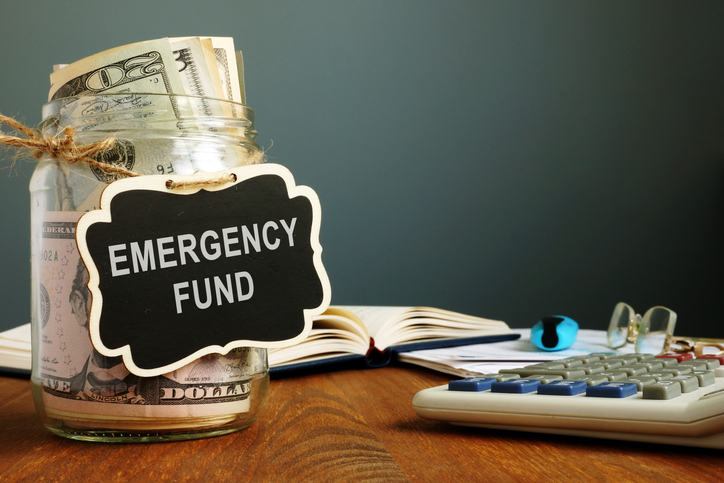
A car repair you did not see coming. A medical bill that insurance does not fully cover. A broken appliance that cannot wait until next month. Unexpected expenses have a way of arriving at the worst possible time. You may not be able to predict when these costs will appear, but you can prepare for them. A rainy day or emergency fund gives you money to draw from when something goes wrong, helping you cover an urgent expense without immediately turning to a credit card or loan.
According to a 2026 survey by Secure Save, nearly 25% of respondents reported having absolutely no emergency funds saved, while over half reported being under high financial stress. Having savings put aside for a rainy day may not alleviate all of your financial stress, but it can help significantly.
“People with emergency savings have a higher level of financial well-being and spend less time thinking about and dealing with their finances,” says Paulo Costa, a Behavioral Economist at Vanguard. “Having that buffer available lets them prepare for the unexpected and avoid the worry and financial stress.”
Staying Out of Trouble
A recent survey by NerdWallet found that nearly 40% of Americans say they are already planning on using a credit card or other loan to cover their expenses this year. But an emergency fund can help with surprise expenses. Instead of having to take out a loan, build up debt, or start falling behind on your bills, you can rely on the money you proactively saved.
When it comes to the unexpected cost of not having an emergency fund, yet another unforeseen issue is retirement leakage. This happens when people withdraw from their retirement savings accounts early in order to cover expenses. A quarter of Plan Advisor’s respondents reported having already had to reduce, pause, or borrow from their retirement this year.
How Much to Save
Most experts suggest setting aside 3 to 6 months of basic living costs, which include all of your housing, food, and transportation expenses. If you don’t know what your saving goal should be, the 3-6-9 rule can help you determine how many months of expenses you should save up for.
If you are a renter, do not have children, and have a steady paycheck, then you should save up three months of take-home pay. But the most common target is six months of pay, and it applies if you have children, a mortgage, or a two-income household. The rule is that even if just two of those apply to you, you should still plan to save up for six months of expenses.
If you or your partner are self-employed or work freelance, then you need to save up nine months of expenses. Because your income is unpredictable, an unexpected bill can have a more significant effect on your finances. An adequate savings fund can give you peace of mind and protect your career. Some major expenses, combined with a few slow months, could force you back into an unwanted 9-5 position.
Know Your Budget
It can be difficult to know what your savings target should be if you haven’t taken the time to budget your expenses. Begin by calculating your monthly income, then list all your expenses.
The general budgeting rule is 50/30/20, where 50% of your income goes towards needs. For most people, allocating the remaining 30% to wants and 20% to savings and debt repayment is a good baseline.
You should also review your budget to make adjustments when needed. Periodic check-ins like this can also help you save money by eliminating subscriptions you no longer need or switching to companies with better deals.
Saving Strategies
If your savings target feels too big, start small. Choose an initial modest goal of $500 or $1,000. When you reach your first goal, reward yourself. Taking a moment to recognize what you’ve accomplished before setting your next target will help you build momentum to keep saving.
If you have a regular paycheck, setting up automatic monthly transfers to your savings account is an easy way to save. Even just $50 a month will add up quickly.
Other times, you may have an influx of money from the sale of a home or vehicle, a family inheritance, or a holiday or birthday gift. But for most Americans, their tax refund is the largest check they receive all year. While these large lump sums of money can be tempting to spend at once, putting at least a portion aside can help you build an emergency fund instantly.
There is no single way to save, nor a perfect amount to have saved up. Everyone’s situation is unique, but the most important step is to start. Saving something up is always better than saving nothing.
“The data clearly show that emergency savings are a cornerstone of financial well-being. By prioritizing these savings, individuals can significantly reduce financial stress and improve their overall financial health,” says Costa.
At Insureyouknow.org, you can do all your emergency fund planning in one place, review your budget, and set new savings targets. By saving up for life’s unexpected events, you can become financially resilient.
Finding Your Muse: Music and Memory in Alzheimer’s Patients
September 1, 2026

Watching a loved one slowly lose pieces of their memory due to Alzheimer’s can be devastating. According to the Alzheimer’s Association, more than 7 million people in the U.S. are affected by this progressive disease, robbing them of critical thinking abilities. A growing body of scientific evidence now suggests that listening to music activates neural regions associated with memory, which is welcome news for Alzheimer’s patients and their caregivers.
Researchers from Monash University in Australia conducted a long-range study of over 10,000 people aged 70 and older and found that listening to music daily reduced the risk of developing dementia by nearly 40%. The group that was followed for 10 years also showed a 33% lower risk of dementia in those who played a musical instrument. “Our study suggests that lifestyle-based interventions, such as listening to and/or playing music, can promote cognitive health,” says Joanne Ryan, senior author of the study and head of the Biological Neuropsychiatry and Dementia research unit at Monash.
How does Alzheimer’s affect the brain?
Alzheimer’s is the most common form of dementia and is characterized by a slow decline in cognitive functioning due to a buildup of tau and amyloid proteins. As the disease progresses, healthy neurons in the brain lose their connections with one another and die, leading to memory loss over time. The disease typically starts in the brain region responsible for memory and ends in the brainstem, affecting critical heart and lung functions.
Some patients may have difficulty remembering the faces of their loved ones and may find their usual environment confusing and disorienting. For such patients, being exposed to familiar experiences and keeping the brain engaged and active is vital to slow the progress of this irreversible disease. “Personalized music programs can activate the brain, especially for patients who are losing contact with their environment,” says Norman Foster, MD, Director of the Center for Alzheimer’s Care and Imaging Research at the University of Utah Health.
What is the connection between music and memory?
Studies show that music that evokes certain emotions can allow people affected by Alzheimer’s to retrieve forgotten memories, even if the music isn’t relevant to memories they’re failing to recall. When a patient with Alzheimer’s hears familiar music, it unlocks certain memories and emotions. Researchers have discovered that long-term musical memory does not follow the same progression of decline as other cognitive abilities. It is currently unknown why this is the case, and research in this area is ongoing.
Music stimulates the temporal lobe and limbic system areas of the brain. It is largely observed that the emotions of a memory are better preserved in the mind than the memory itself, which is why music is such an important therapeutic tool for Alzheimer’s patients. By evoking emotional responses, music can allow individuals with Alzheimer’s to access memories that are difficult to recall.
Many Alzheimer’s patients also tend to suffer from anxiety and agitation, and benefit greatly from the release of endorphins that comes with listening to music. “Just hearing a certain musical piece or singing a song with others that is particularly meaningful to an individual can create strong positive feelings, evoke memories and generate joy,” says Alvaro Pascual-Leone, MD, a professor of neurology at Harvard Medical School.
What are the benefits of music therapy?
Listening to music regularly stimulates parts of the brain related to memory and attention. Familiar music from the affected patient’s past can also improve their recollection. “Music therapy can make a huge difference not only for people living with dementia, but also for the family caregivers supporting them,” says Kathy Siepker, an associate professor at the University of Arlington School of Social Work.
Siepker helped develop an app for people with Alzheimer’s that uses AI to sense the patient’s mood and plays familiar songs if they appear down or agitated. “Toward the later stages of the disease, patients often sit quietly, withdrawn,” says Siepker. “But when they hear familiar music—songs from their childhood or young adulthood—they often remember all the lyrics, sing along.”
The benefits of music therapy include:
- Relaxation
- Reduced anxiety and stress levels
- Mood regulation
- Improved memory
- Better coping skills
- Mood regulation
- Improved communication skills
- Reduced sense of pain
How to find and apply music therapy?
If you or your loved ones are ready to look for a licensed music therapist, refer to the Certification Board for Music Therapists to find one in your area. Alternatively, caregivers can use some of the strategies below to incorporate music into the lives of their loved ones living with Alzheimer’s:
- Create a playlist on Spotify, YouTube, or a related app of familiar songs from a time your loved one can recall.
- If they are fond of different genres, make separate playlists and use them at different times.
- Periodically update the list to expand the collection based on their reactions, since not all songs evoke joyful memories.
- Buy them a pair of wireless noise-canceling headphones for listening. This would allow them to be part of social gatherings where they feel like they are with family, but also need music to orient themselves.
- Remind them to listen to music when they feel anxious, confused, or agitated.
- Keep music accessible to them at all times.
World Alzheimer’s Day is observed each year on September 21. It serves as a reminder to us to raise awareness about Alzheimer’s disease and focus on ways to improve the lives of our loved ones living with this and related conditions.
Choosing the Right Debt Payoff Strategy
August 15, 2026

According to data from Capital One, the average American was carrying nearly $6,600 in credit card debt as of May 2026. Based on the Federal Reserve’s estimated average credit card rate, carrying that amount of debt can cause a consumer more than $1,500 in interest over a two-year payoff period.
Debt can become so overwhelming that many begin to view it as something they’ll just never get out from under. They deal with it only by avoiding it at all costs. But with the right approach, anyone can become debt-free. Here are proven strategies to help you get out of debt, repair your credit, and help you regain your financial freedom.
Ways to Stop Incurring Debt
While it may seem like a given, the first step to getting out of debt is to stop incurring debt. To avoid incurring additional debt, have and maintain a realistic budget that reflects both your expenses and debts owed.
When you have debt, you are making interest payments toward that debt instead of using your cash flow for other financial goals. Sticking to a budget can help you reset financially and motivate you to stick to your plans, such as saving up for a home.
One of the best ways to avoid getting into debt in the first place is to keep an emergency fund. An emergency fund is a reserve of cash that is set aside for unplanned life events. A common rule is to save up between three and six months of your expenses.
“Unfortunately, debt tends to snowball. There just has to be a prioritization of saving that emergency bucket so that this doesn’t happen again,” says Cassandra Rupp, a senior wealth advisor and certified financial planner at Vanguard. “The first thing I would always say is just making sure you have that emergency savings bucket.”
Similar to an emergency fund, insurance can help you in the face of unexpected events. Having renters insurance or adequate homeowners coverage and good car insurance can keep you out of catastrophic financial trouble if you face property damage or loss.
Choose Your Strategy
If you really want to get out of debt, then you have to make paying off your debt a top priority. “It takes a lot of stress off of your shoulders to sit back and make a plan,” says Rupp.
Start by knowing not just how much total debt you owe, but also how each debt incurs interest, fees, or penalties. Create an itemized list of every debt you’ve incurred.
“It’s important not to wallow in guilt, shame, or frustration about your debt,” says Austin Kilgore, an analyst at the Achieve Center for Consumer Insights. “Just stick to the facts. Write it all out or use a budgeting tool, so you can really understand the extent of your debt.”
If you prioritize paying off high-interest debts first, then you can avoid paying more in interest fees over time. But if you think some small wins will motivate you, then begin with small bills you know you can pay now. The first approach is the Avalanche Method, while the second is the Snowball Method.
Here’s a breakdown of each strategy.
- The Avalanche Method: This method is most beneficial for those with large debts and high interest rates. Begin by listing your debts from highest interest rate to lowest. Then make minimum payments on each debt, except for the one with the highest interest rate. Use all of your extra money to pay off the debt with the highest interest rate first. Repeat this process each month, after paying off each debt with the highest interest rate. This strategy will save you money and interest, and in the long term, you will pay less to get out of debt.
- The Snowball Method: This method allows people to experience some quick wins by eliminating their smaller debts first. This strategy would be most effective for someone who has many small debts or who needs motivation to gain momentum. Begin by listing your debts from smallest to largest. Make minimum payments on each debt, except the smallest one. Use all of your extra money to pay off your first debt, and repeat this process monthly after paying off the smallest debt.
Negotiating with Lenders
By working with your creditors and lenders directly, you may be able to negotiate a settlement or better repayment plan. If you choose to go this route, speak with a manager who has the authority to adjust your repayment terms and always get a copy of your agreement with them.
Be cautious of companies that assist with debt management and always do your research to make sure the company’s offers are legitimate. Companies that provide debt management services usually do so in three ways: through debt consolidation and debt settlement services for individuals or debt collection for lenders and creditors.
The Role of Debt Companies
With debt consolidation, the borrower pays their full debt balances with a new loan. Debt consolidation is a way to streamline your loans and reduce monthly payments. But this approach is only best if you can get a loan at a lower interest rate. If not, you’re just moving your debt around without making any progress.
Debt settlement involves hiring a company to negotiate lower payments with your creditors, instead of paying the total outstanding balance. These companies usually charge a fee of between 15 and 20 percent of your total debt amount. That means that if what they save you is equal to or less than what they charge you, then they’re not offering you a very good deal.
If you are ever contacted by a debt collection company, make sure the debt is valid before you pay anything. If you think there is an error of any kind, do not pay anything and dispute the debt.
Last, meet with financial experts at your bank or credit union for free guidance. A financial coach at your bank or credit union can help you decide which debt payoff strategy is best for your situation.
Choosing What’s Best
The best debt consolidation method may be the one that best suits your personality. “There’s not a one-size-fits-all approach to dealing with debt,” says Kilgore. “The best debt payoff strategy is the one you’re going to stick with and see through to the end. Full stop.”
If you are someone who thinks mathematically, then The Avalanche Method, in which you pay off your highest interest rate first, is going to make you feel more accomplished quickly.
But if you know you’re going to need fast, noticeable changes in your debt situation, then The Snowball Method is better for you. This strategy feels good immediately, even though it will take you longer to pay off your debt.
At Insureyouknow.org, you can store all of your financial records in one place, including your budget, itemized list of debts, and payment strategy logs. By remaining organized and prioritizing your debt payoff plans, your financial goals will become realities.
Buying a Home When Interest Rates are High
August 1, 2026

If you’ve been waiting for mortgage rates to fall before buying a home, you’re not alone. Experts say the decision isn’t as simple as waiting for lower rates. The better question is whether buying makes sense for your finances today.
According to a recent Rocket Mortgage survey, nearly 60% of Americans said that they would not start looking for a house now. The top three reasons for staying out of the market are high home prices, insufficient savings, and high mortgage rates. In the last five years:
- Home prices increased from $368,000 to $411,000;
- Mortgage rates increased from under 3% to over 6%; and
- Household debt increased from $96,000 to $105,000, while average wages adjusted for inflation remained flat.
Evaluate Your Situation
Mortgage rates generally move with the yield on 10-year U.S. Treasury notes, which are influenced by investor expectations and Federal Reserve policy. As of June 2026, an average 30-year fixed-rate mortgage rate stood at 6.58%. The Fed lowered the rate three times in 2025, but has kept the rate stable so far this year. “It’s not just about rates for homebuyers, but rather the full financial picture of buying,” said Lisa Sturtevant, chief economist at Bright MLS. “Home prices hit record highs this summer in many markets across the U.S. while higher gas prices and concerns about overall inflation rising have created more financial strain for would-be buyers.”
Here are some factors to consider when deciding whether to buy:
- Stability: Do your job and your paycheck seem secure? Do you intend to stay in one place for several years?
- Lifestyle: Can you afford the inevitable maintenance, repair, and insurance costs that come with owning a home?
- Savings: Do you have enough for the down payment, closing costs, moving expenses, and other expenses (e.g., title searches, home inspections, attorney fees)?
- Debt: How much debt (student loans, car payments, credit cards, medical bills) are you carrying?
- Credit: Is your credit score in the neighborhood of 740 or above?
“If your finances feel shaky — for example, you’re worried about job security or paying bills — it’s wise to hold off,” advises Abby Badach Doyle of NerdWallet. “If your income is steady and your budget says the numbers work, don’t let scary ‘what if’ headlines throw you off track.”
Know What You Can Buy
Before you set your sights on your dream home, do some research to answer the following questions:
- Can you increase your income, or reduce your expenses, or both?
- How much can you pay toward a down payment?
- Would you consider buying in a lesser-known area or an area further from your job?
- Are you looking for a fixer-upper, an older home, or new construction?
- Would you consider a condo or a townhome, rather than a single-family home? If so, don’t forget to factor in the HOA fees.
- Are you a veteran? If so, you might qualify for a VA loan, which has some advantages over a regular bank loan.
- Would a 15-year mortgage be more suitable than a 30-year mortgage for your situation?
- Would you consider an adjustable-rate mortgage, as opposed to the standard fixed-rate mortgage (with the commitment to refinance when the rate goes down)?
- Is a rate buydown — in which you pay up front to lower the interest rate — within your budget?
Seek Professional Help
The U.S. Department of Housing and Urban Development (HUD) works with non-profit organizations that counsel homebuyers. Check with the Consumer Financial Protection Bureau for guidance. Licensed real estate agents have expertise in local markets. Loan officers at banks and credit unions can help, as can real estate brokers licensed through the Nationwide Multistate Licensing System.
Prepare for a Worst-Case Scenario
A survey by Clever Real Estate found that nearly half of new homeowners struggled to make mortgage payments and took on additional debt because they:
- Purchased a home over their budget;
- Accepted a higher interest rate than planned;
- Compromised on their priorities, especially home prices; and
- Confronted excessive maintenance costs.
Although your basic mortgage payment will be locked in for the life of the loan, all other costs associated with buying and owning a home will increase over time. The best scenario for a homebuyer is for both interest rates and home prices to drop, but it is hard to predict when (or whether) those two factors will coincide. Experts can calculate potential trends based on past and current data, but you can’t plan to buy a house based on what the mortgage rate might be in three years.
“The truth is, the right time to buy is when it makes sense for you,” says Doyle.
Renting Your First Apartment? The Rent Isn’t the Biggest Expense
July 15, 2026

Nobody warns you that the most expensive part of renting your first apartment happens before you move in. The monthly rent may fit your budget, but that’s only the beginning. By the time you’ve paid the application fee, security deposit, utility fees, renters insurance, bought a few pieces of furniture, and stocked your kitchen and bathroom, your “affordable” apartment may have already cost several thousand dollars.
It’s no surprise that in many college communities, students now spend more on housing than on tuition. Renting your first apartment is an exciting milestone, but it’s also one of the biggest financial commitments you’ll make during college. With the median asking rent for an apartment in the United States hovering around $1,667 a month, understanding the true cost of renting can help you avoid expensive surprises and find a place that fits both your lifestyle and your budget.
Look Beyond the Monthly Rent
When comparing apartments, don’t stop at the advertised rent. Ask for a complete breakdown of what you’ll pay before move-in and every month afterward. Most first-time renters should budget for:
- Application fee
- Security deposit
- First month’s rent
- Utility or community fees
- Renters insurance
- Parking fees, if applicable
- Furniture and household essentials
- Pet fees and deposits
- Moving expenses
According to a budgeting guide from The Student Sublet, many first-time renters underestimate the cost of everyday items like cookware, shower curtains, cleaning supplies, lamps, trash cans, and basic kitchen utensils. Individually, they don’t seem expensive. Together, they can easily add hundreds—or even thousands—of dollars to your move-in costs. Monthly expenses can also be higher than expected. While many student apartment communities include internet, they often charge utility or community fees that cover other services and common-area maintenance. Before signing a lease, ask exactly what’s included in your rent and what you’ll be expected to pay separately. Some costs to watch out for include:
- Electricity: Budget $30–$80 per month
- Gas and Heating: Budget $20–$60 per month
- Water and Trash: Budget $15–$30 per month
- Parking: Budget $80-$300 per month
Build Your Budget Before You Apartment Shop
It’s easy to fall in love with an apartment that’s just a little nicer than the one you planned to rent. Instead, decide what you can comfortably afford before you begin touring properties. Rent is only one part of your monthly budget. You’ll also need money for groceries, transportation, textbooks, laundry, entertainment, and the occasional unexpected expense. According to Bola Sokunbi, founder and CEO of Clever Girl Finance, budgeting isn’t about limiting yourself—it’s about making intentional decisions. “A budget gives you permission to spend because you’ve already made a plan for your money,” says Sokunbi.
Compare the Total Cost of Living
The apartment with the lowest rent isn’t always the least expensive place to live. For example, an apartment that costs $75 more each month may actually save you money if it includes parking, in-unit laundry, or is close enough to campus that you don’t need to pay for parking permits or as much gas. On the other hand, a cheaper apartment may require a longer commute, separate utility payments, laundry fees, or higher transportation costs that quickly erase the savings. Think about your total monthly cost, not just your monthly rent.
Roommates Can Save More Than Rent
For many students, living with roommates is one of the smartest financial decisions they can make. Lauren Sonnenberg, a writer for Forbes, estimates that students who share an apartment rather than live alone can save more than $15,000 over four years. Those savings come from more than splitting the rent. Roommates often divide utility costs, household supplies, streaming services, and other shared expenses, which can quickly add up.
Sharing an apartment, however, requires more than finding someone to split the bills. Before signing a lease together, talk about expectations.
- How will bills be divided?
- Will groceries be shared?
- Who buys household supplies?
- Are overnight guests okay?
- What are the expectations for cleaning?
- What happens if someone wants to move out before the lease ends
Don’t Pay for Amenities You Won’t Use
Apartment tours are designed to impress prospective renters. Resort-style pools, rooftop lounges, game rooms, golf simulators, coffee bars, and fitness centers all look appealing. But ask yourself one simple question: Will I actually use them? If you’re spending most of your day in class, studying, or working, those amenities may not justify the higher rent. Instead, prioritize the features that will make your daily life easier:
- A safe neighborhood
- Reliable maintenance
- Laundry facilities
- Good lighting and secure entry
- A reasonable commute to campus
- Space to study without distraction
Read the Lease Carefully
Most students spend more time touring an apartment than reading the lease. Before signing, understand when rent is due, how maintenance requests are handled, whether parking is included, who pays for repairs, what happens if you break the lease early, and whether subletting is allowed. If something doesn’t make sense, ask questions before signing. A five-minute conversation today can prevent months of frustration later.
Furnish Slowly
Your first apartment doesn’t need to be fully furnished on move-in day. Start with the essentials: a bed, a desk, basic cookware, towels, cleaning supplies, and a few kitchen items. Shop at thrift stores, estate sales, or on Facebook Marketplace, or ask family members if they have furniture they’re no longer using. You can always add decorative items, additional furniture, and small conveniences over time. Buying everything at once often leads to unnecessary spending—and unnecessary debt.
Protect Yourself from Day One
Before moving in, photograph every room and document any existing damage. Keep copies of your lease, receipts, and maintenance requests. Renters insurance is one of the least expensive ways to protect your belongings if they are damaged or stolen.
Plan a Memorable Vacation Without Breaking the Bank
July 1, 2026

Most vacations end twice. The first time is when you unpack your suitcase. The second is when the credit card bill arrives. That second ending has become increasingly familiar to American families. Nearly eight in 10 Americans plan to take at least one vacation each year, yet the average one-week vacation for a family of four costs about $8,000. For many households, the desire to get away competes with rising prices, making travel feel more like a financial burden than a chance to recharge.
Fortunately, a memorable vacation doesn’t have to come with a luxury price tag. With thoughtful planning and making a few strategic choices, you can enjoy travel without spending more than you can afford.
Start with Your Budget, Not Your Destination
It’s easy to fall in love with a destination before looking at the price tag. Instead, determine how much you can comfortably spend before browsing flights or hotels. Include transportation, lodging, meals, activities, parking, souvenirs, and a small emergency cushion.
Planning ahead is one of the simplest ways to save money. According to Sally French, a travel expert at NerdWallet, travelers often underestimate everyday expenses. “People often underestimate what they spend while traveling because they only think about airfare and hotels,” says French. “Planning for meals, transportation, and unexpected expenses makes vacations far less stressful.”
Consider one of these budget-friendly destinations:
- Greenville, South Carolina
- Chattanooga, Tennessee
- Rapid City, South Dakota
- Gettysburg, Pennsylvania
- Cincinnati, Ohio
- San Antonio, Texas
- Bentonville, Arkansas
- Clearwater, Florida
MoneyLion has a list of 20 of the cheapest places to travel in the U.S. in 2026.
Be Flexible
Travel during the shoulder season when hotel rates and airfare are often lower. Flying midweek, considering nearby airports, and comparing similar destinations can all stretch your budget.
Save on the Big Expenses
Transportation and lodging usually consume the largest share of a vacation budget, but they also offer the biggest opportunities to save. Choose accommodations with a kitchenette so you can prepare breakfast or pack lunches. Compare the total cost of a hotel—including parking, resort fees, and taxes—not just the nightly rate. Eat where the locals eat instead of near major attractions, and leave a little room in your budget for unexpected experiences that often become the most memorable parts of a trip.
Look for Free Experiences
It’s easy to assume the best experiences come with the highest admission prices. Some of the best vacation memories are free. Walk through a historic downtown, visit a farmers market, hike a scenic trail, or attend a community festival. According to Pauline Frommer, editorial director of Frommer’s Travel Guides, meaningful travel isn’t defined by luxury. “Travel doesn’t have to be expensive to be meaningful. The best trips are often those that allow you to connect with a place and its people rather than simply check attractions off a list,” says Frommer.
Travel writer Rick Steves shares a similar philosophy. “The most memorable travel experiences often happen when you slow down and connect with everyday life,” says Steves.
Don’t Overlook the Staycation
If travel isn’t in the budget this year, consider taking a staycation instead. Reserve a nearby hotel, explore museums you’ve never visited, spend the day at a local park, or try restaurants that have always been on your list. The key is to treat the time as a real vacation. Put away your work email, silence notifications, and resist the temptation to catch up on household chores. Even a weekend spent exploring your own community can provide the change of pace many families need.
With a little planning, you can make your vacation memorable without making it expensive.
Planning for Yourself and Loved Ones After a Cancer Diagnosis
June 15, 2026

The National Center for Health Statistics estimates that approximately 2,114,850 new cancer cases will occur in the United States in 2026. Hearing the words, “You have cancer,” is a moment that is often met with a rush of emotions, ranging from fear to confusion.
“The beginning is the worst because you want all of the answers. You don’t know your staging and your mind goes to a scary place,” says Emily Cheshire, a nursing professor in Colorado diagnosed with breast cancer last year.
While no one wants to think about worst-case scenarios after receiving a cancer diagnosis, taking time to plan ahead can provide peace of mind for both you and your loved ones.
Processing the Diagnosis
You may experience denial as you grasp the reality of your diagnosis. This can give some people the time they need to accept it, but if denial persists, that can stop someone from confronting the condition, delaying potentially life-saving treatments.
By keeping a notebook to write down questions, take appointment notes, and to store all of your medical records, you can begin to feel like you’re staying on top of your health. This level of organization can also help you and your loved ones see the full picture of your care plan.
Take an Account of Your Financials
One practical step is to organize important documents, including insurance policies, treatment options, medical records, medication lists, financial account information, and legal documents. The National Cancer Institute recommends discussing advance directives early and keeping important healthcare documents accessible in case you become unable to communicate your wishes.
Cancer treatment can also create financial challenges. Beyond medical bills, families may face costs related to travel, lodging, lost wages, and caregiving. Ask your healthcare team whether your cancer center offers financial counselors, patient navigators, or assistance programs that can help you understand costs and identify available resources.
Planning ahead also means having honest conversations with family members. Consider discussing who may help manage appointments, make healthcare decisions on your behalf if needed, and store important documents. Advance directives commonly include a living will, trust, and a healthcare power of attorney (also known as medical power of attorney or MPOA), which allows you to designate someone to make medical decisions if you cannot do so yourself.
These conversations can be difficult, but they can also reduce uncertainty and stress for families during a challenging time. Planning ahead does not mean giving up hope. Instead, it helps ensure that your wishes are understood and allows everyone to focus more fully on treatment, quality of life, and time together.
Emotional Toll
Just as cancer takes a toll on your physical health, the mental toll can be just as difficult. Many people experience emotions they’ve never had to deal with, which can intensify them. Feelings may also fluctuate frequently, but all of this is normal.
Some people feel that they have to be strong to protect their loved ones, but seeking support from them or other cancer survivors can be helpful. Others feel more comfortable speaking with a professional counselor or turning to their faith. “I’ve felt a lot of prayers from people, so I feel lifted and supported with that,” says Cheshire. “I don’t know if that’s what helps me have a positive attitude or if it’s the other things I do, but this is about finding beauty and something you’re grateful for while living in uncertainty.”
For many, expressing strong emotions like anger or sadness helps them let go. And even if you prefer not to share what you’re feeling, writing down your feelings can be just as effective. It’s just important to figure out what’s going to be the right outlet for you. By focusing on what you control, you can feel more empowered. Simply staying on top of doctors’ appointments and treatment schedules helps you and your family feel like you’re doing everything in your power to heal.
Turn your focus to strengthening your coping abilities, such as finding your support system of friends and family, and prioritizing what matters most to you. Cultivate a sense of hope by taking part in activities that bring you joy or allowing yourself to be comforted by your spiritual beliefs.
Caring for Your Family
Give those closest to you the space to process what they’re feeling. Let them know that you want them to speak honestly with you about what they’re feeling, when they’re ready to. Open discussions will allow everyone to connect and process the information together.
When you’re ready, ask them for the help you need, including going to doctors’ appointments and sitting through treatments with you. “My wife has been exceptional in taking on a majority of the family responsibilities,” says Kyle Stanfield, an Oregonian dad who has been battling cancer for seven years. “Knowing that you have that support at home is priceless.”
For those who want to help out caregivers but don’t know how, just act. “Check in on them, give them a call, invite them out for a meal or to a movie to take their mind off being a caregiver,” says Stanfield.
With Insureyouknow.org, you can store all of your notes, medical records, and care plans in one place, making it simple for you to stay organized. By periodically reviewing your care plan and then mentally setting it aside, you can free up your mind for everything else you want to focus on right now.
A Second Set of Eyes: What Guide Dogs Offer the Visually Impaired
June 1, 2026

In the late 1920s, an article called “The Seeing Eye” was published. It told Americans about a successful guide dog training program for WWI soldiers in Germany. Letters poured in from readers, asking where they could find a guide dog of their own. A century later, there are an estimated 10,000 guide dog teams currently paired together in the United States alone. Guide dogs not only offer people with visual limitations greater independence but also companionship.
If you’re thinking about being paired with a guide dog, then here’s everything you need to know.
Who Qualifies?
There are several organizations that train and pair guide dogs, and they all have similar requirements. With The Guide Dogs of America, or GAD, individuals qualify for a guide dog if they are legally blind, 18 years old or over, and financially able to care for a guide dog. Applicants must also be able to walk 1-2 miles a day, or at least 30 minutes without stopping, independently or with a cane.
Training in orientation and mobility (O&M) is also required. O&M is training that helps visually impaired individuals navigate the world with confidence. It involves sensory and spatial awareness, searching skills, independent movement, and protective techniques. Every potential guide dog applicant must submit an O&M evaluation before being accepted into a training program.
What to Expect at Training
After an application is received, an instructor will reach out to the applicant for an interview. This is to get to know them and their lifestyle, so they can match individuals with the right dog.
Once individuals are accepted into the program, they are placed in the next class at the training campus. There, students will learn how to interact and work with guide dogs. Applicants are considered prospective guide dog handlers and therefore require training.
Before a guide dog is officially paired with its handler, an emotional bond must form between them. The right match is important so that they both feel safe with one another and can develop a deep level of trust.
“I wanted to expand my mobility ambitions rather than shrink them,” says Mike Brace, a paralympic skier who used a cane for many years. He was eventually paired with guide dog Izzy. “Izzy has allowed me to do more,” says Brace. “She gives me freedom of movement and independence. I can go anywhere with her and know that I will be able to find my way.”
To find a compatible training center nearby, the International Guide Dog Federation has a search-friendly database of training centers worldwide.
Benefits of Having a Guide Dog
While a guide dog’s primary purpose is to help its handler get from point A to point B, its assistance goes well beyond that. Having a guide dog brings new opportunities for social outings and interactions for its owner, resulting in greater self-confidence.
These highly trained dogs can help their owners travel safely using a skill known as obstacle avoidance. They help the handler navigate unexpected obstacles, such as a trash can or a blocked sidewalk. Another skill they use is traffic awareness, in which a dog will refuse to move forward if there is oncoming traffic. These guide dogs are so intelligent that they can disobey their handlers in certain instances, such as these, to keep them safe.
The dogs are also trained to spot essential landmarks, which are locations their handler will encounter in daily life. This means being able to go into a restaurant and quickly find the front counter and restrooms. Other landmarks include crosswalk poles with traffic buttons, benches or chairs, elevators, and exits.
For many visually impaired people, guide dogs can be a vital lifeline to more mobility and independence, but they also become family members. “You build up a very strong bond, being with it 24/7,” says John Welsman, a UK resident currently guided by a dog named Breck. “The dog is not only your mobility aid, it is your companion and communication aid.”
Guide dogs are also in a caregiving role. They learn to read unspoken signals, such as changes in posture or facial expressions, and can tell if their handler needs something. This creates a deep level of trust between them. “Assistance dogs care for humans, and humans also do their best to care for their assistance dogs,” says Suvi Satama, a professor at the University of Turku who studies the caregiving role of guide dogs. “In this way, vulnerability becomes relational, and both parties give and receive care.”